



URL copied to clipboard

AI Configuration
69 views
__readtime__ Min
read
The AI Configuration section allows you to connect and manage AI providers used within the system. You can configure multiple AI agents by adding their API keys and enabling or disabling them as needed.
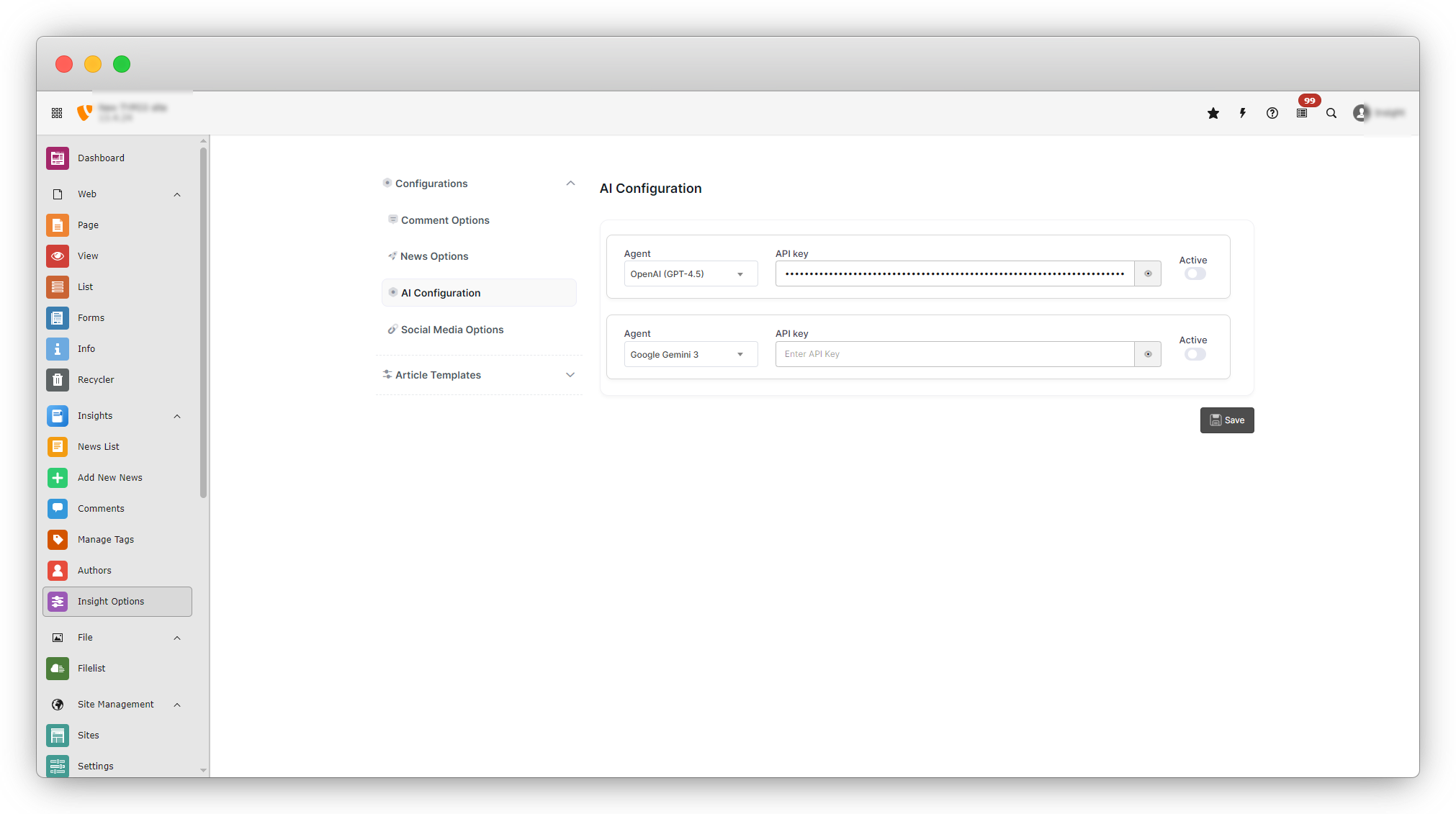
The system currently supports the following AI agents:
- OpenAI (GPT-4.5)
- Google Gemini 3
Configuring OpenAI (GPT-4.5)
- Locate OpenAI (GPT-4.5) in the AI Configuration section.
- The API key field will display a masked value (e.g., ••••••••••).
- If needed, replace it with your valid OpenAI API key.
- Enable the Active toggle to use this agent.
- Once activated, the system will use OpenAI services for AI-related features.
Configuring Google Gemini 3
- Locate Google Gemini 3 in the list.
- Enter your valid Google Gemini API key in the provided field.
- Enable the Active toggle to activate the agent.
- The agent will be available for use once activated.
Enable AI Configuration
The AI Assistant helps you quickly generate content such as titles, summaries, meta descriptions, and more while creating or editing a news item.
Important Notes
- Only one AI agent can be active at a time.
- Make sure at least one agent is configured and enabled before using the AI Assistant.
Steps to Use AI Assistant
1. Navigate to: Insights → Add New News
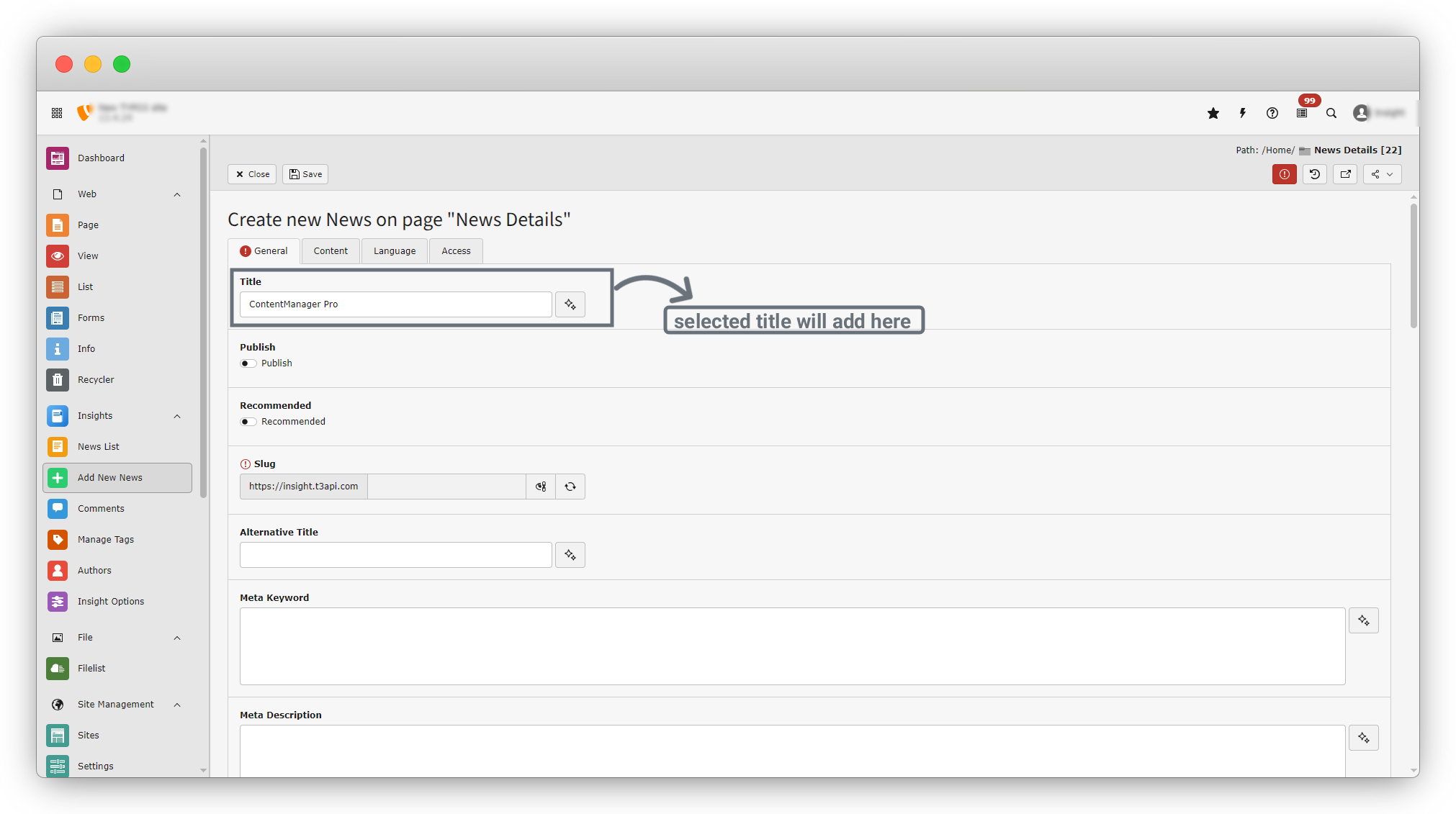
2. In the news form, you will see the AI Assistant icon in the following fields:
- Title
- Alternative Title
- Meta Keywords
- Meta Description
- Schema
- Teaser
- Description
3. Click the AI Assistant icon next to any field (e.g., Title).
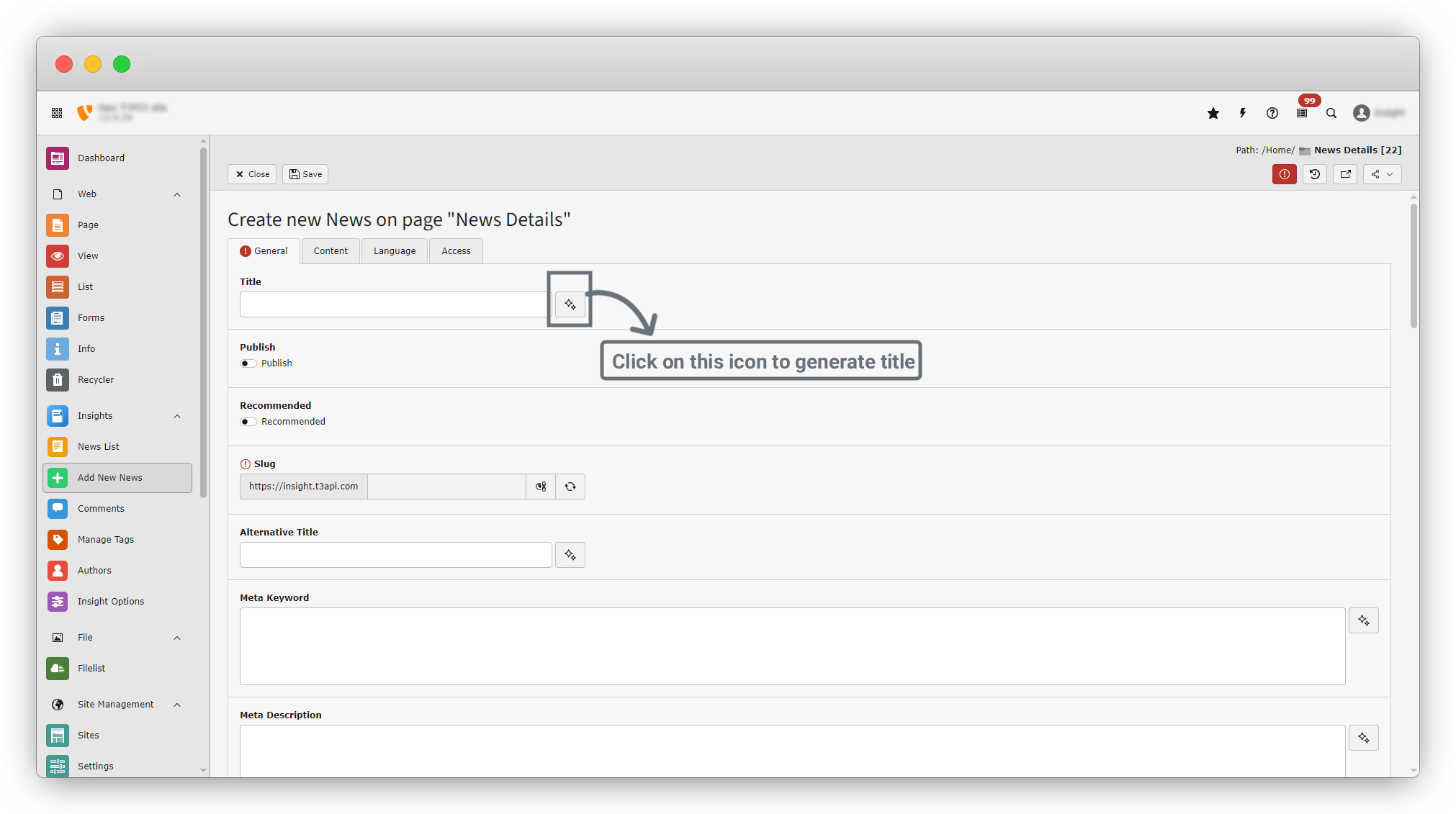
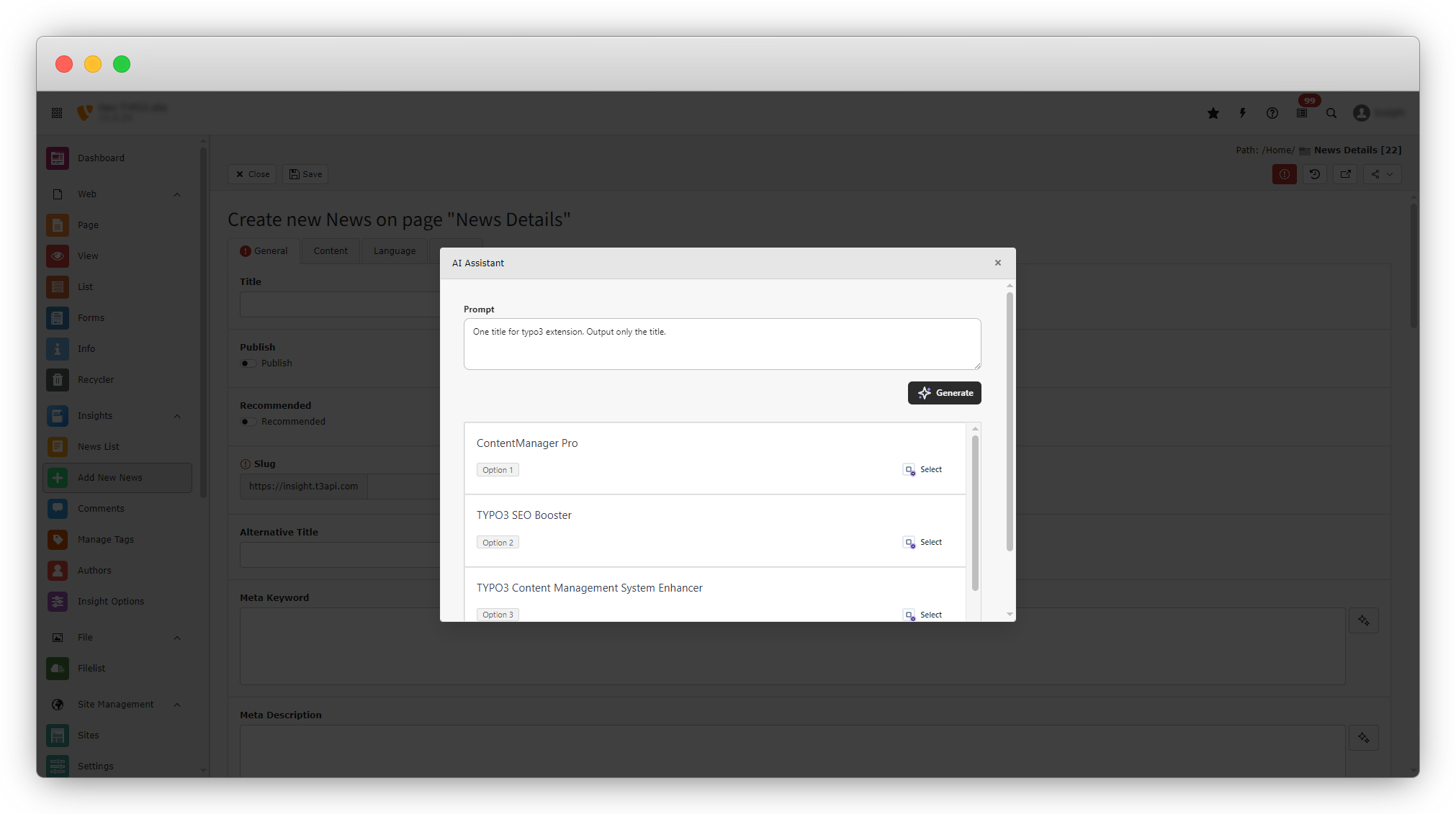
4. A dialog box will open.
5. In the dialog: Enter your prompt in the Prompt field.
6. Click the Generate button.
7. The system will generate multiple suggestions based on your prompt.
8. Review the generated options and click Select on your preferred result.
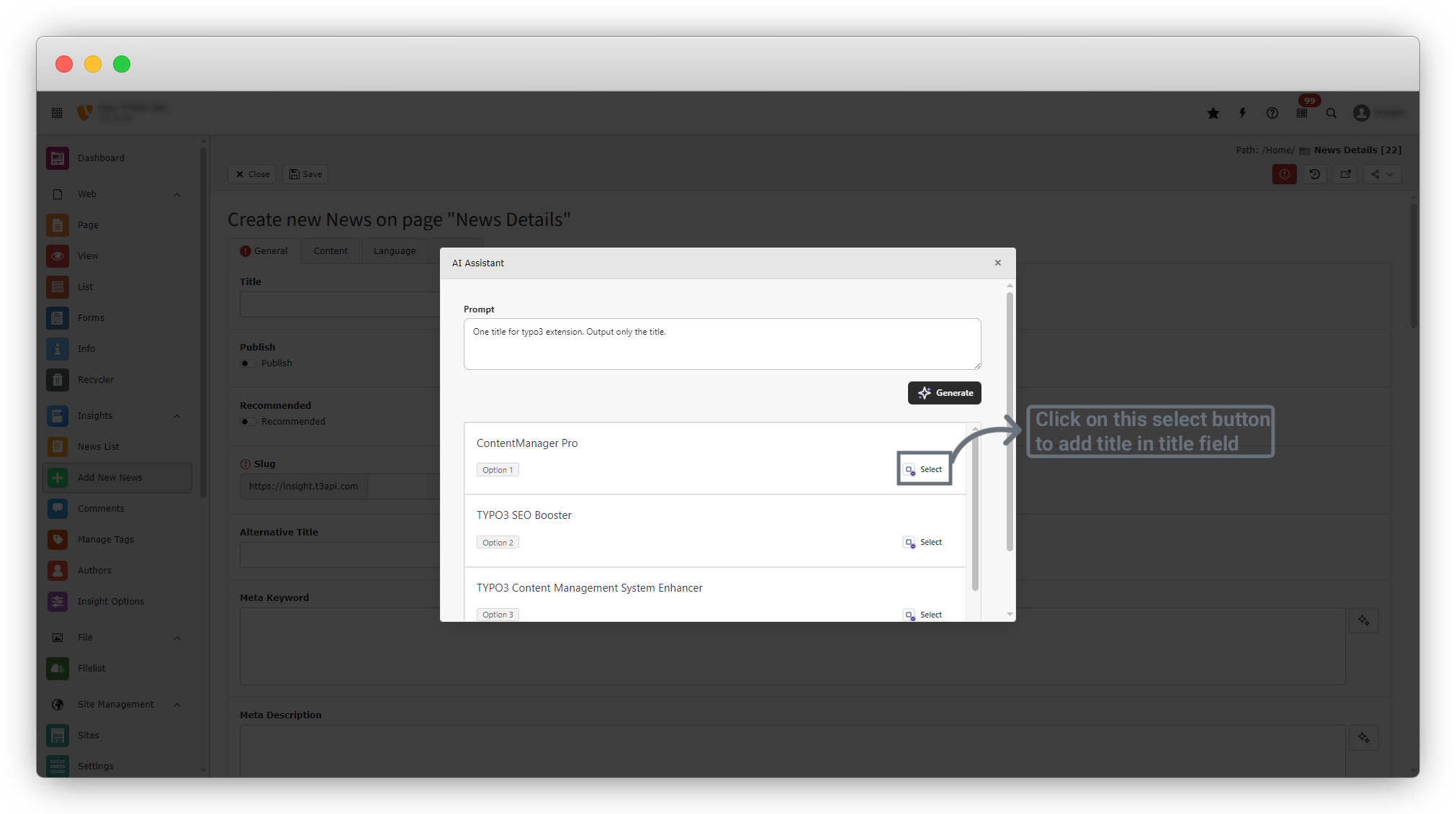
9. The selected content will automatically inserted into the field
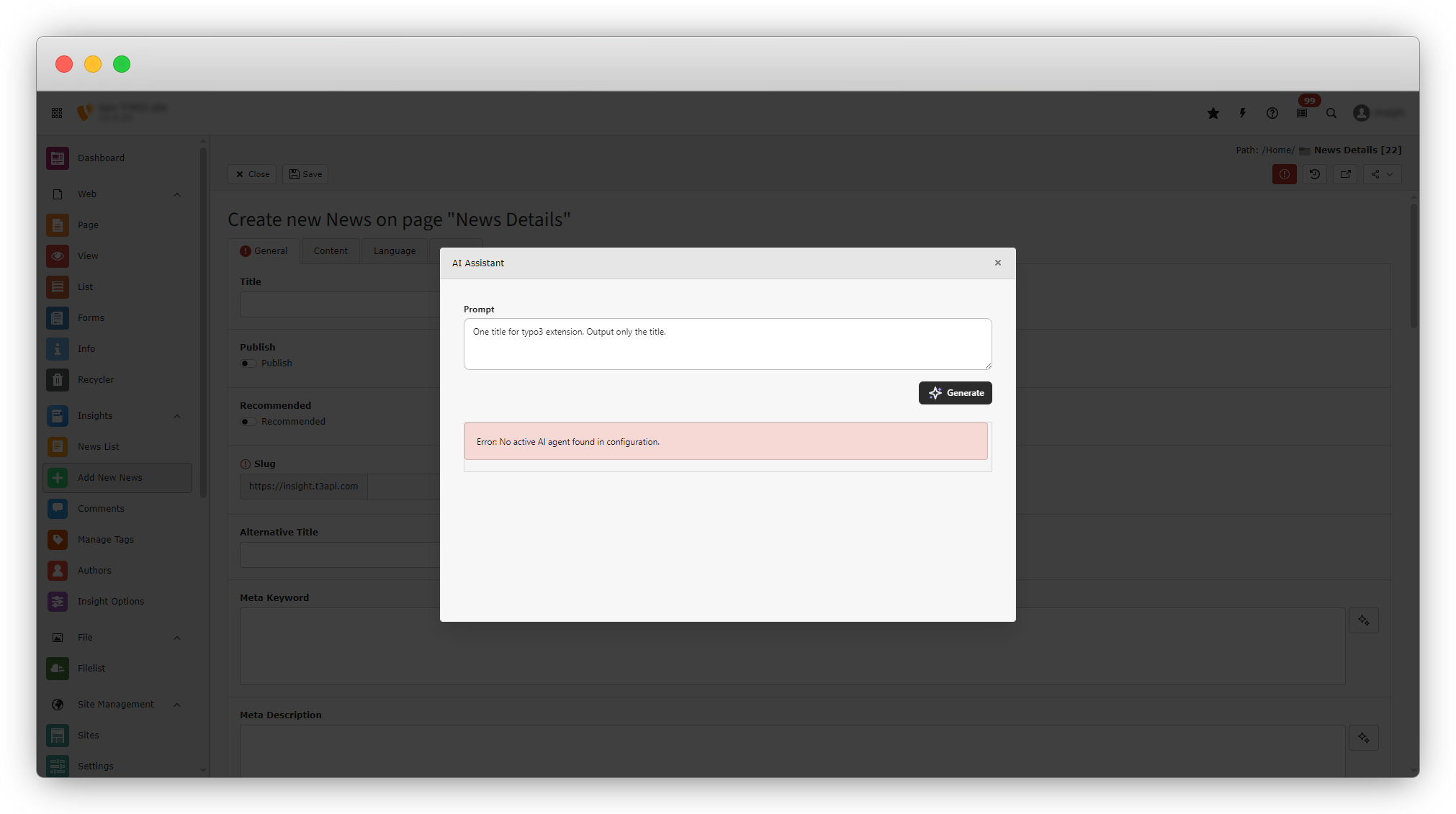
Note : If no AI agent is selected in the AI Configuration, attempting to generate content in the Add New News form will result in an error. The system will display the following message: “Error: No active AI agent found in configuration.” Refer to the screenshot below for an example.
Share



