



URL copied to clipboard

T3theme Extension Installation
59 views
__readtime__ Min
read
This section explains how to install the T3theme Extension in TYPO3. You can install it using either of the following methods:
- TER (TYPO3 Extension Repository) Installation
- Composer Installation
Choose the method that best fits your workflow.
1 Installation using TER
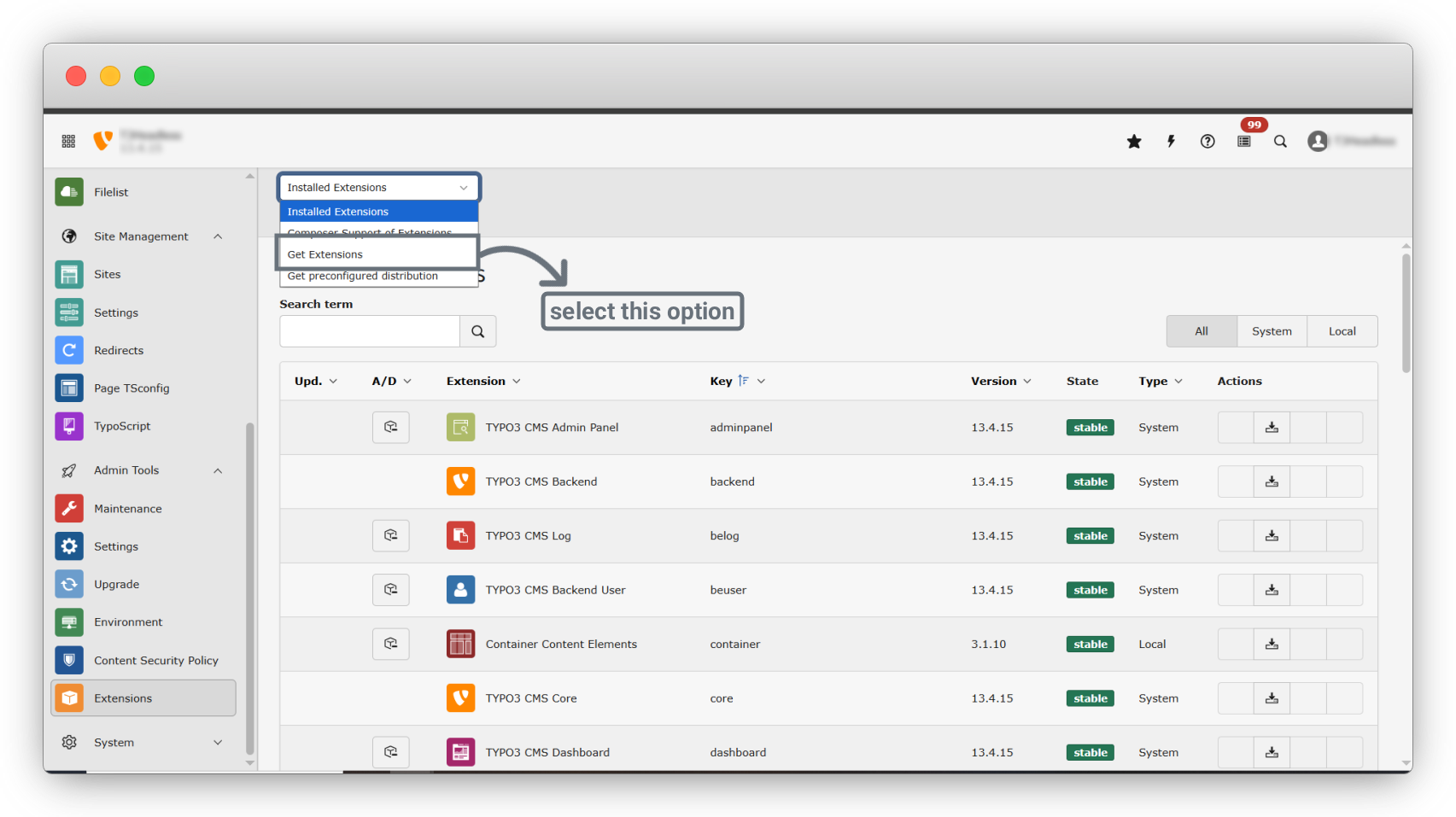
1. Click on Admin Tools > Extensions and select the “Get Extension” option.
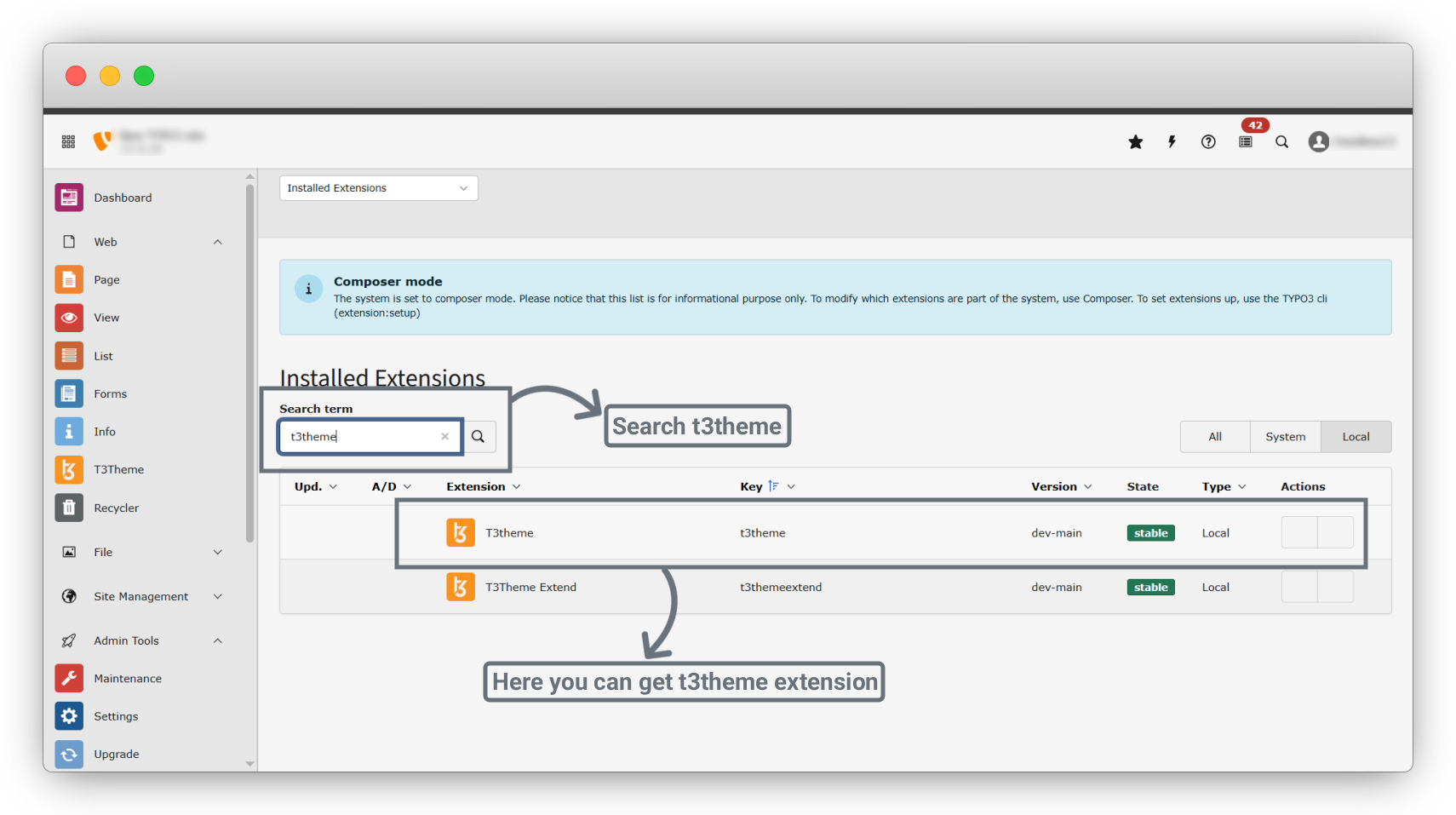
2. In search bar search “t3theme” and you will get t3theme extension click on “Download icon” and download extension.
Note : The TER (TYPO3 Extension Repository) installation method is supported only for TYPO3 versions up to version 13. For TYPO3 version 14 and above, installation via Composer is mandatory.
2. Installation using composer
Execute the following command:
composer require t3element/t3theme
Wait for Composer to complete the installation. Once done, the extension will be automatically available in TYPO3.
Share



