



URL copied to clipboard

Configurations after extension installation
65 views
__readtime__ Min
read
Include TypoScript
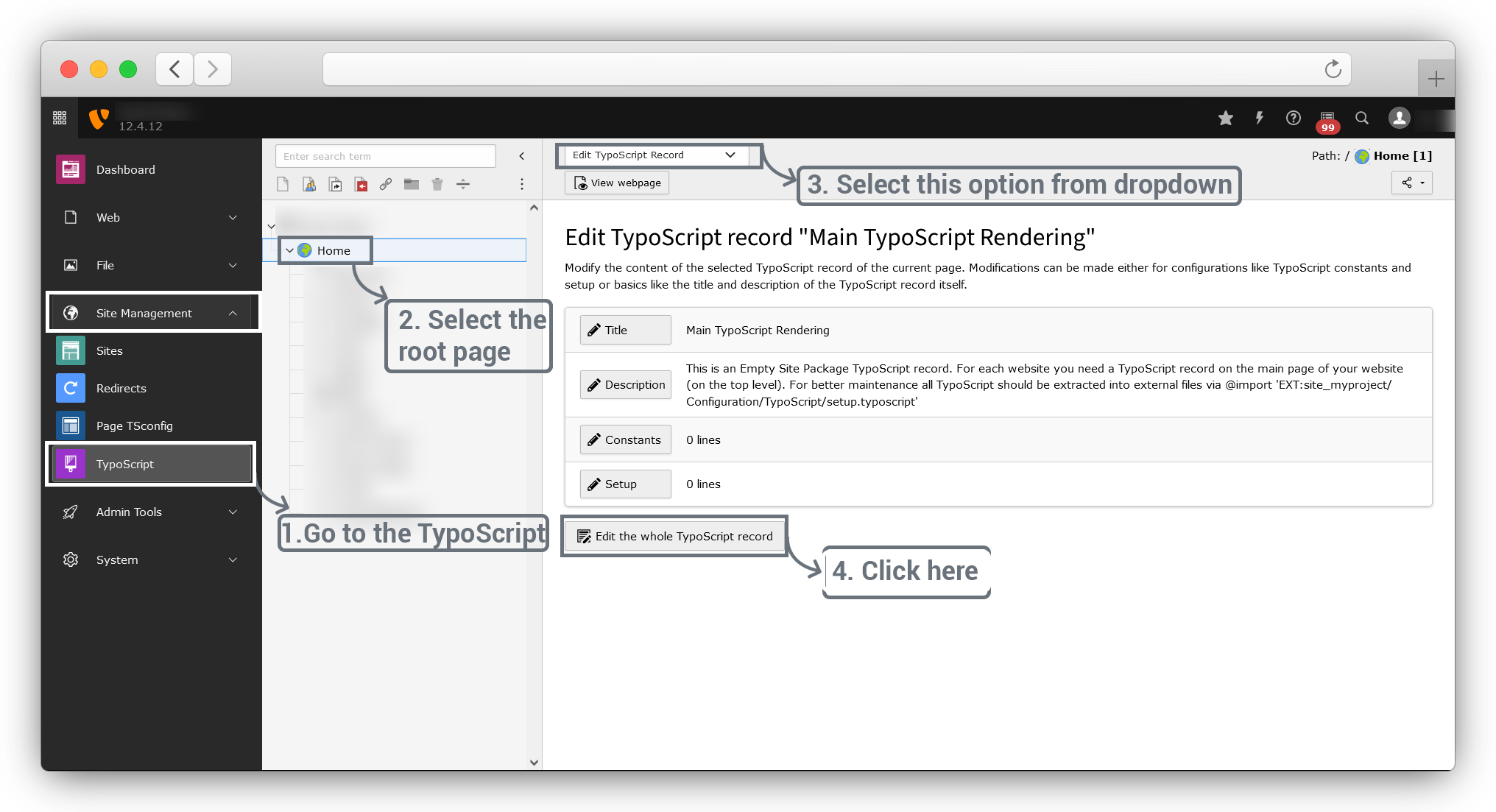
1. Go to Site Management > TypoScript > select root page > Edit TypoScript Record and click on Edit the whole TypoScript record button.
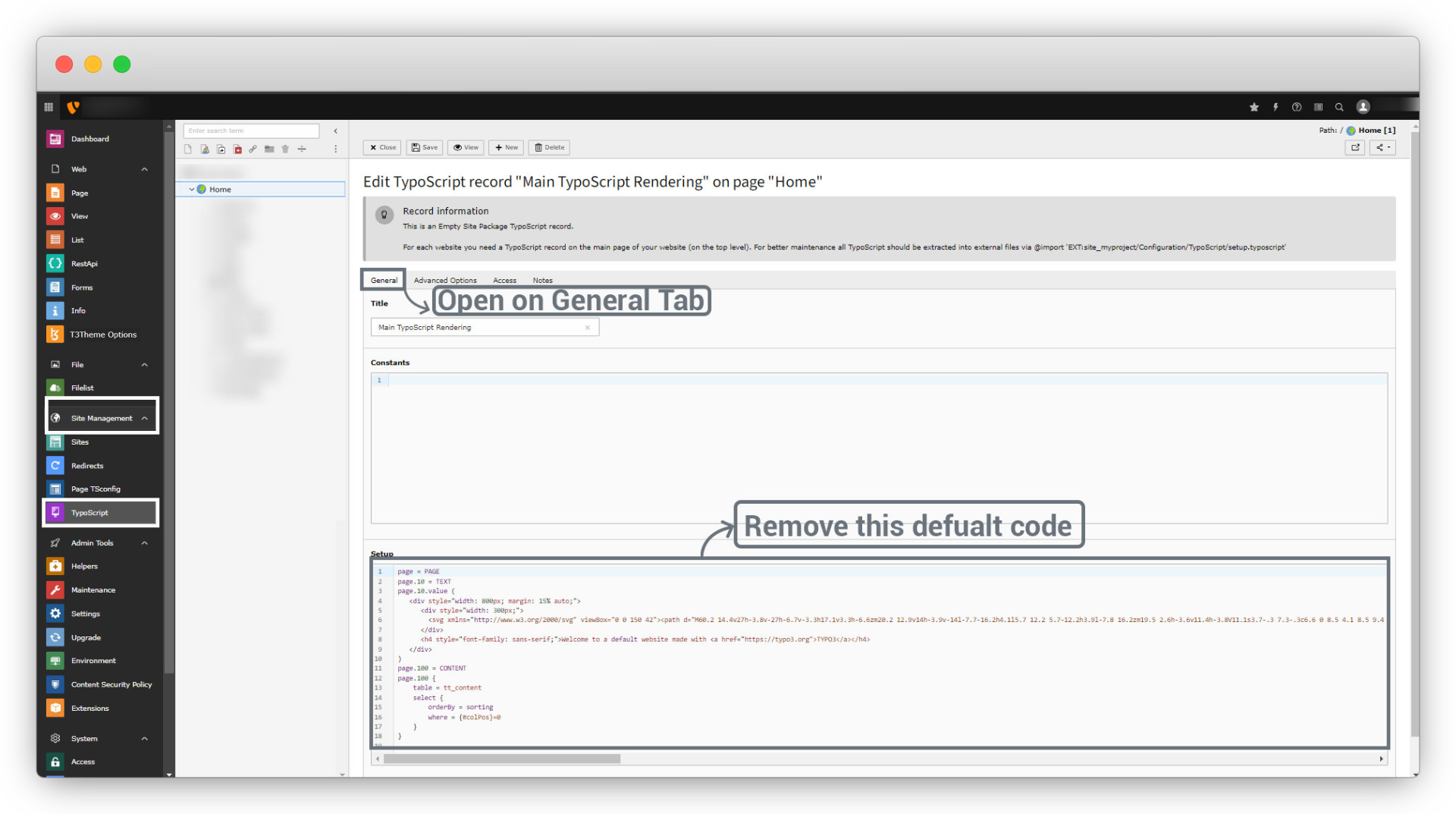
2. Go to the General Tab and remove the default Setup TypoScript of the default TYPO3 installation.
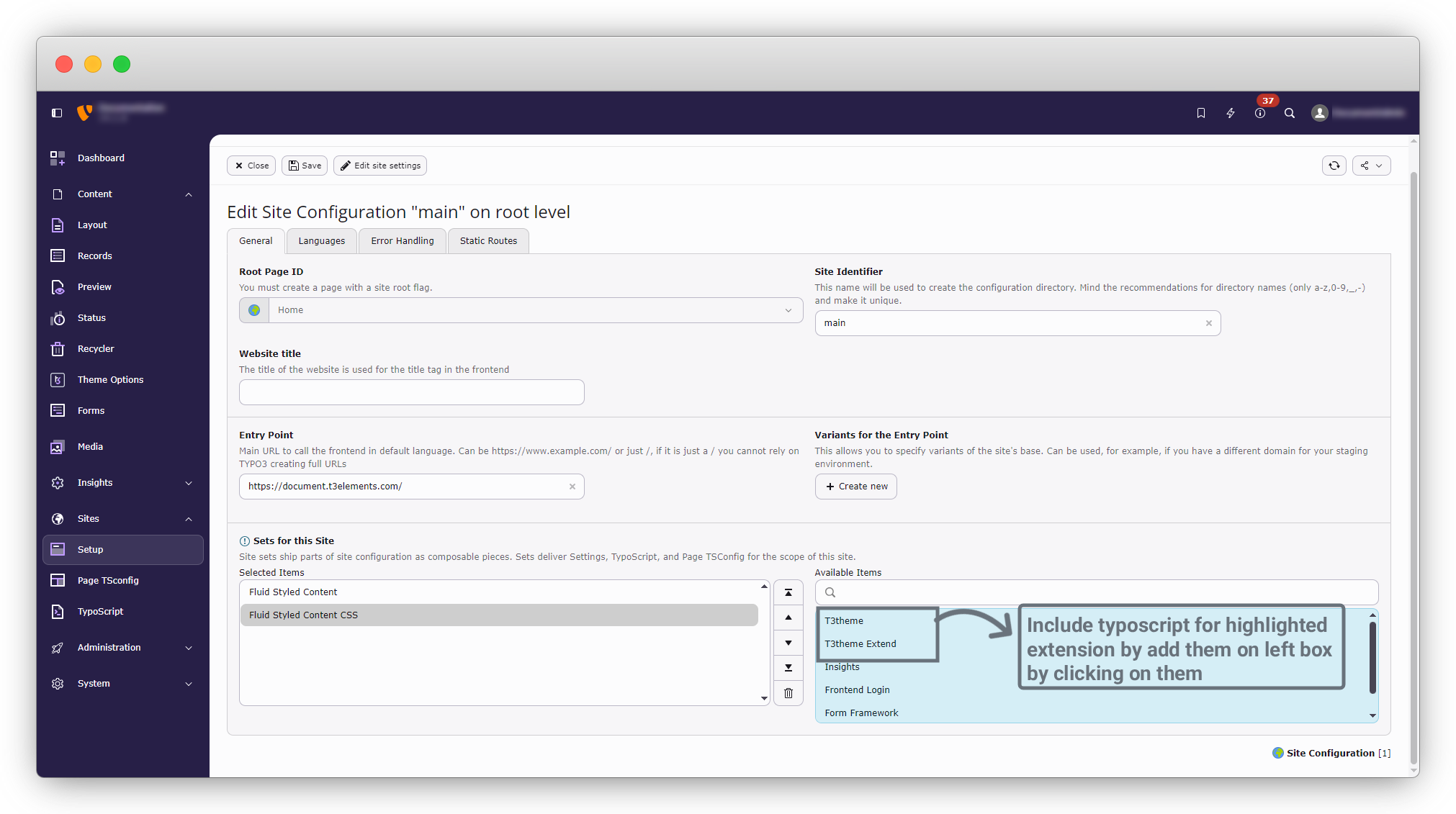
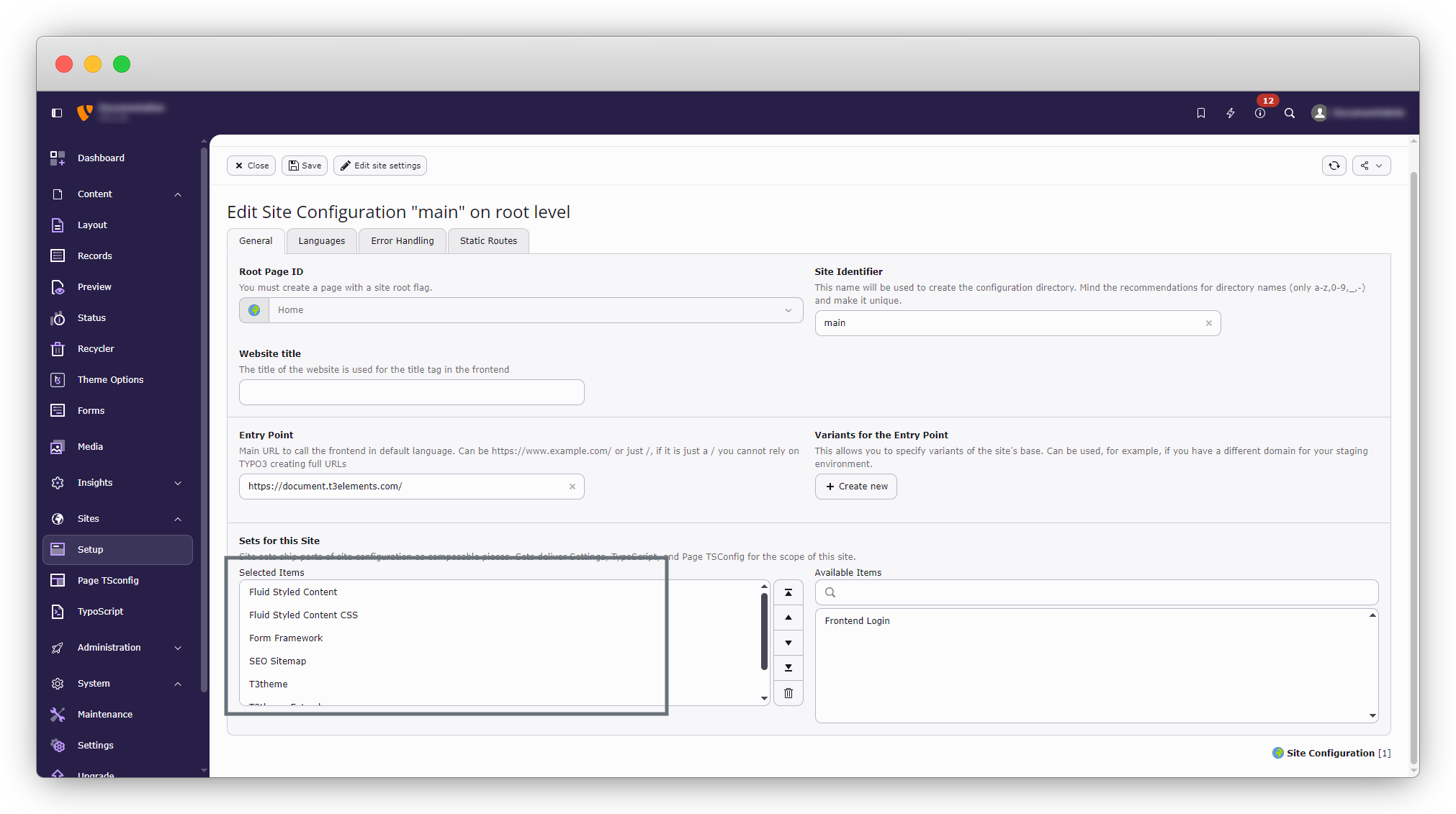
3. Go to the Advanced Options Tab and include the TypoScript of extensions in the following sequence.
3.1 Fluid Content Elements (fluid_styled_content)
3.2 Fluid Content Elements CSS (optional) (fluid_styled_content)
3.3. Form (form)
3.4. T3theme (t3theme)
Here 1.3.1 to 1.3.4 extensions are installed by default.
Share



