



URL copied to clipboard

Configurations after extension installation
66 views
__readtime__ Min
read
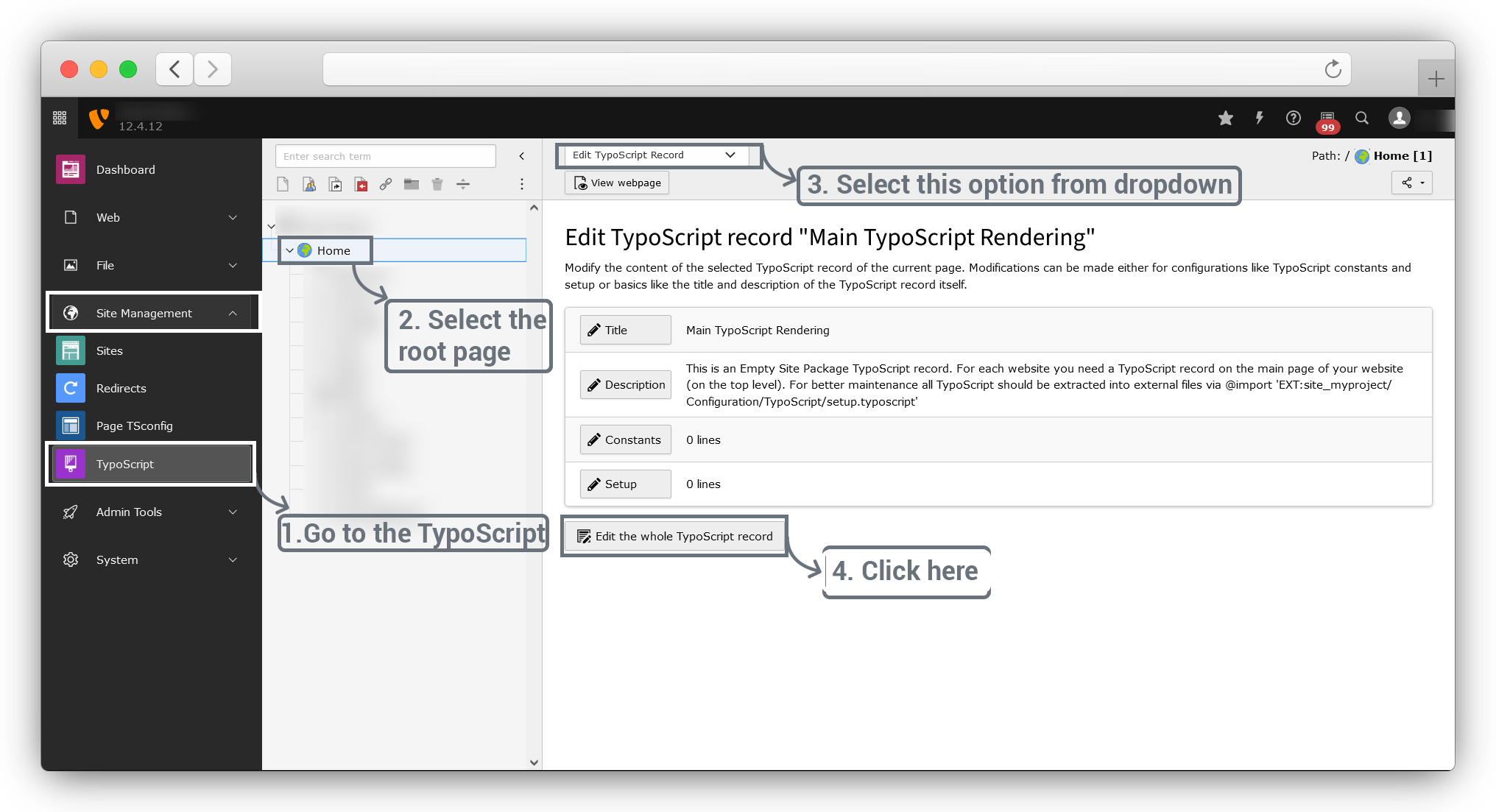
Go to Site Management > TypoScript > select root page > Edit TypoScript Record and click on Edit the whole TypoScript record button.
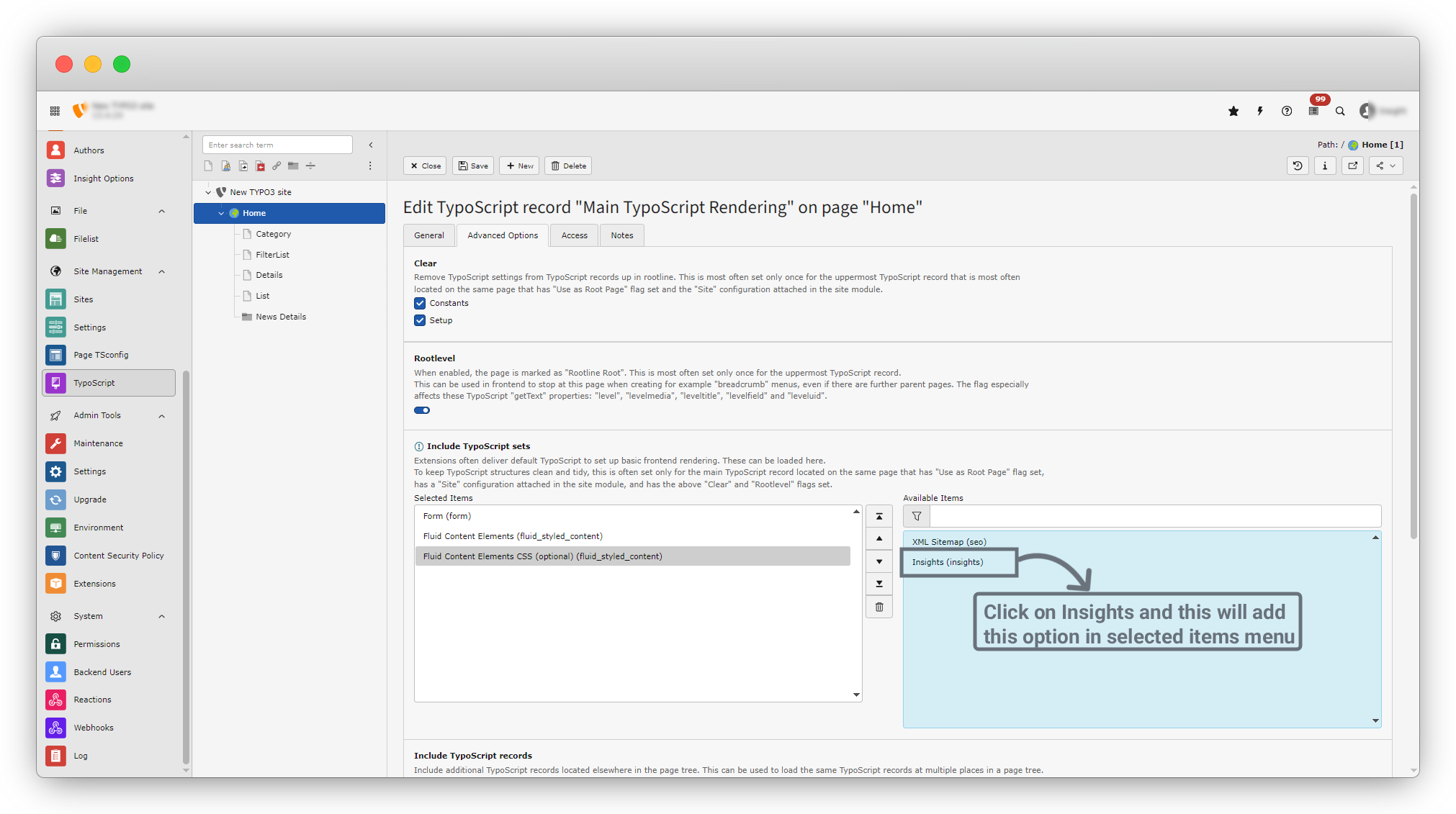
On the right side you can see insights option. click on options to add it in selected items menu.
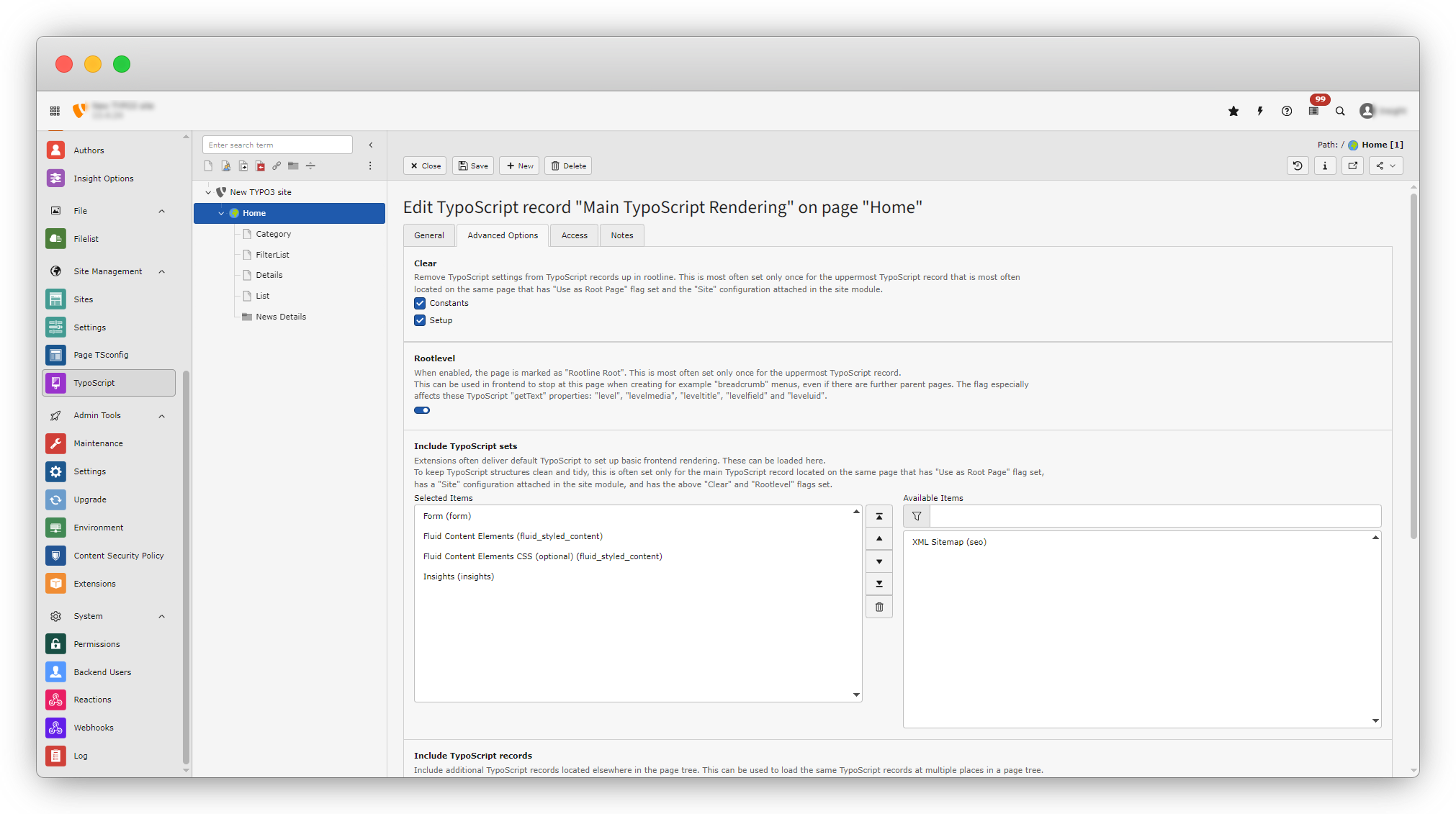
Here 1.3.1 to 1.3.4 extensions are installed by default.
Sparkling url configuration
TYPO3 uses "Slugs" and routing to generate readable, SEO-friendly URLs Configured via Site Configuration.
open the config.yaml file of your website from /sites/main/config.yaml and import insights routeenhance by adding the code below. ( The placement of the sites folder could vary according to how you set up your TYPO3 website. )
imports:
-
resource: 'EXT:insights/Configuration/Routes.yaml'
You must need to set category detail page id & post detail page id into Routes.yaml file without its sparkling url of post & category not working.
For example detail page id is 29 then set insightsDetailPid: 29 and if another then replace it with your detail page id in each place where 29 used, same for the category detail page id insightsCategoryPid: 32 set or replace all 32 in routes.yaml file with your category detail page id.
Share



