



URL copied to clipboard

Actions on form
6 views
__readtime__ Min
read
1. Let’s see which actions can be performed on the form.
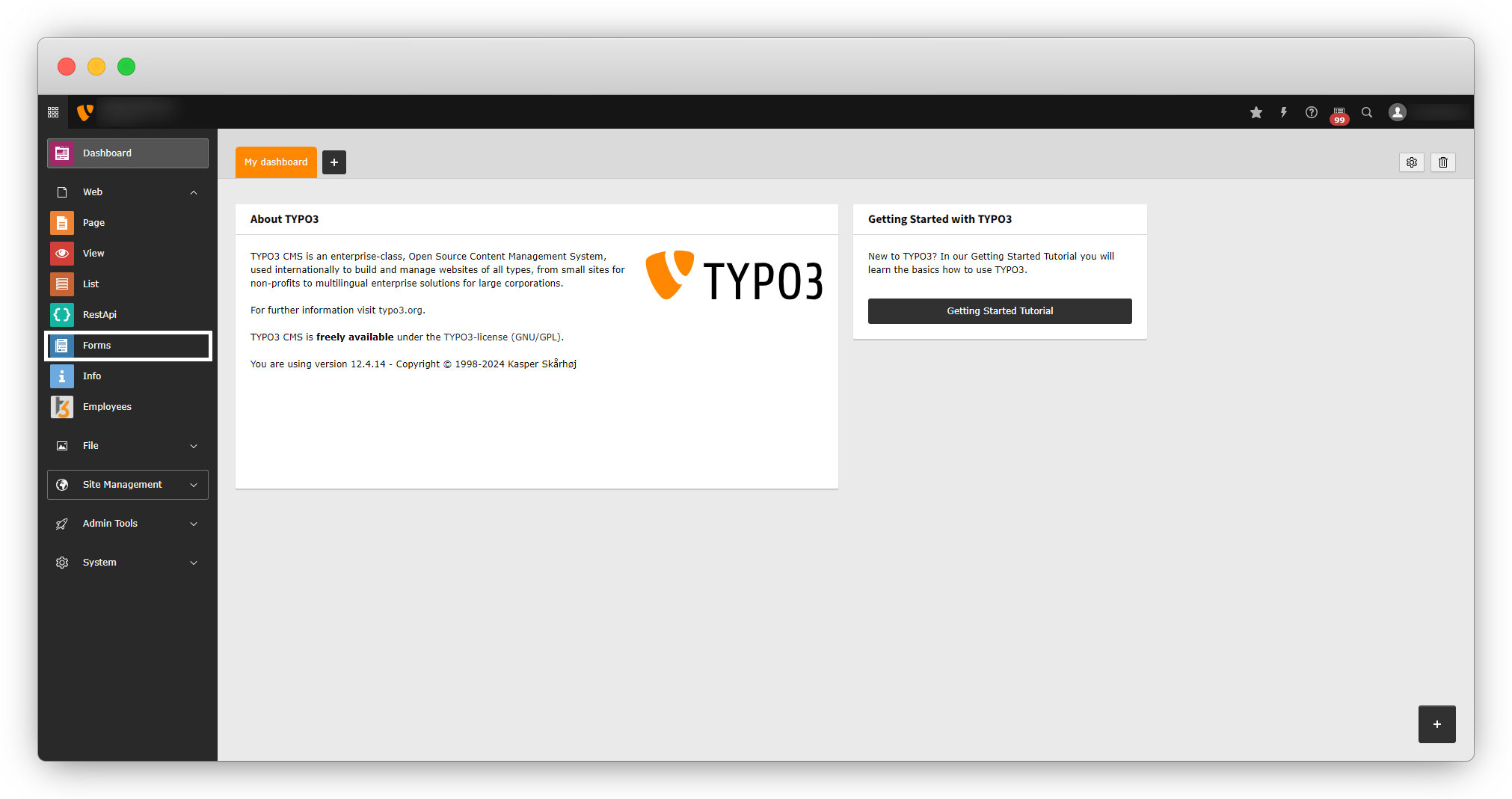
2. Go to your TYPO3 backend and click on the “Forms” tab from the left sidebar.
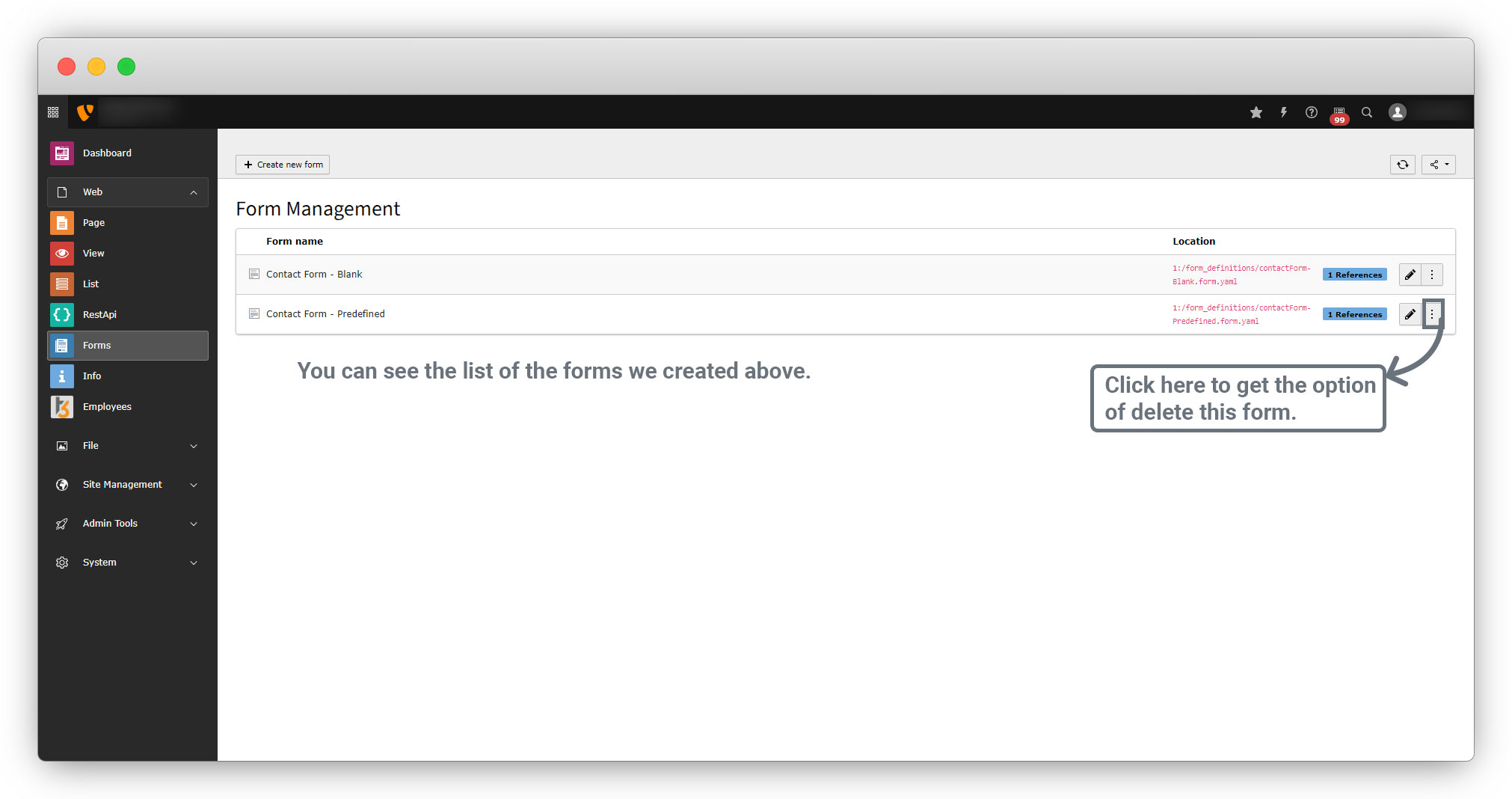
3. You will see the list of the forms as seen in the screenshot below, to perform action on the form, click on the 3 dots on the right side.
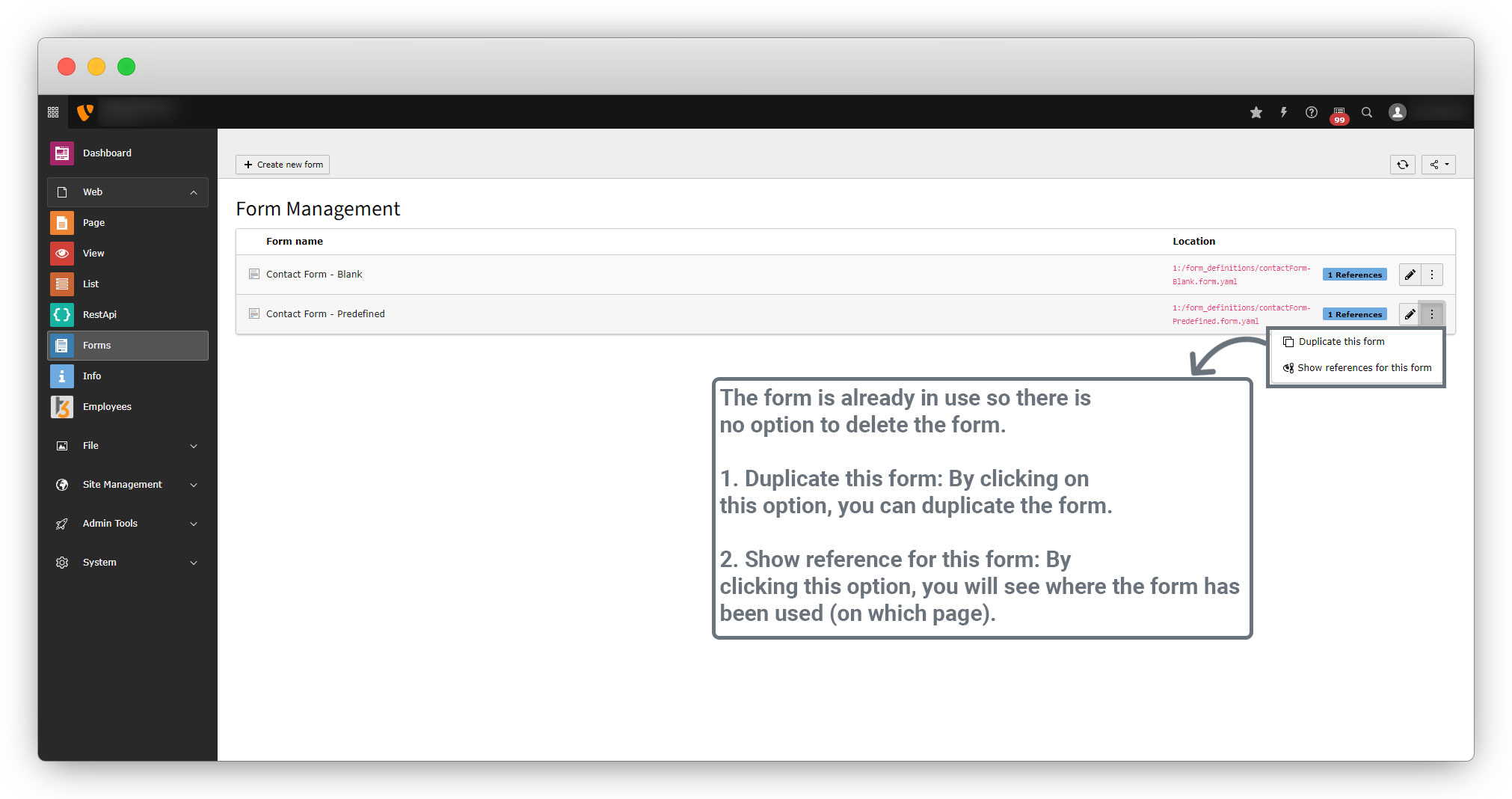
4. If the form is already in use, you will not see the option to delete the form.
Share



