



URL copied to clipboard

Configurations
31 views
__readtime__ Min
read
To use Headless theme, you will need to install 2 packages, which are:
- t3theme (TYPO3 installation)
- Headless (Next.js package)
1. Extension Configuration
1. Open your TYPO3 setup and follow the steps below, before the extension upload to prevent any error in extension installation in the latest versions of TYPO3 (specifically 12.x.x & 13.x.x here).
Ref.: https://forge.typo3.org/issues/100730
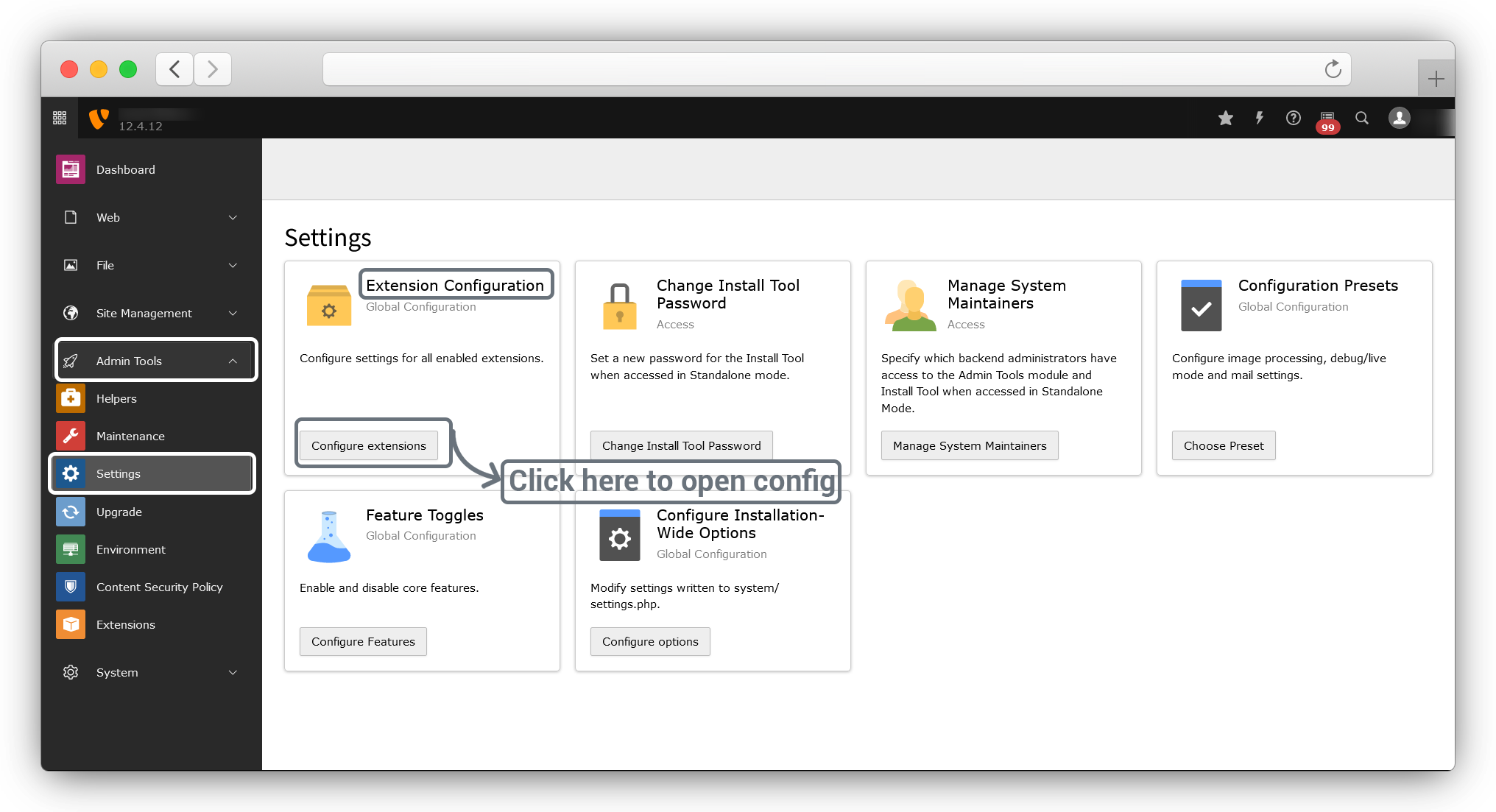
Go to Admin Tools > Settings > Extension Configuration and click on Configure extensions
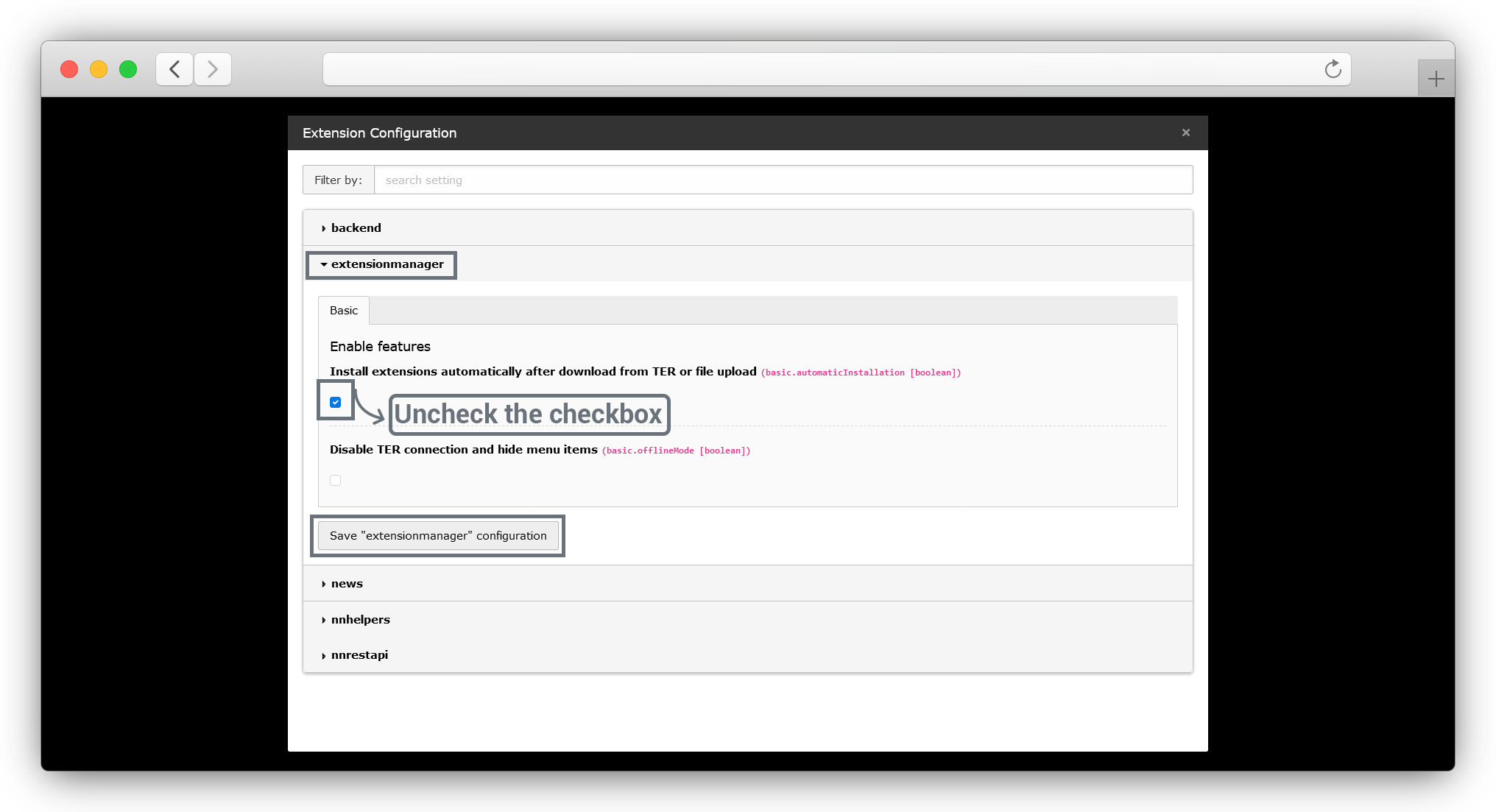
Then the pop-up will open as seen screenshot below, in that popup go to the extensionmanager > Install extensions automatically after download from TER or file upload (basic.automatic Installation [boolean])) and uncheck the checkbox & click on the Save “extensionmanager” configuration button
2. Configure Installation-Wide Options
1. Go to Admin Tools > Settings > Configure Installation-Wide Options and click on Configure Options
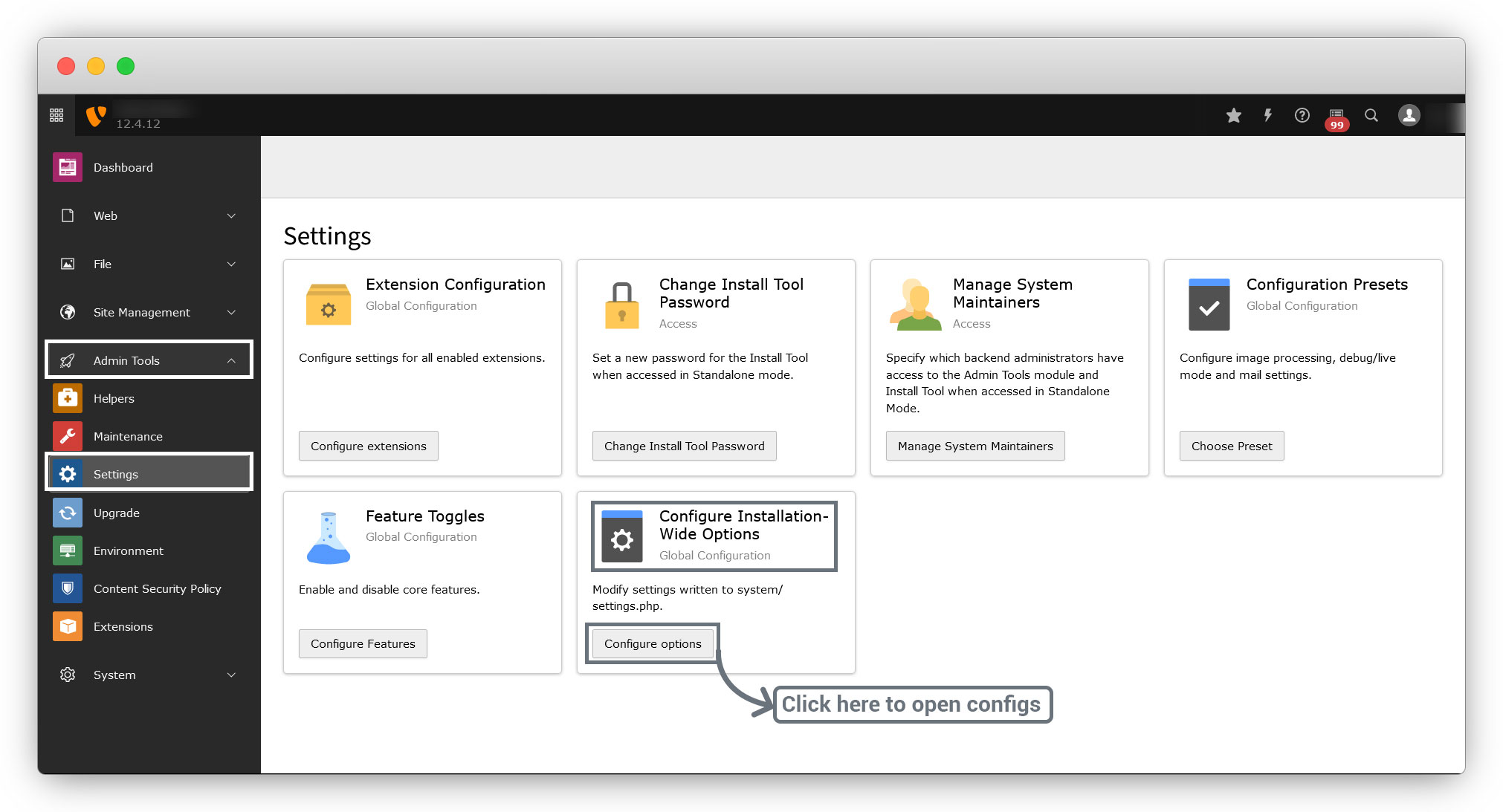
2. You will get the modal by clicking the “Configuration Options” button.
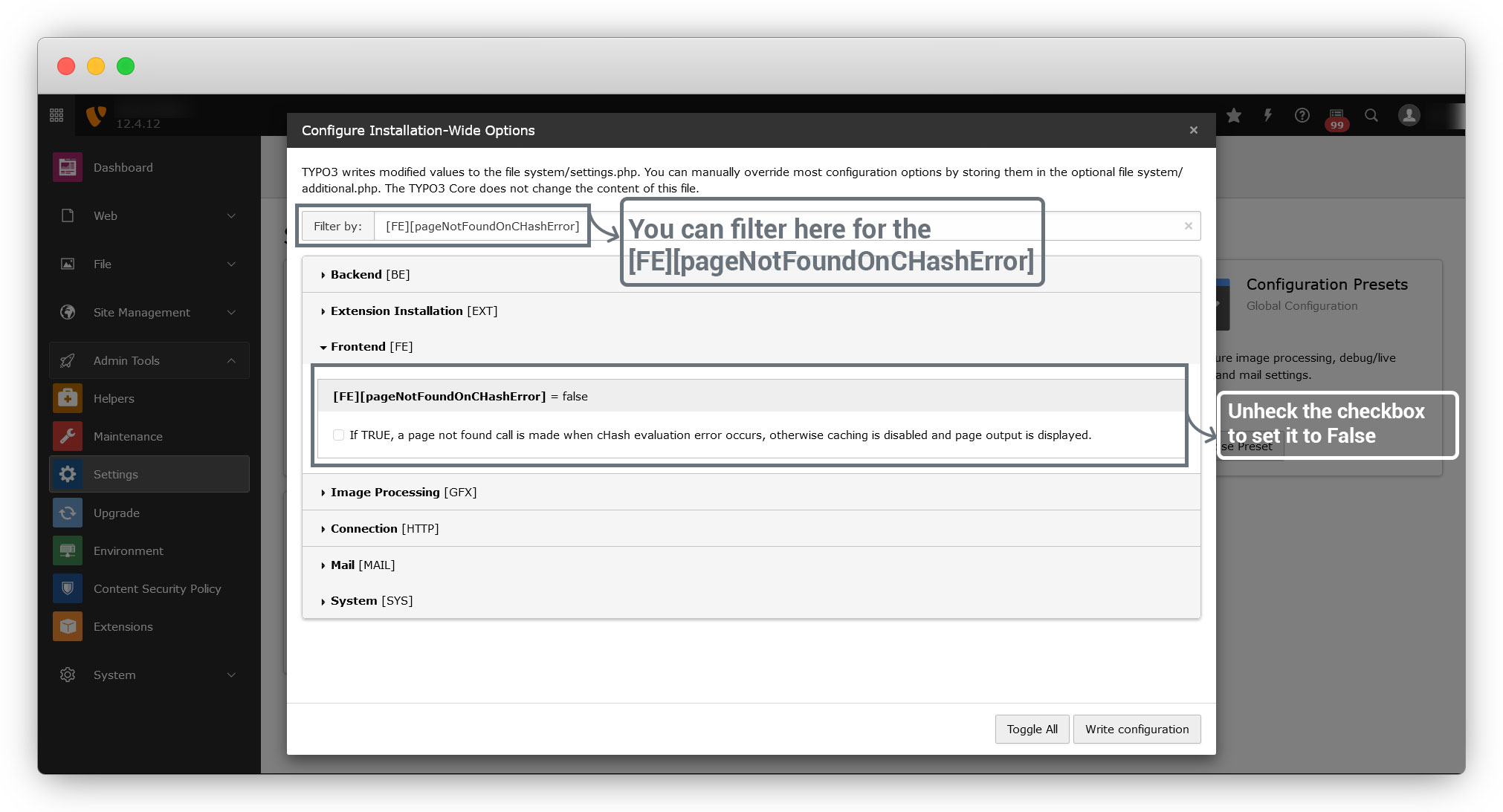
3. Go to Frontend [FE] > [FE][pageNotFoundOnCHashError] and set it to false by unchecking the checkbox if it is checked. You can find this config by filter as seen in the below screenshot.
4. Then Go to System [SYS] and uncheck the below checkboxes:
4.1. [SYS][features][security.backend.htmlSanitizeRte]
4.2. [SYS][features][security.backend.enforceContentSecurityPolicy]
4.3. [SYS][features][security.frontend.enforceContentSecurityPolicy]
You can filter them by the text “[SYS][features][security”
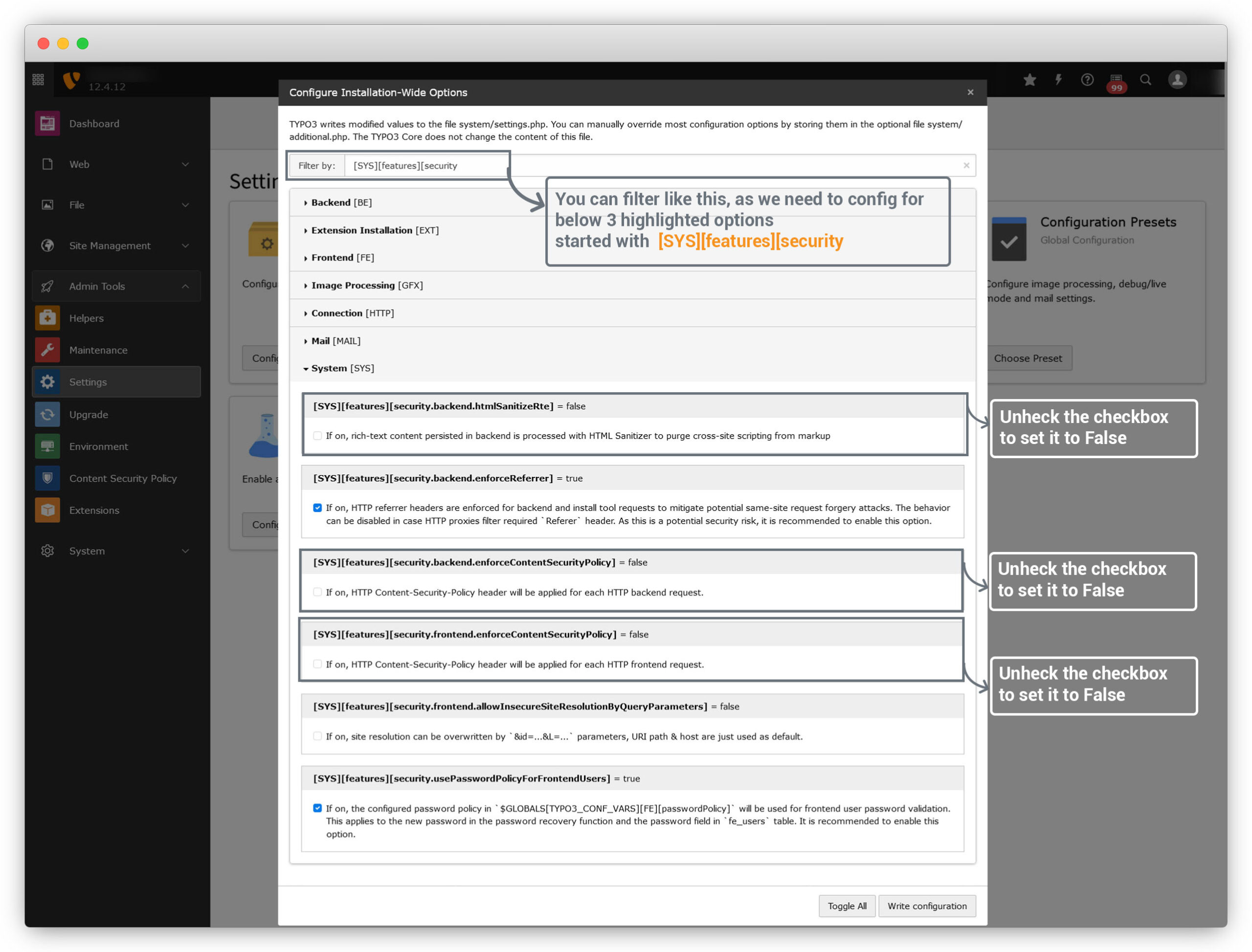
After all these configs, click on “Write Configuration” button to save all the configs.
Share



