



URL copied to clipboard

Form override
6 views
__readtime__ Min
read
To implement style in the form, let’s override the form extension and then edit the form template by adding classes to it. Then, we will implement the style in the form using the newly added classes. Reference link: https://docs.typo3.org/c/typo3/cms-form/main/en-us/I/Concepts/FrontendRendering/Index.html
Follow the below steps to override the form:
1. Go to your TYPO3 setup.
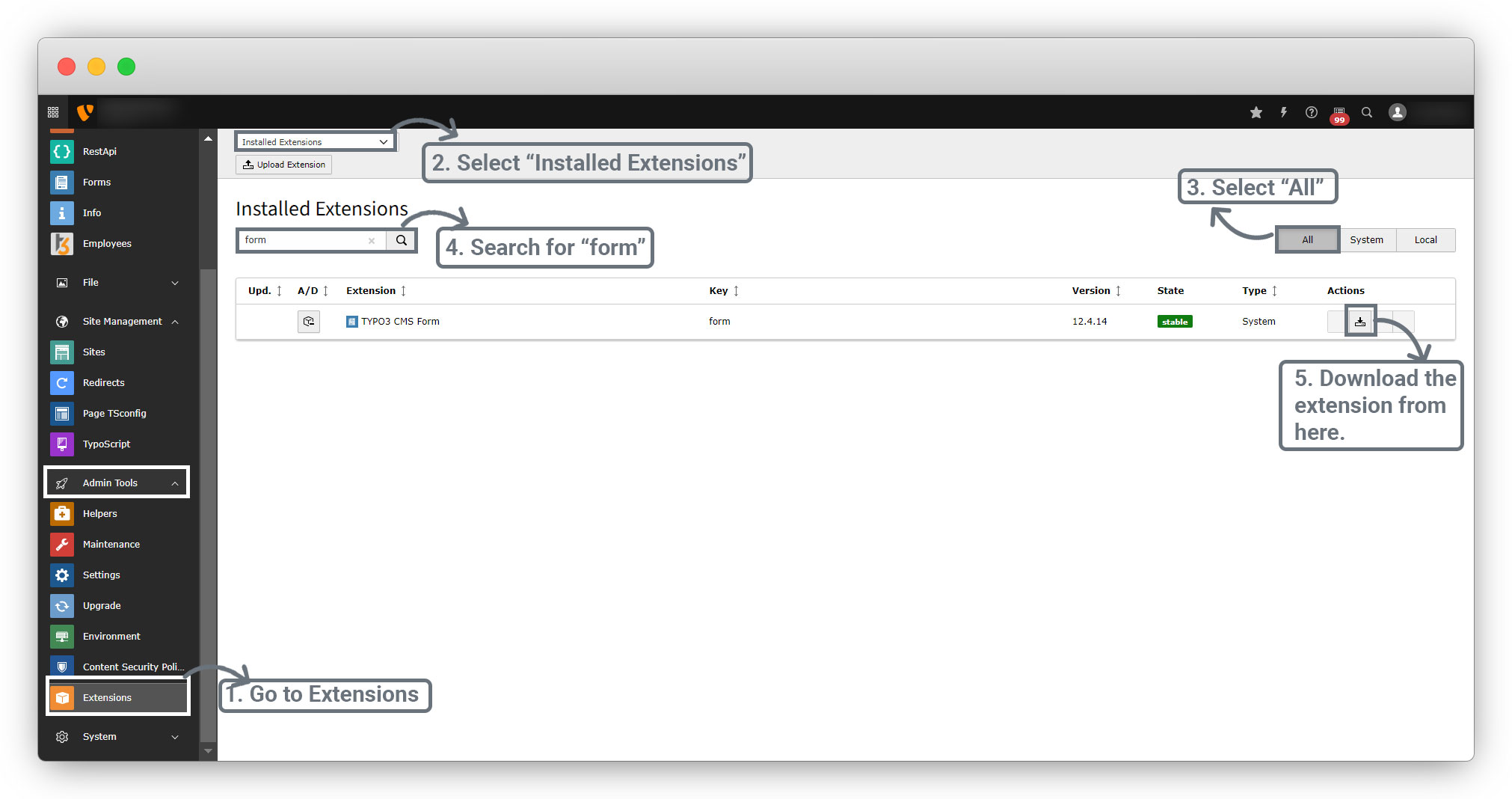
2. Go to Admin Tools > Extensions, select “Installed Extensions” and select “All”, search for ‘form’ and download the extension “TYPO3 CMS Form” in your local system.
3. You can override the form in any extension, and if you don’t have any extension in your TYPO3 setup, you can override the form directly from the fileadmin. Let’s see both ways to override the form.
Share



