



URL copied to clipboard

News Filtering
5 views
__readtime__ Min
read
Let’s create a page for filtering news lists with searching, filter by tags and categories.
First you have to create a page to get all the contents.
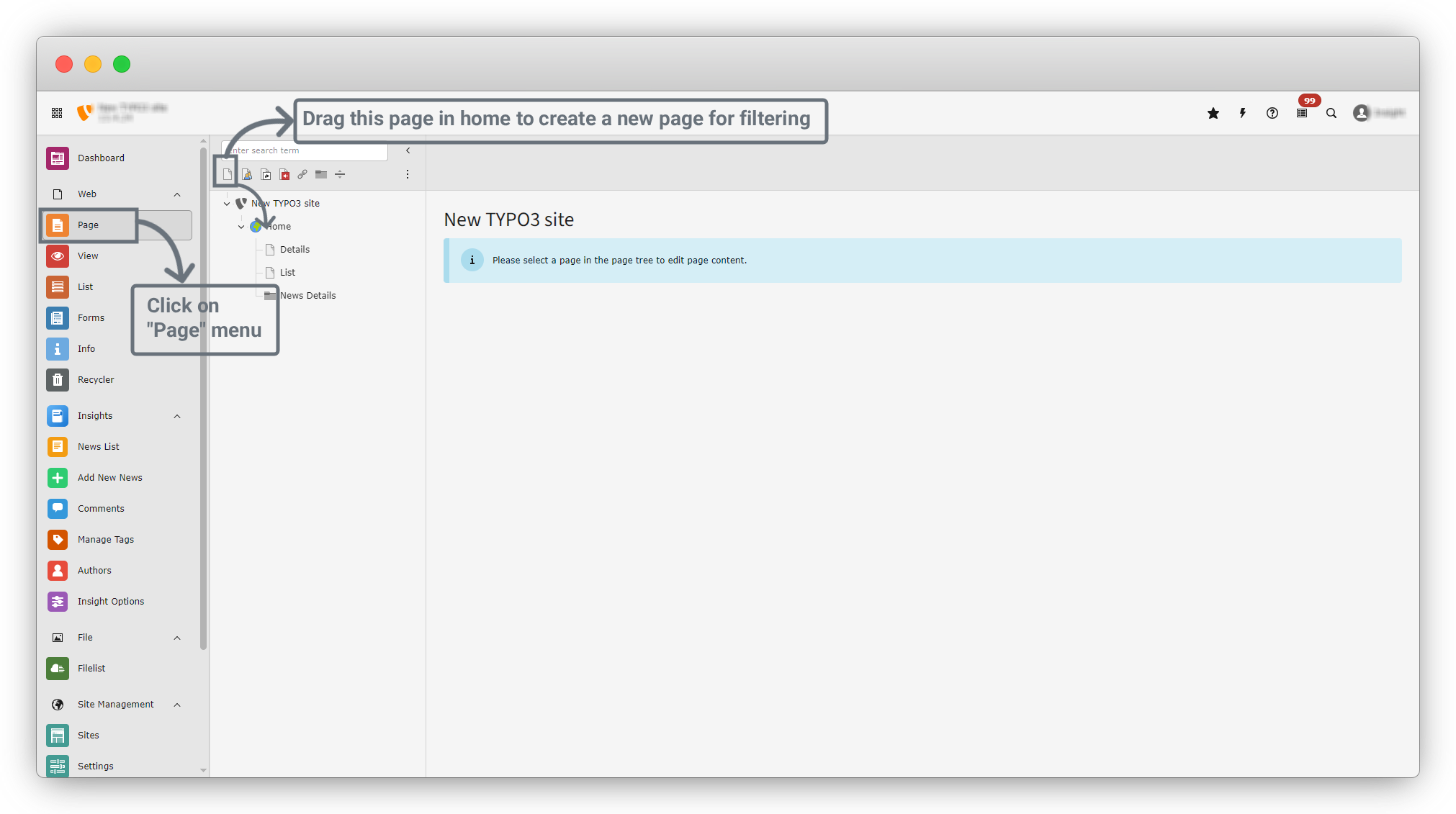
1. Open the “Page” menu from the sidebar and create a new page.
2. On the top-left side of the inner sidebar (below the search bar), you will see the first option named “Page”.
3. Drag this page and drop it into the “Home” folder.
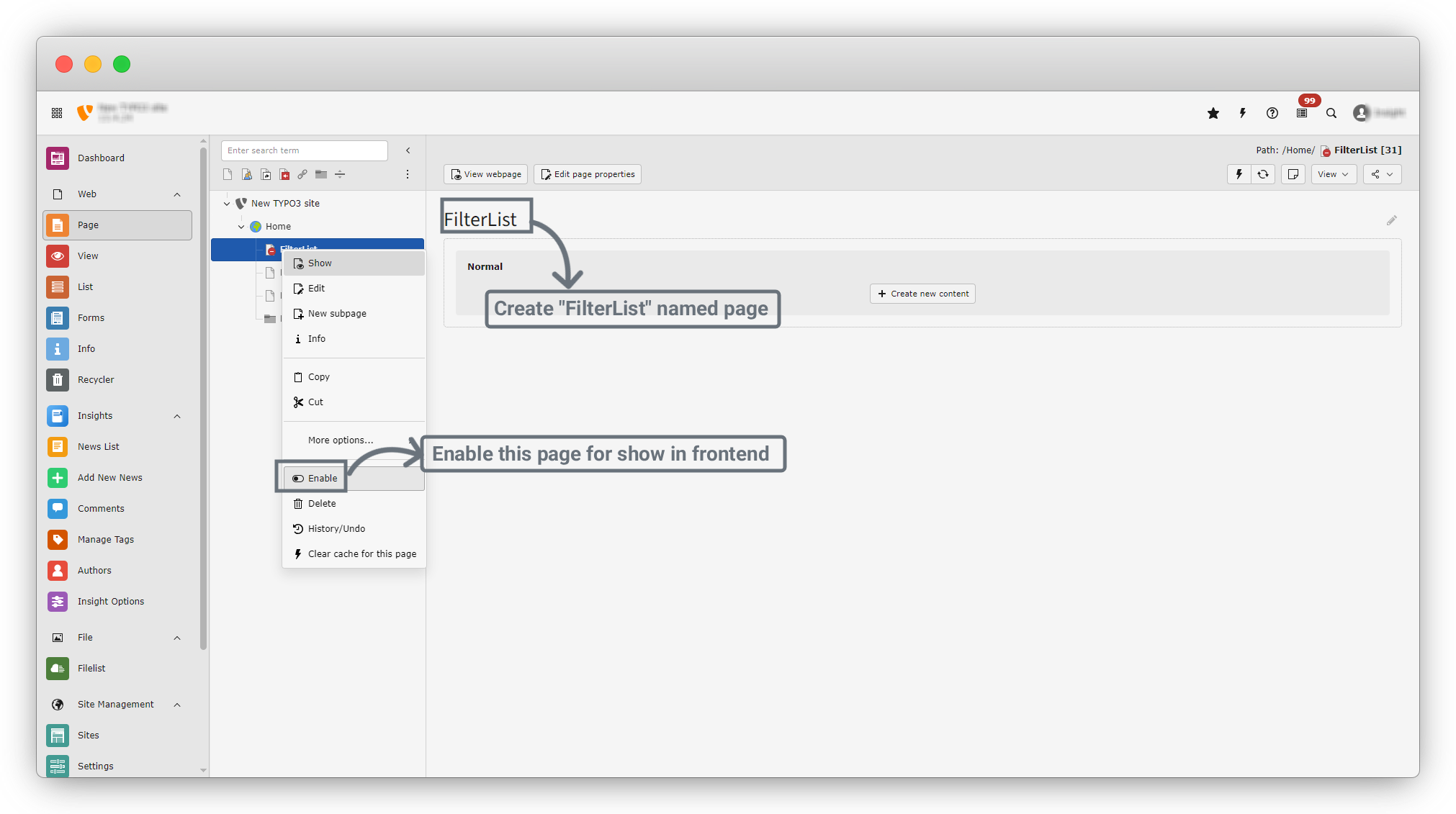
4. Name this page to “FilterList”.
5. Right-click on the page and enable it so the page is available on the frontend.
6. Click on the “+ Create new content” button to create different types of content.
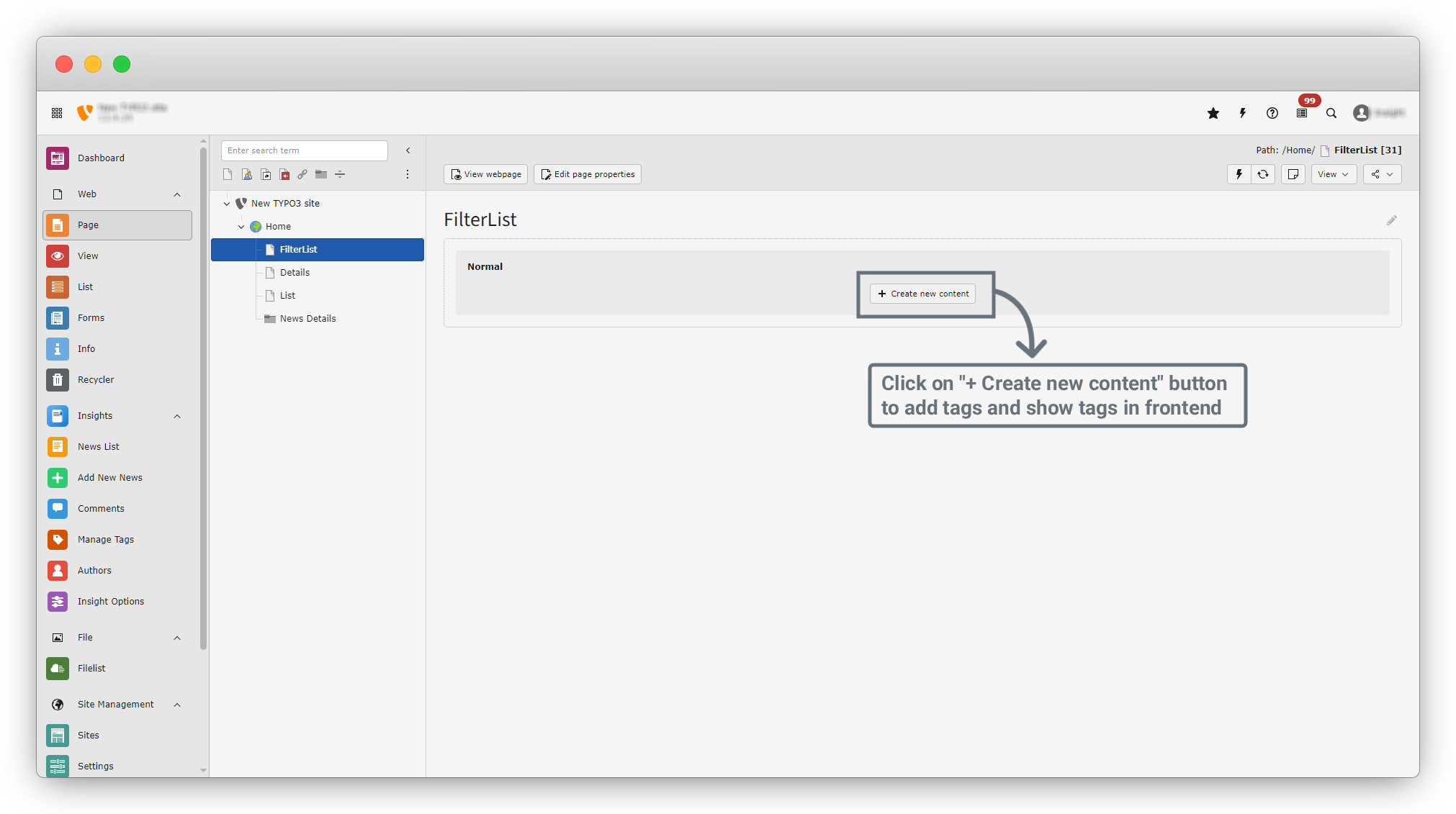
7. First, let’s create Tags.
Share



