



URL copied to clipboard

Create Folder for store news
5 views
__readtime__ Min
read
First You have to create folder.
Create Folder
1. On the left sidebar you will see the option of “Page”, go to “Page”.
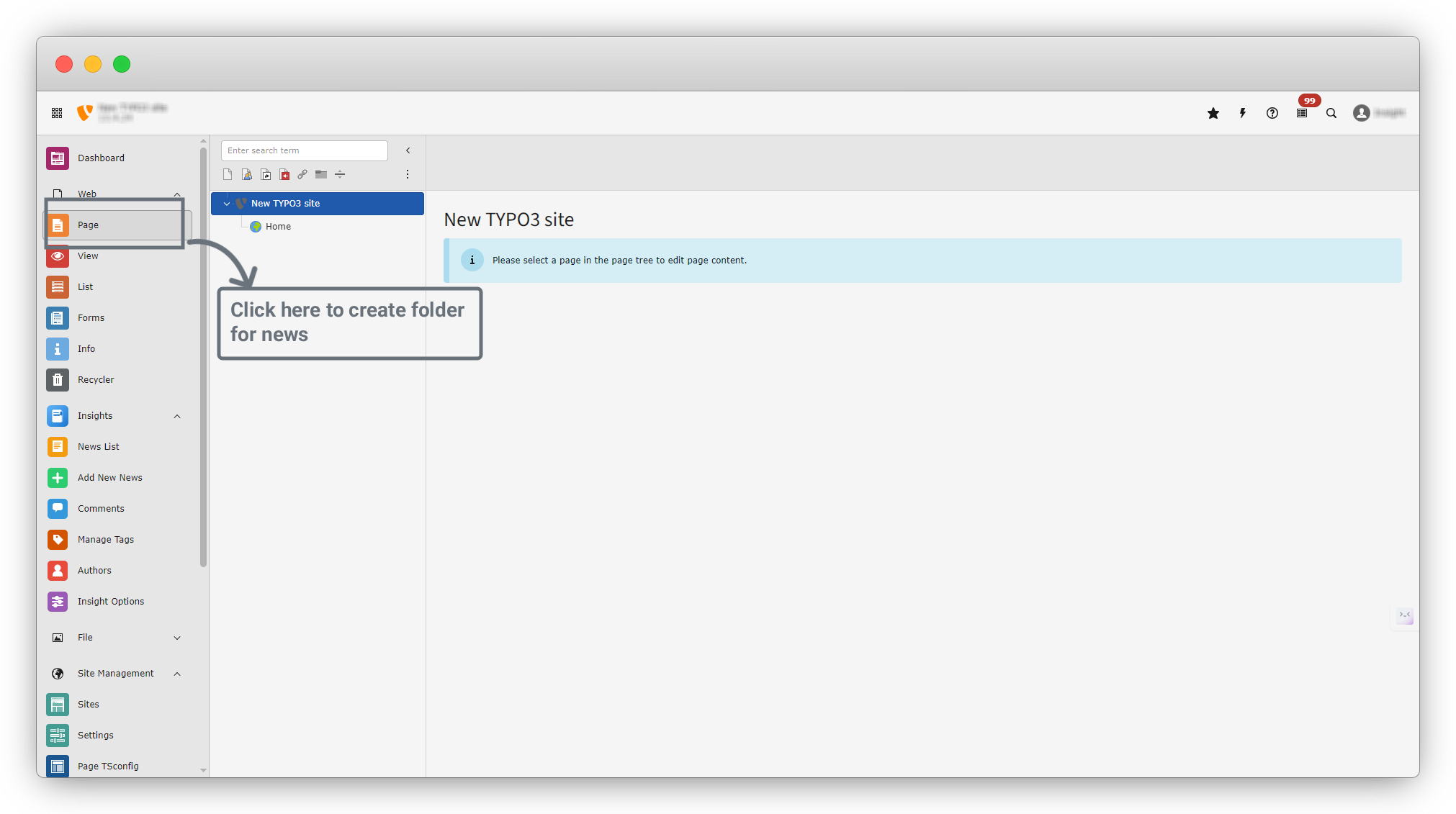
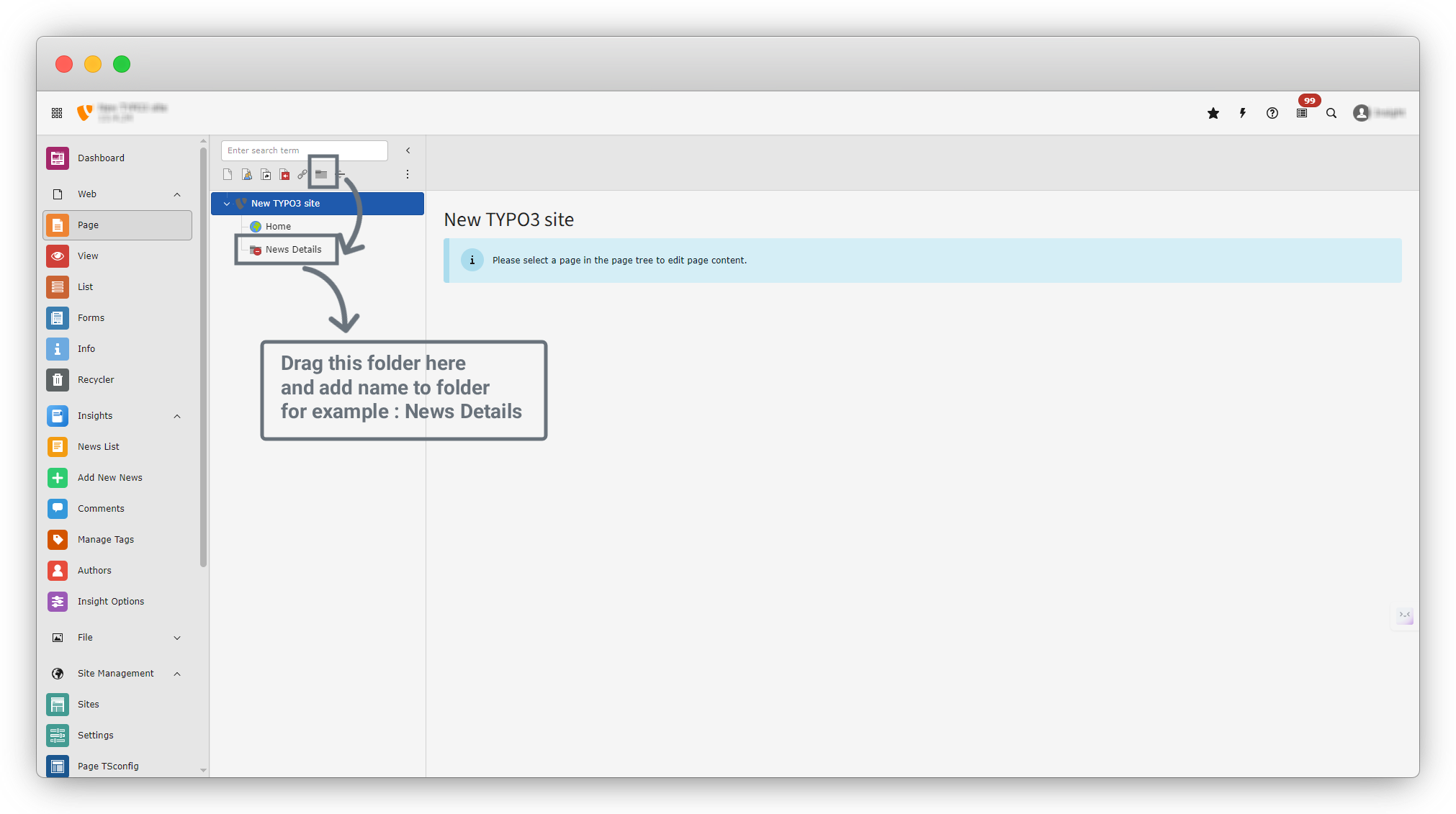
2. There is a folder option on the left side, below the search bar. Drag that folder into the Home folder and give it a name. For example, we named it “News Details.”
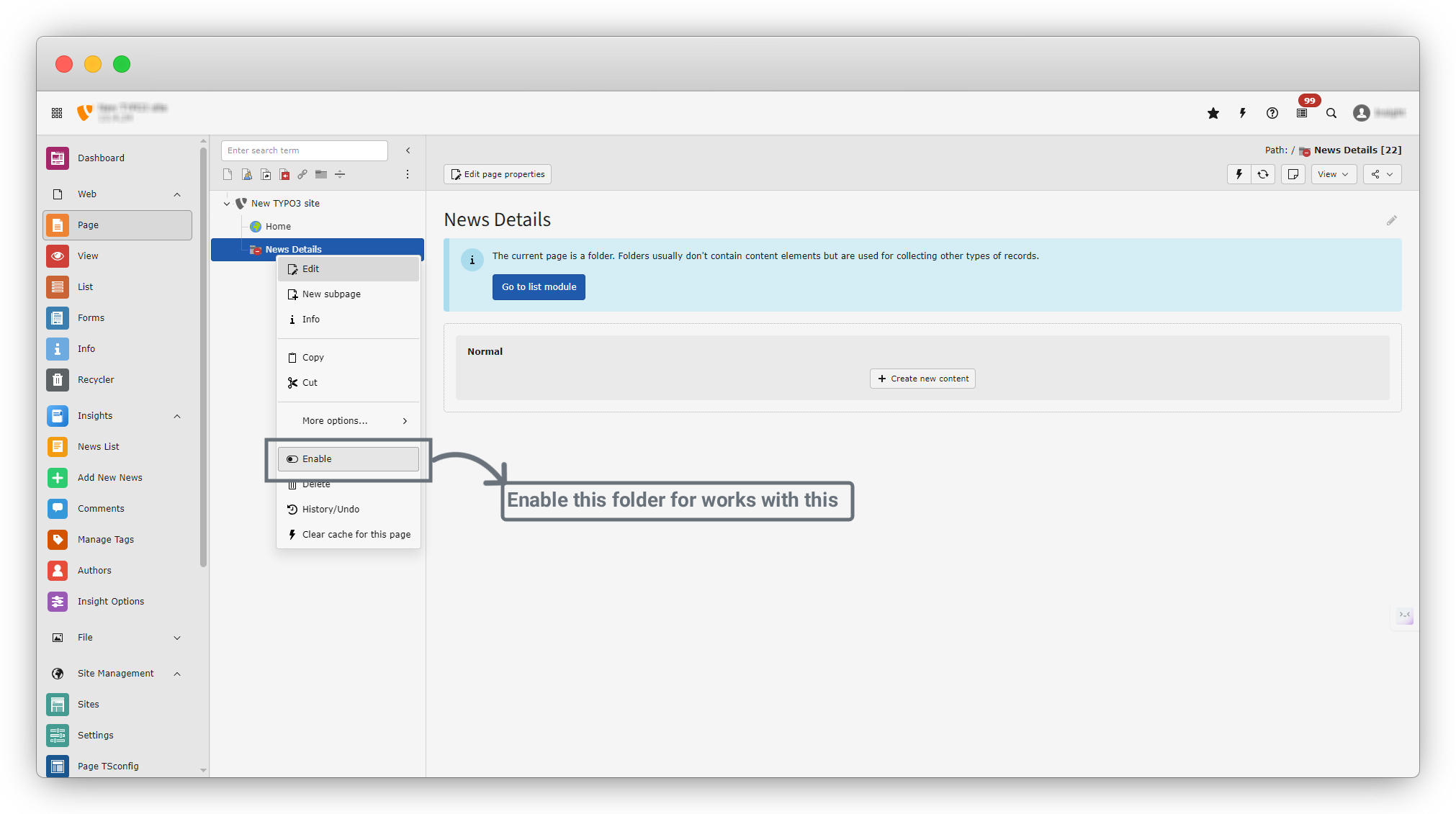
3. Enable Page: Right-click on the folder, and you will see the Enable option. Turn on the toggle switch, and the folder will be enabled.
Select Folder for News details
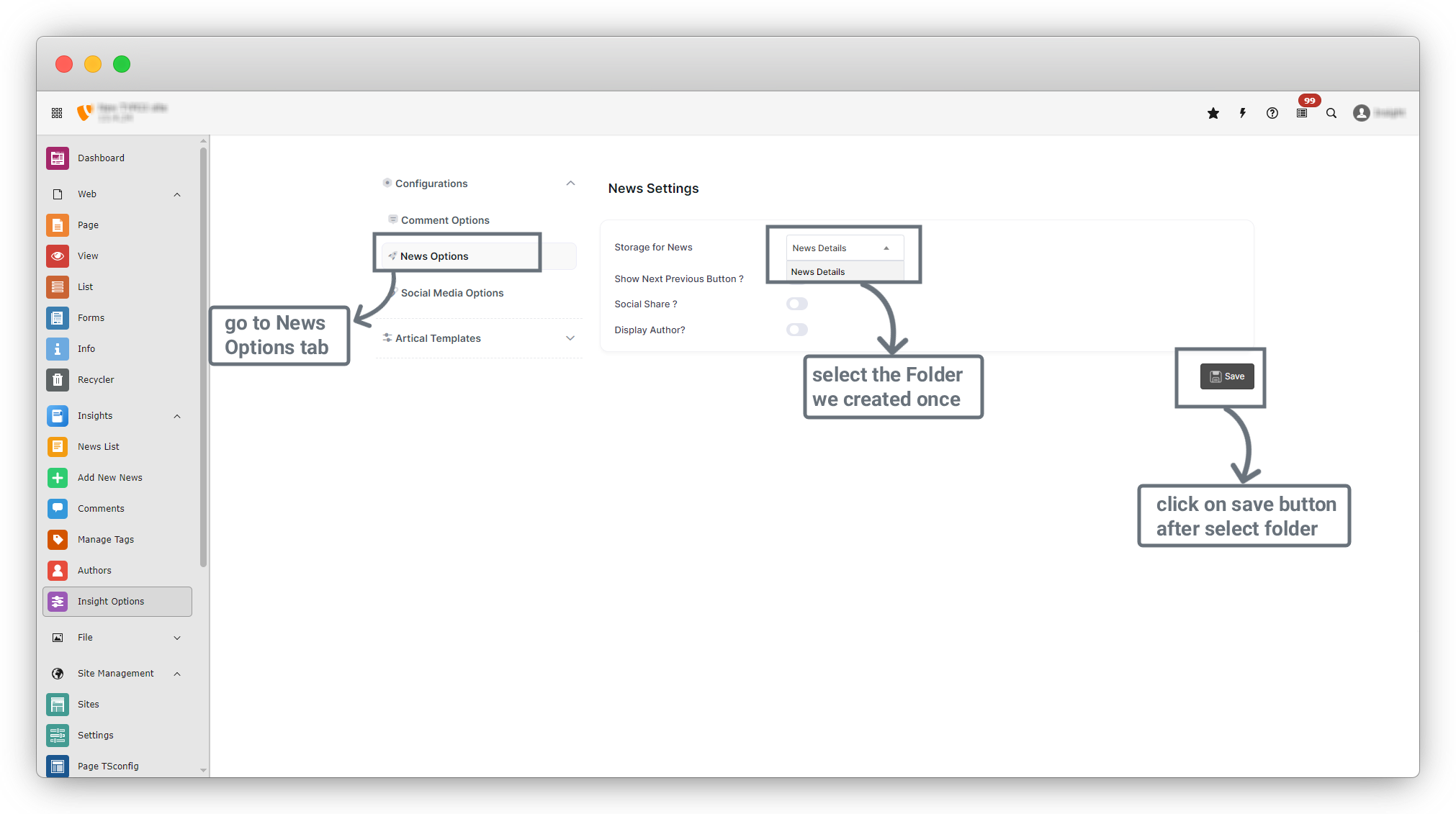
1. On the right sidebar, go to Insights > Insight Options and click on this menu. You will see the screen as shown in the screenshot.
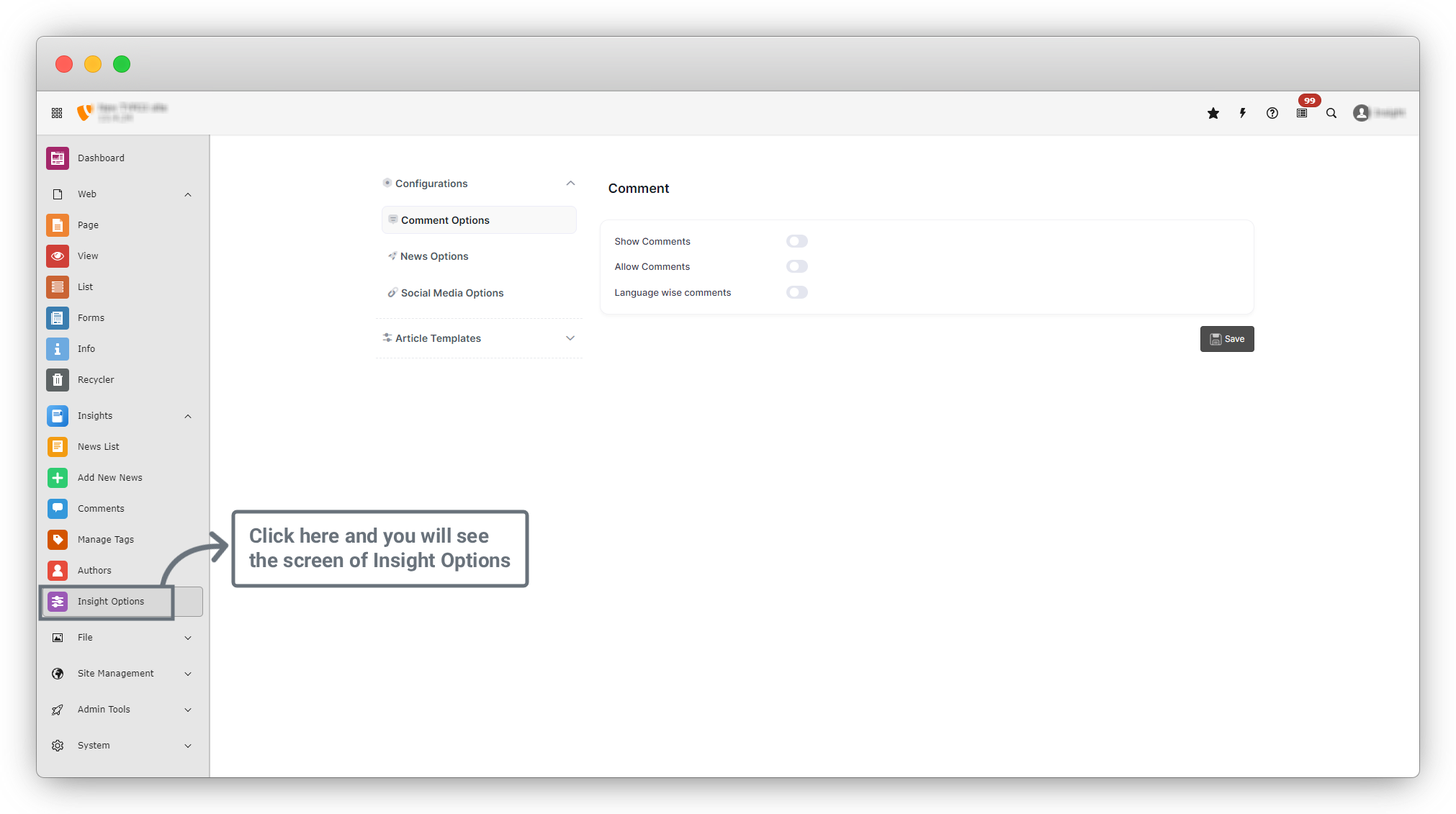
2. In the screenshot, you will see the left sidebar and the right-side content area.
3. On the left sidebar, click on Configuration > News Options.
4. In News Options, you will see the Storage for News dropdown. Click on the dropdown, and you will see the folder name that we already created.
5. Select that folder and click on the Save button.
Share



