



URL copied to clipboard

Add products for the “Products” table.
7 views
__readtime__ Min
read
Let’s start to use the Products extension in TYPO3. First of all, let’s add a few products and render the list of products.
Add products for the “Products” table.
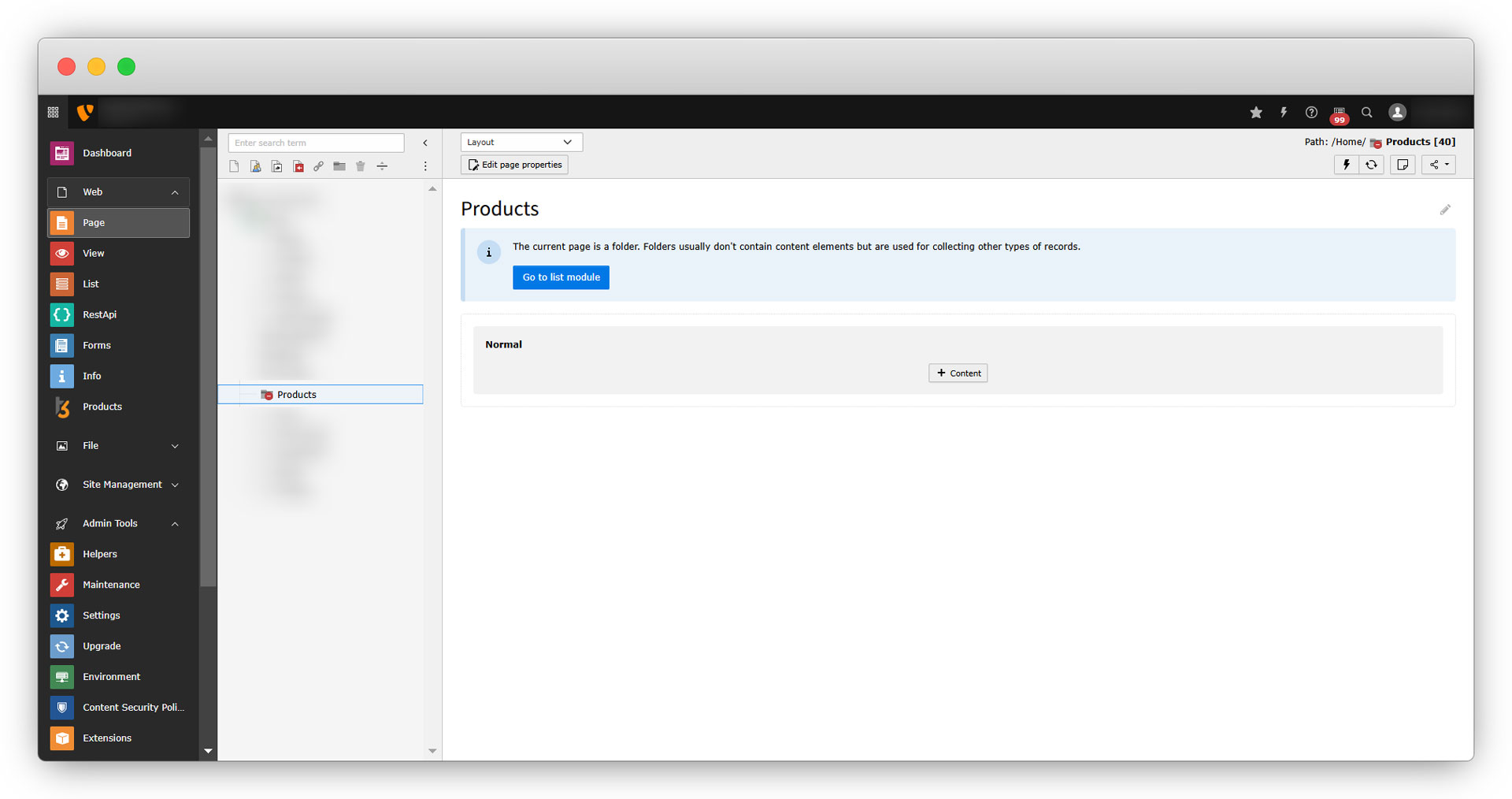
1. Create a folder to store the products. You can name the folder as you wish. Here let’s create the folder named “Products”, by default the folder is disabled.
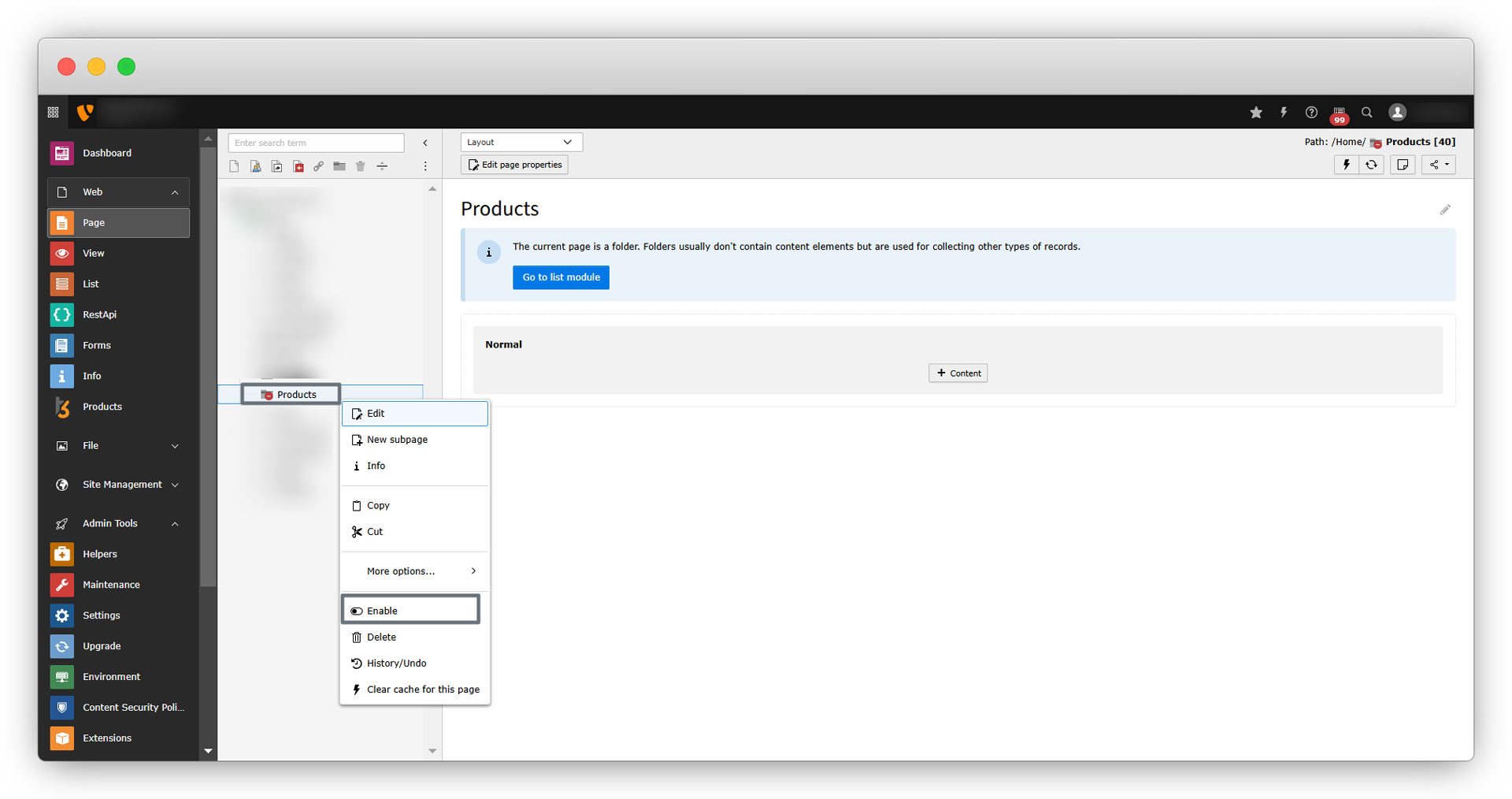
2. Enable the folder, to enable it, right-click on the folder and click on “Enable”.
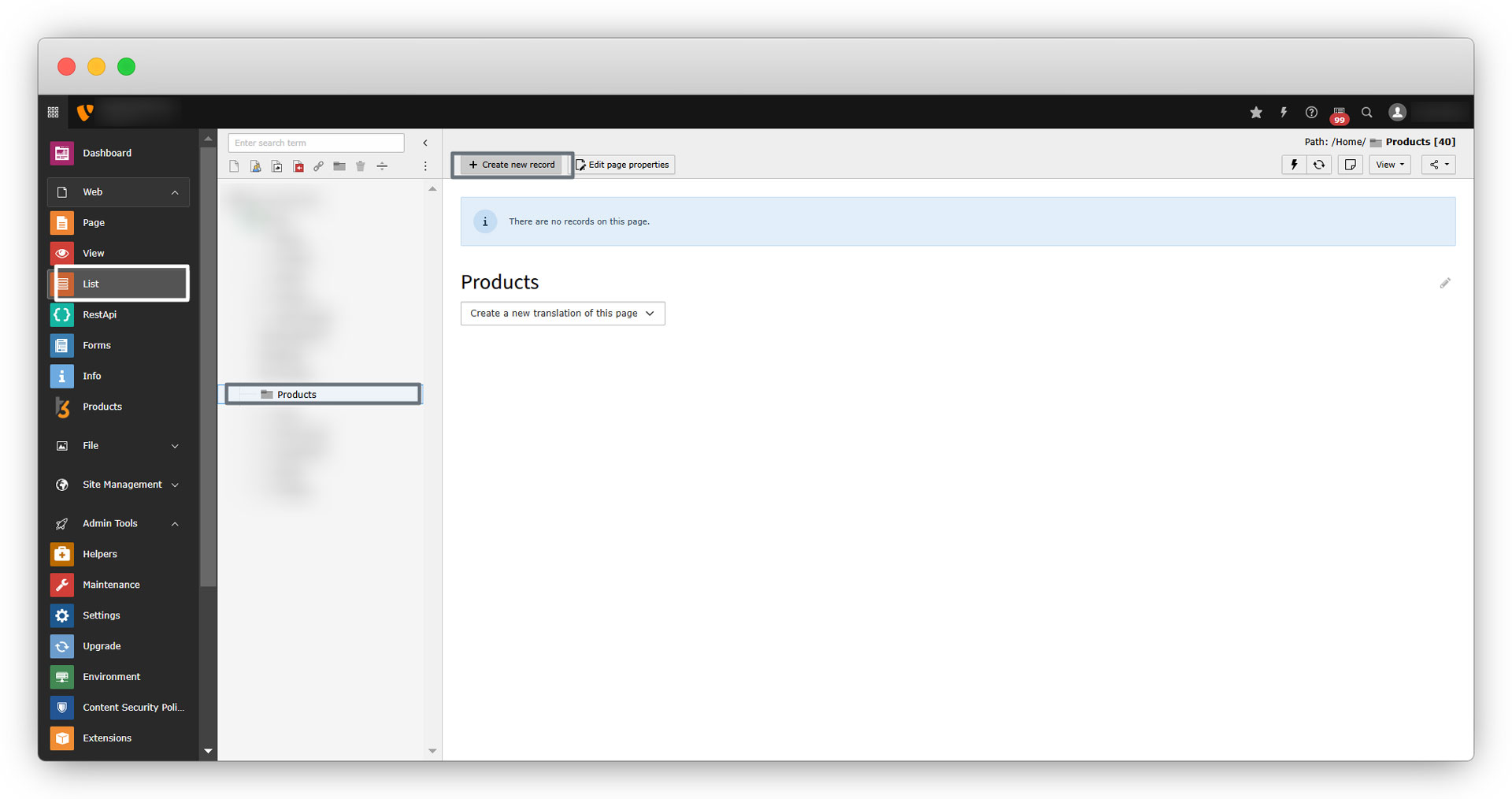
3. Go to the “List” module, and select the folder, and click on the “Create new record” to add new products.
4. After clicking on the “Create new record”, you will see the “Products” extension and the tables “Products”, “Country of Origin”, and “Contact”.
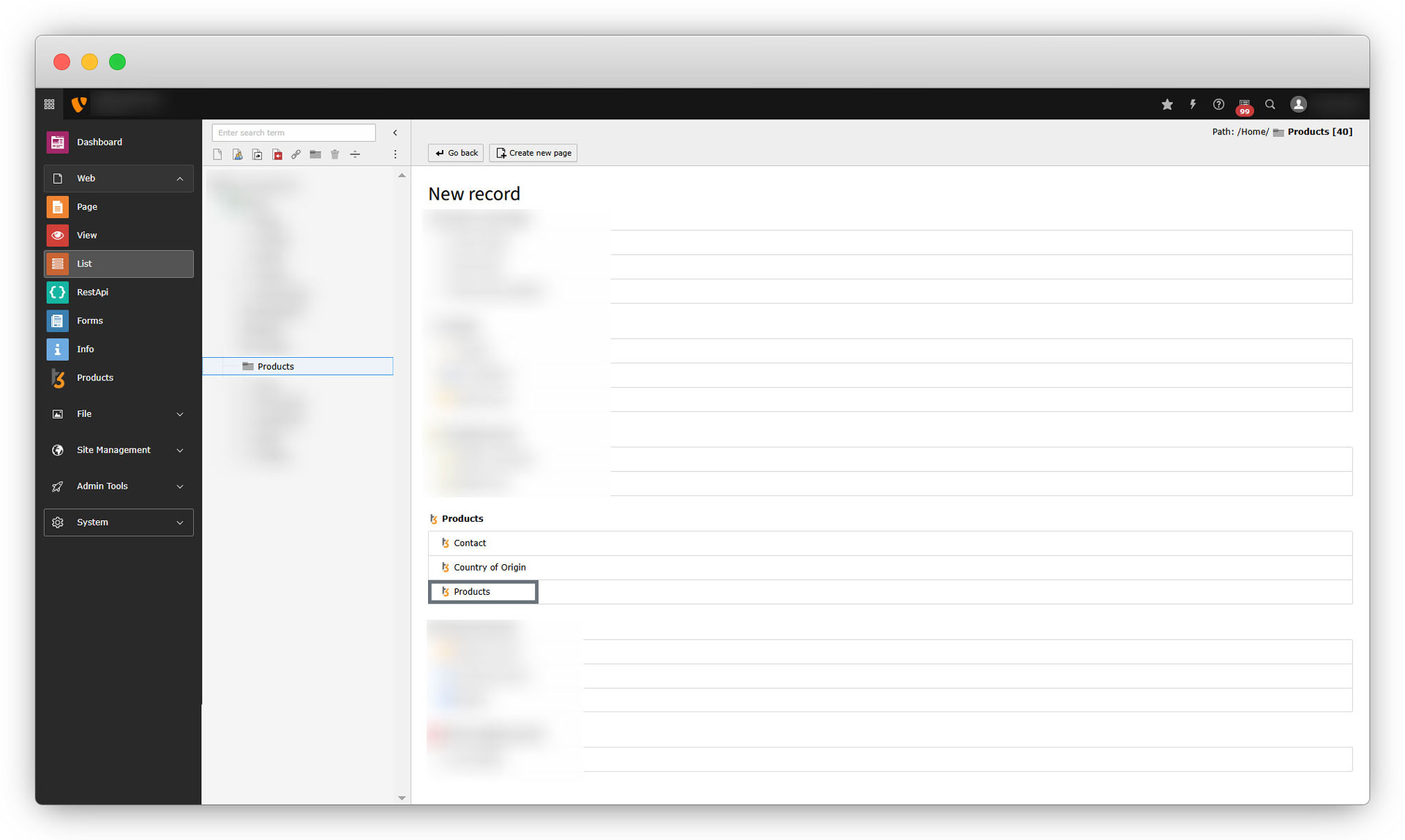
5. To add new products, click on “Products”, and you will see all the fields we added at the time of creating the “Products” table.
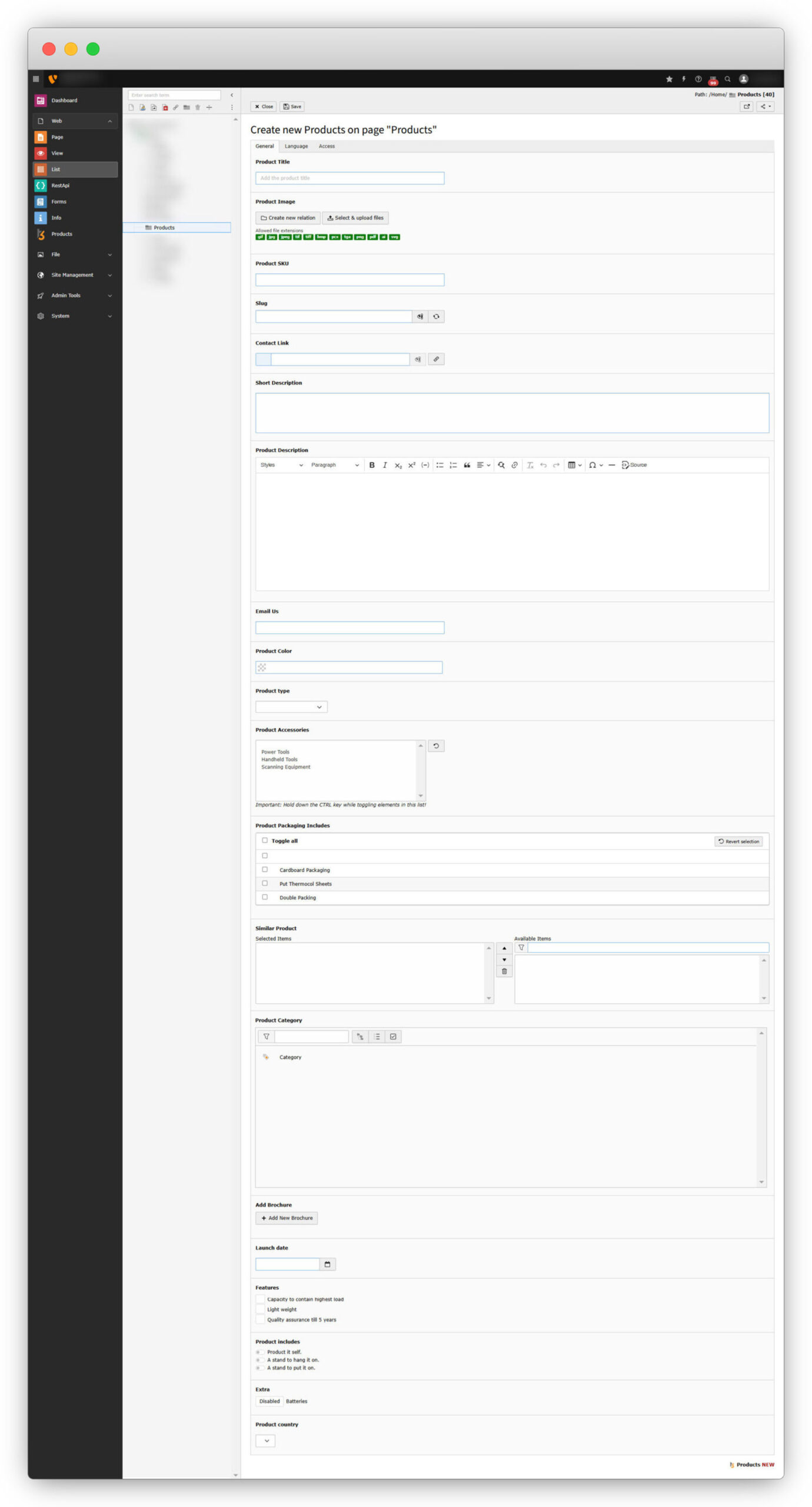
6. As you can see in the above screenshot, in the “Product country” dropdown, we don’t have any option to select it, as we still haven’t added any country. After adding the countries to the country table, we will get the country option. Let’s add countries in the “Country of Origin” table.
Share



