



URL copied to clipboard

5 views
__readtime__ Min
read
Click on Insight in the left sidebar. You will see the first option, “News List,” which allows you to manage your news. Click on News List, and the News List screen will open.
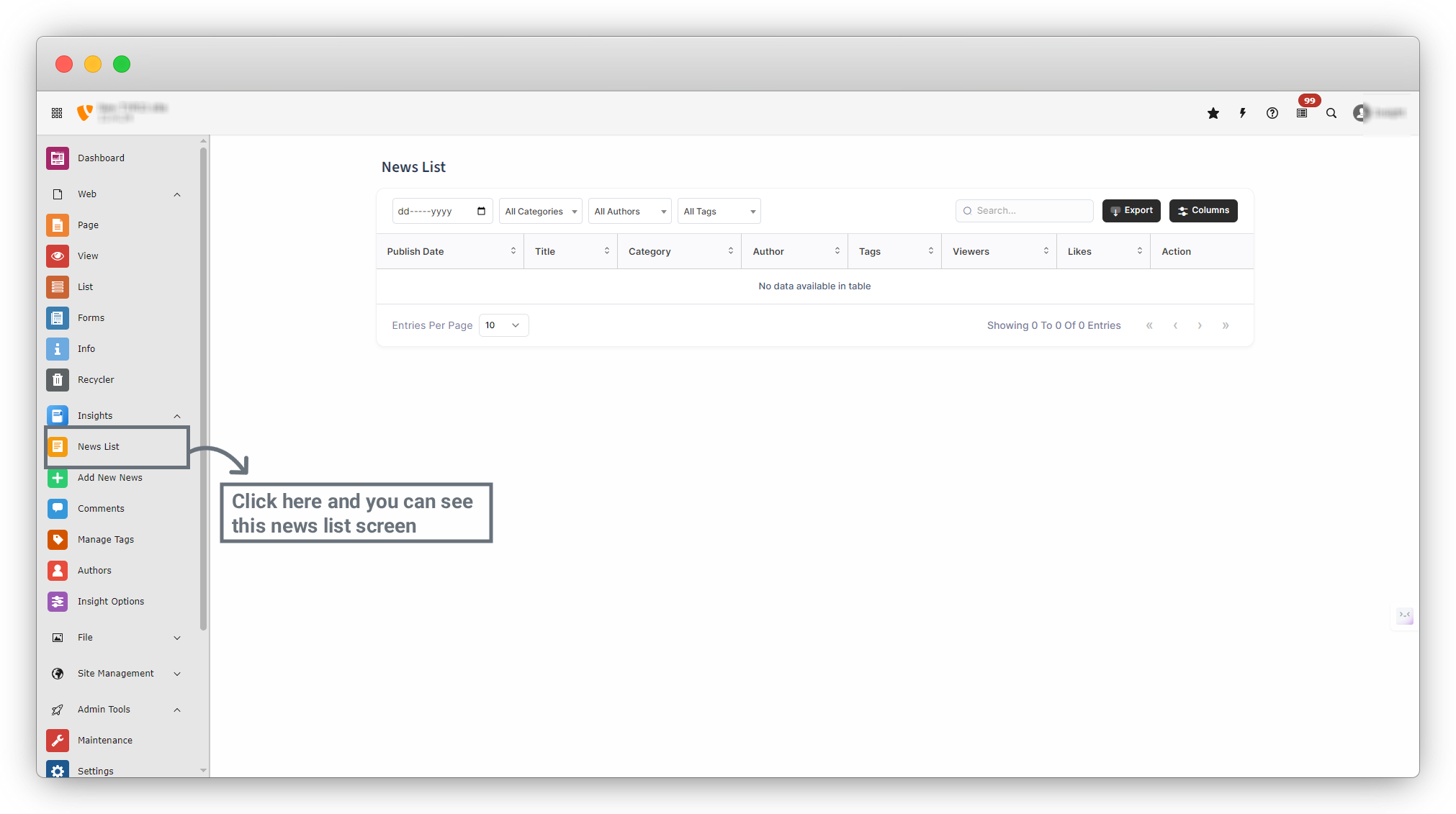
Filters & Search
At the top of the page, you can filter news by:
- Publish Date
- Category
- Author
- Tags
- Search by title or keywordViewers
News Table Columns
Each row represents a news article with the following details:
- Publish Date: Date when the news was published
- Title: News headline
- Category: Assigned category
- Author: News author
- Tags: Related tags
- Viewers: Number of frontend views
- Likes: Number of likes
- Action: Edit / Delete options
Additional Options
- Export: Download news data
- Columns: Show or hide table columns
- Entries per Page: Control how many items appear per page
Share



