



URL copied to clipboard

Configurations
7 views
__readtime__ Min
read
1. Open your TYPO3 setup.
2. Follow the steps below, before the extension upload to prevent any error in extension installation in the latest versions of TYPO3 (specifically 12.x.x & 13.x.x here).
Ref.: https://forge.typo3.org/issues/100730
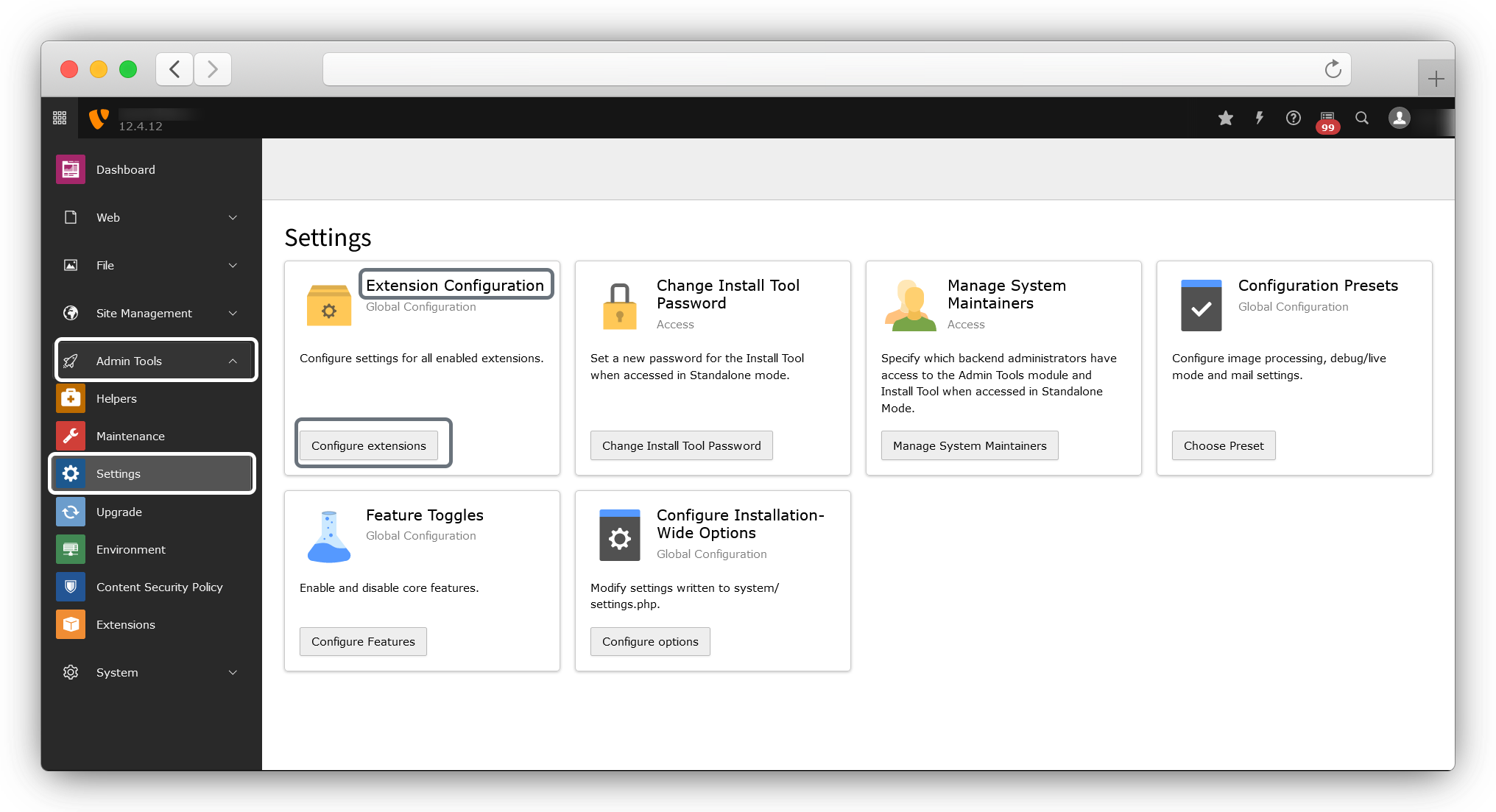
3. Go to Admin Tools > Settings > Extension Configuration and click on Configure extensions
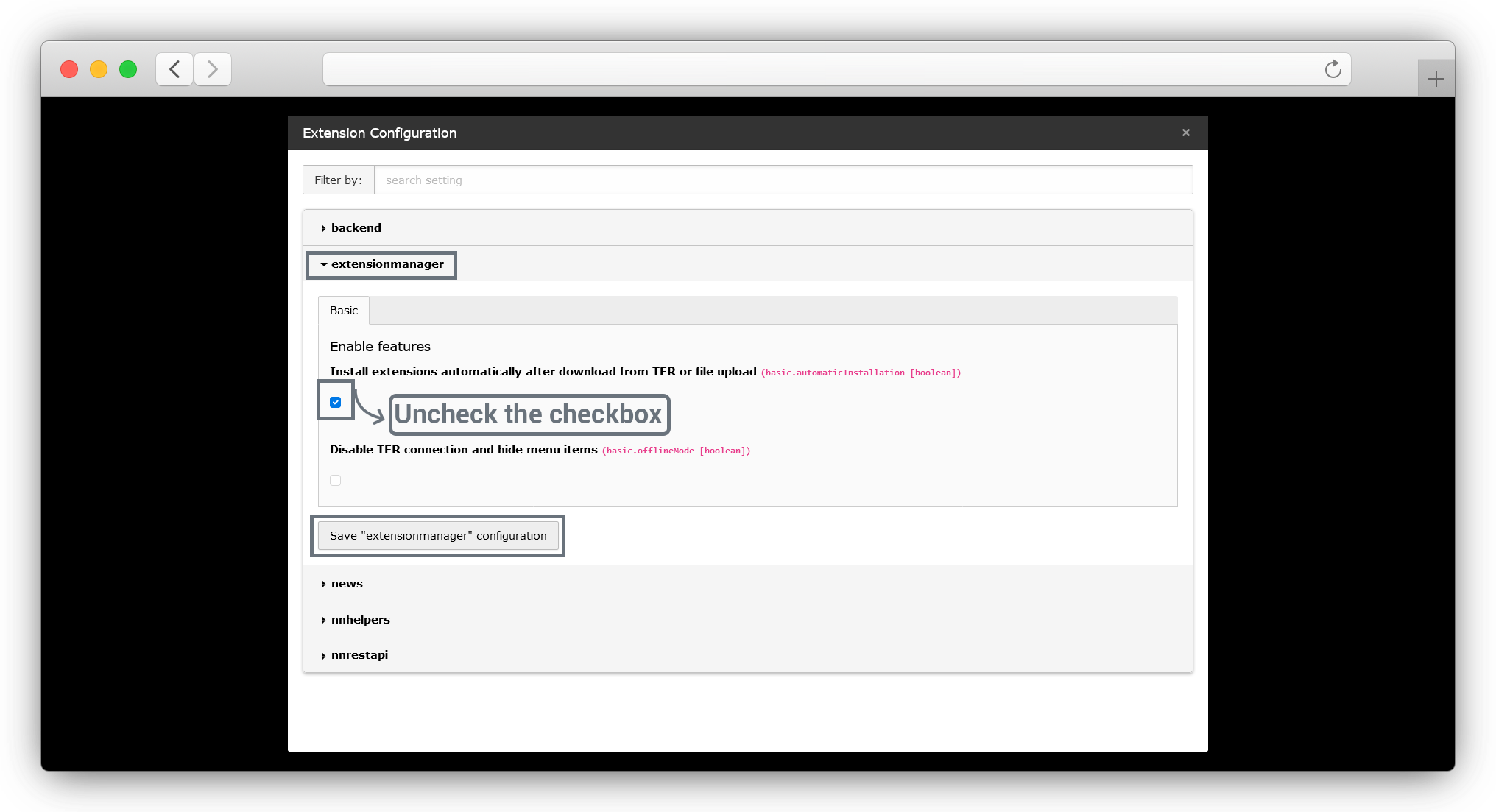
4. Then the popup will open as seen below screenshot, in that popup go to the extensionmanager > Install extensions automatically after download from TER or file upload (basic.automatic Installation [boolean])) and uncheck the checkbox & click on the Save “extensionmanager” configuration button.
Share



