



URL copied to clipboard

Create your custom elements
9 views
__readtime__ Min
read
1. Fill up the Info like Title, Short Title, Description, and Icon.
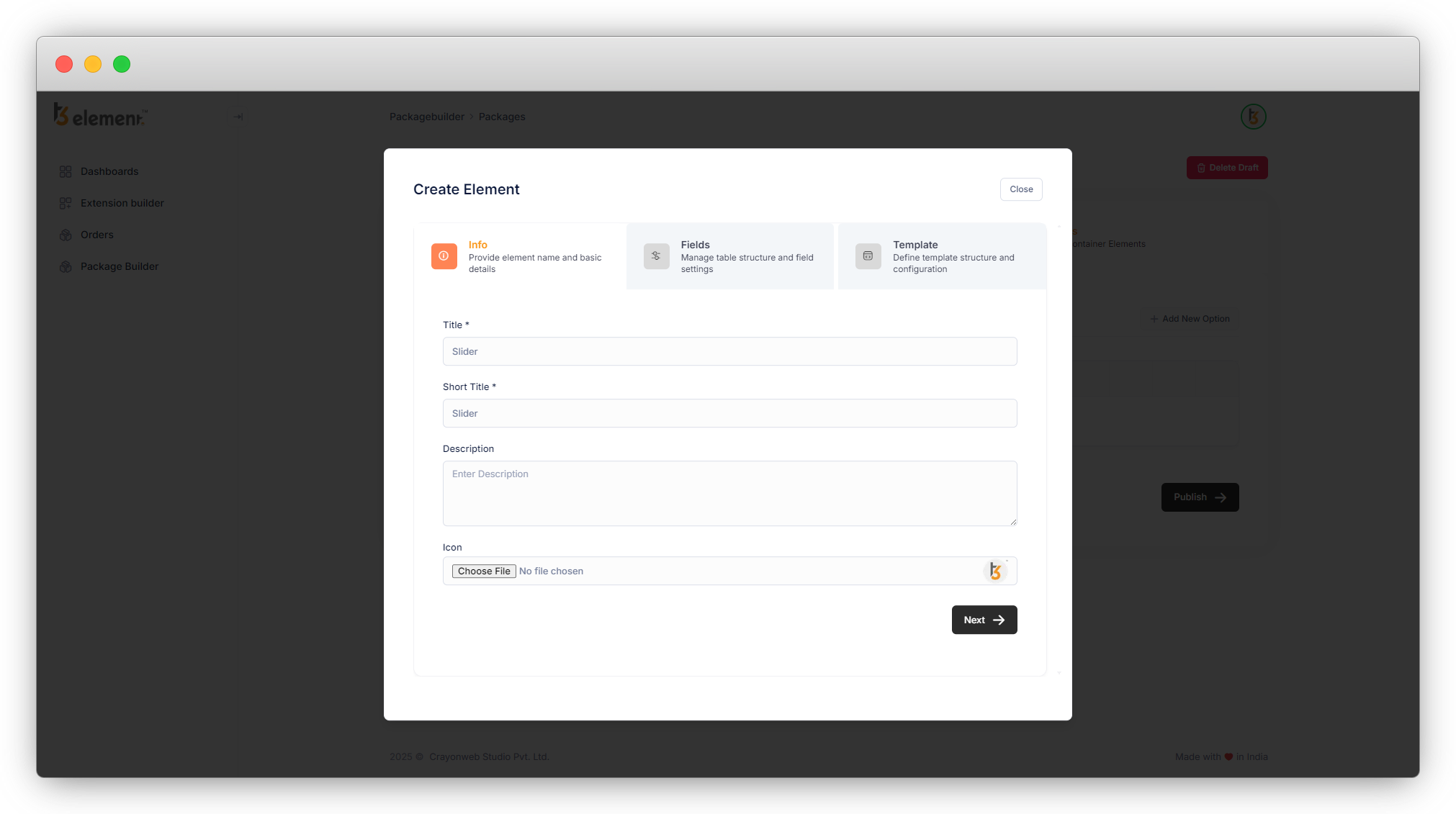
Description and Icon are not mandatory fields, so if you do not add the icon, it will take the default icon which is displayed on the right of the field.
2. After pressing “Next”, you will be redirected to this screen.
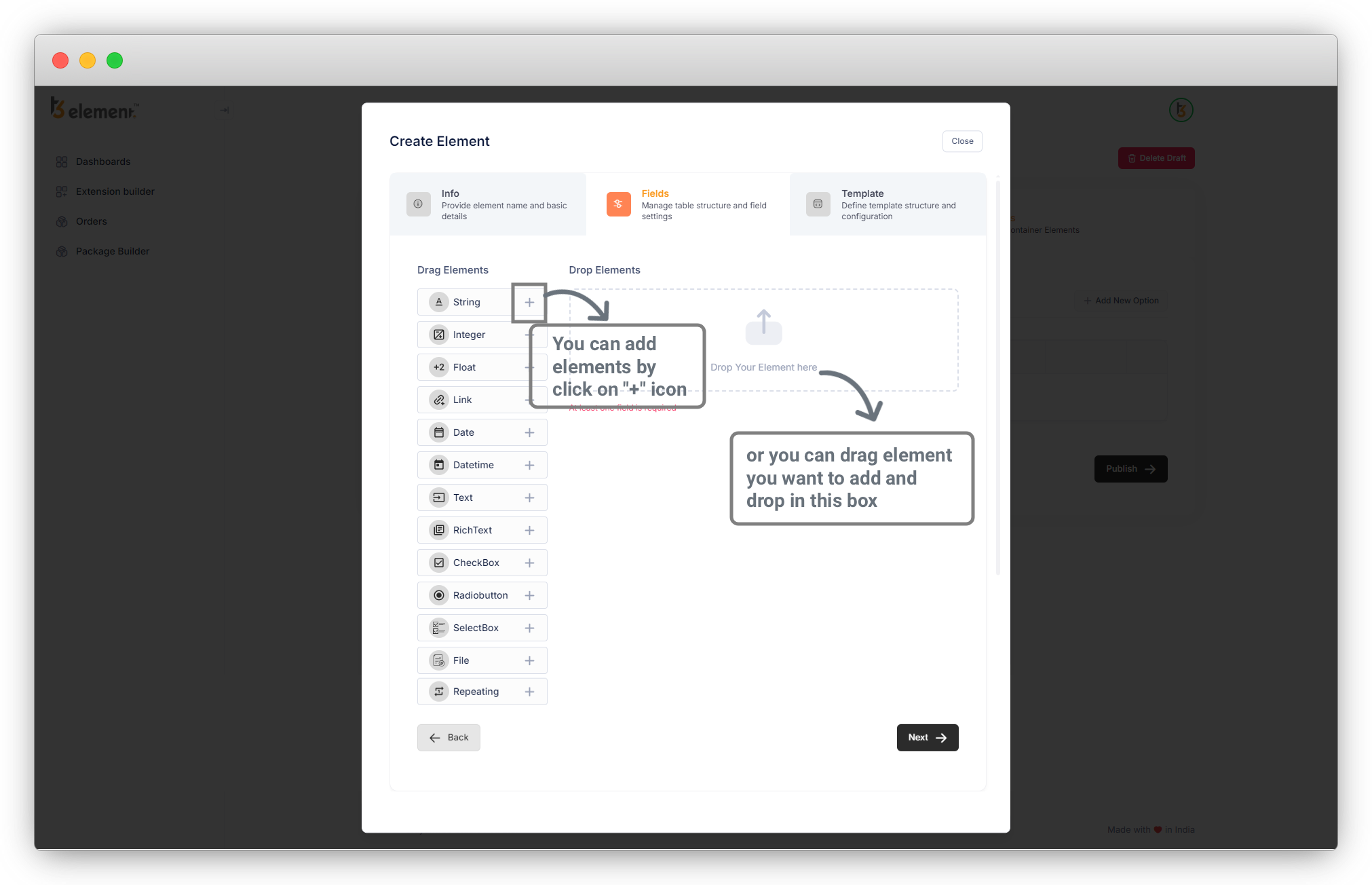
You can add elements from the available list of elements on the left side. Add an element or field by clicking on the “+” icon or drag the element and drop it into the box, that way you will add the desired fields and will create the elements, e.g. Slider, Teaser Box, CTA, etc.
Here is an example. Let’s create an element to be more clear about how to create custom elements by using T3Element Builder. Let’s create a Slider element.
Share



