



URL copied to clipboard

T3headless Extension Installation
18 views
__readtime__ Min
read
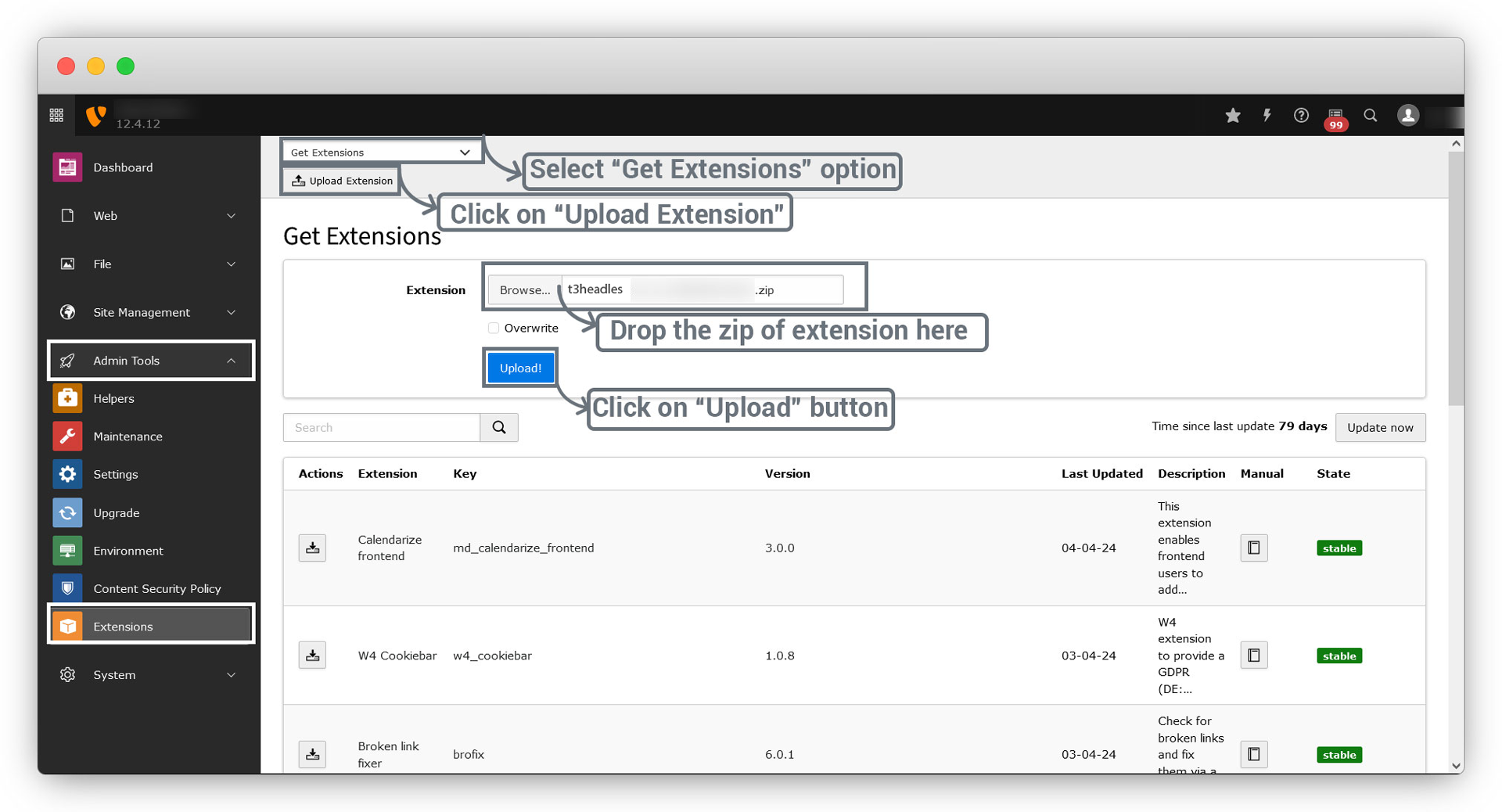
1.Click on Admin Tools > Extensions > Get Extensions > Upload Extensions and select & upload t3headless.zip, and then click on Save.
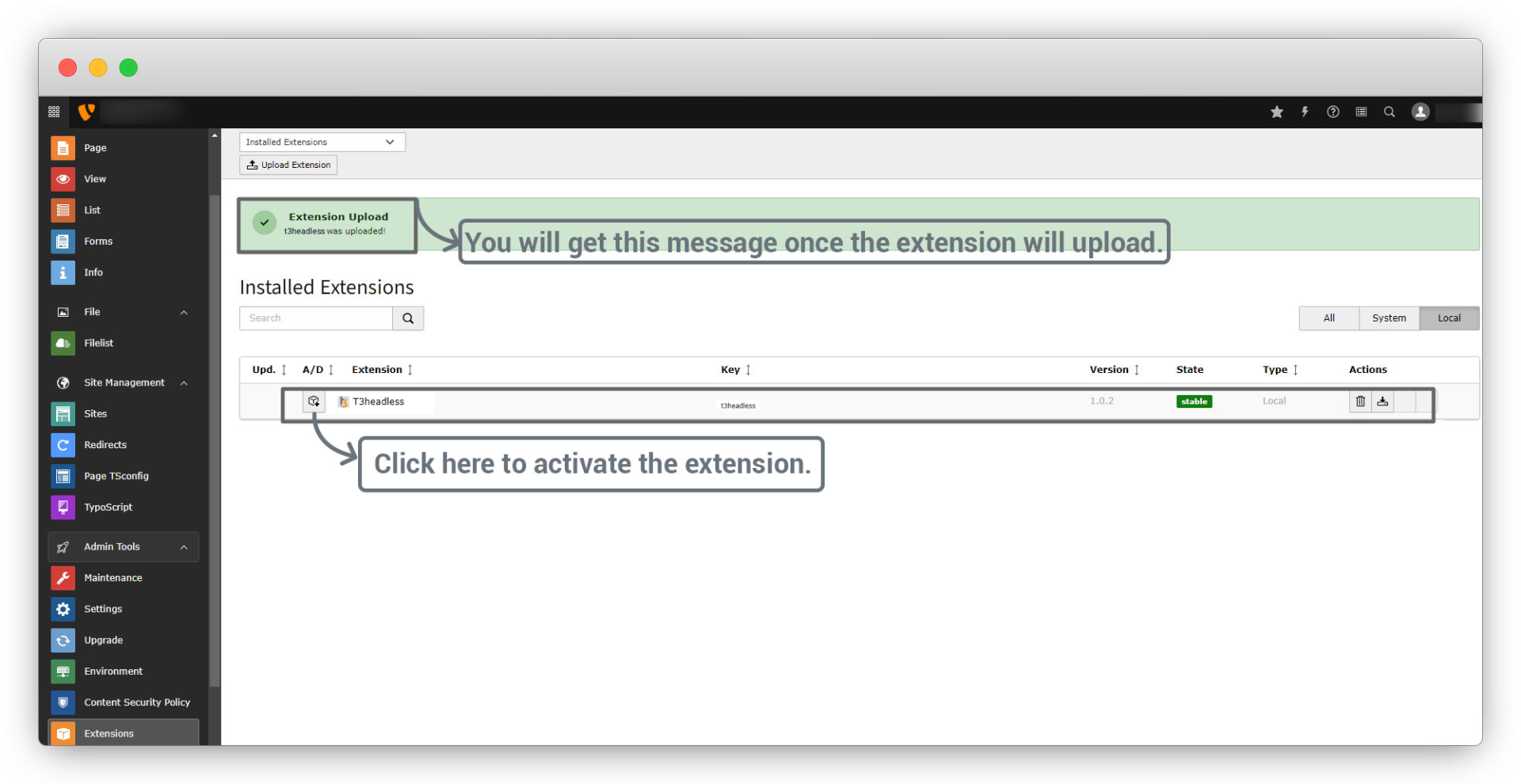
2. Once the extension is uploaded, you will get the success message on the screen. To activate the extension, click on the activate button on the left if the extension list as you can see in the below screenshot.
Share



