



URL copied to clipboard

Add the job
3 views
__readtime__ Min
read
1. Let’s check if an option has been added for the job details or not. Go to the List > select the folder where you have added all the employees > click the button “Create new record” and you will see the screen below
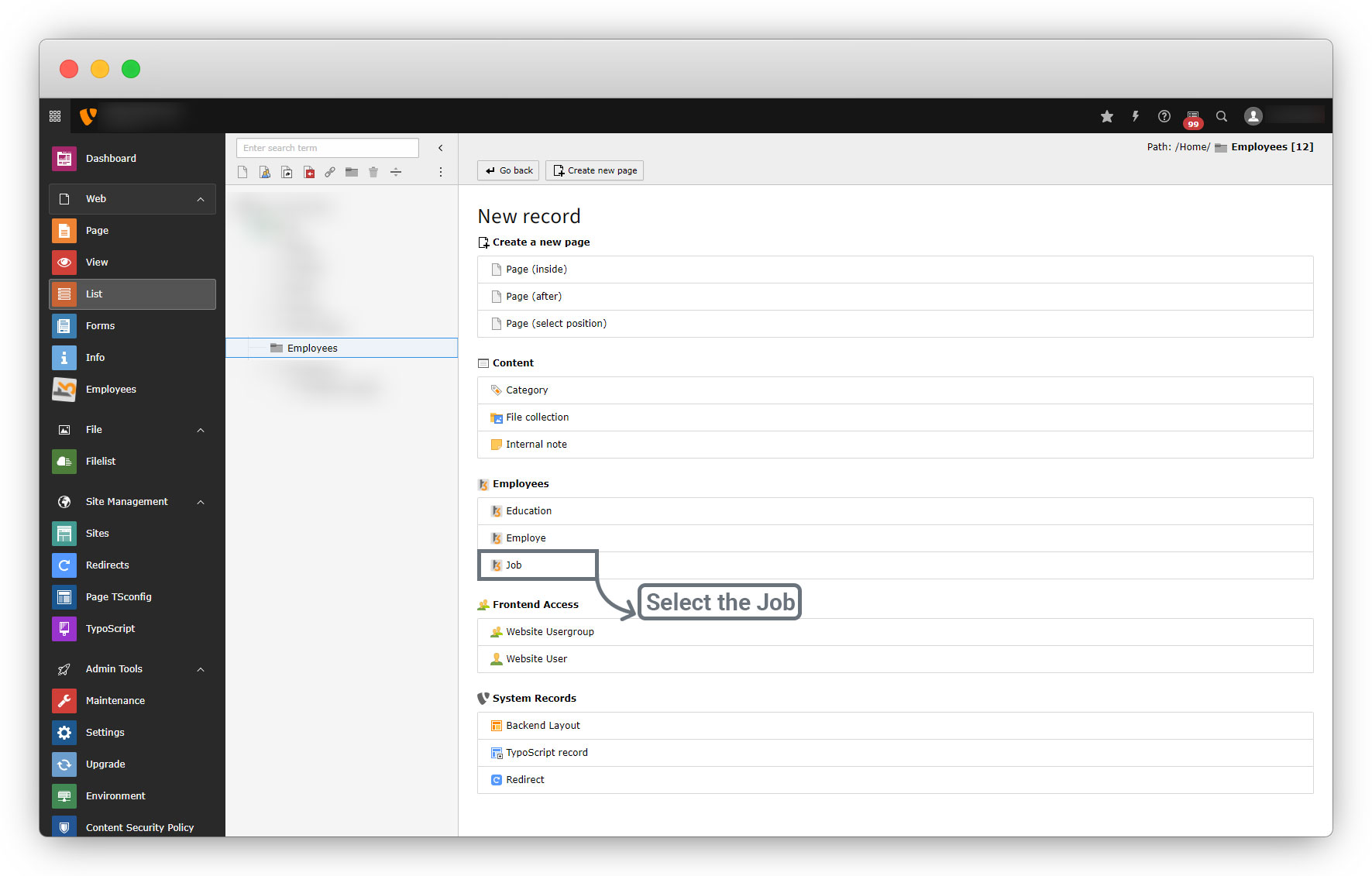
2. After selecting the Job, you will see the fields we added to the job table, see the screenshot below
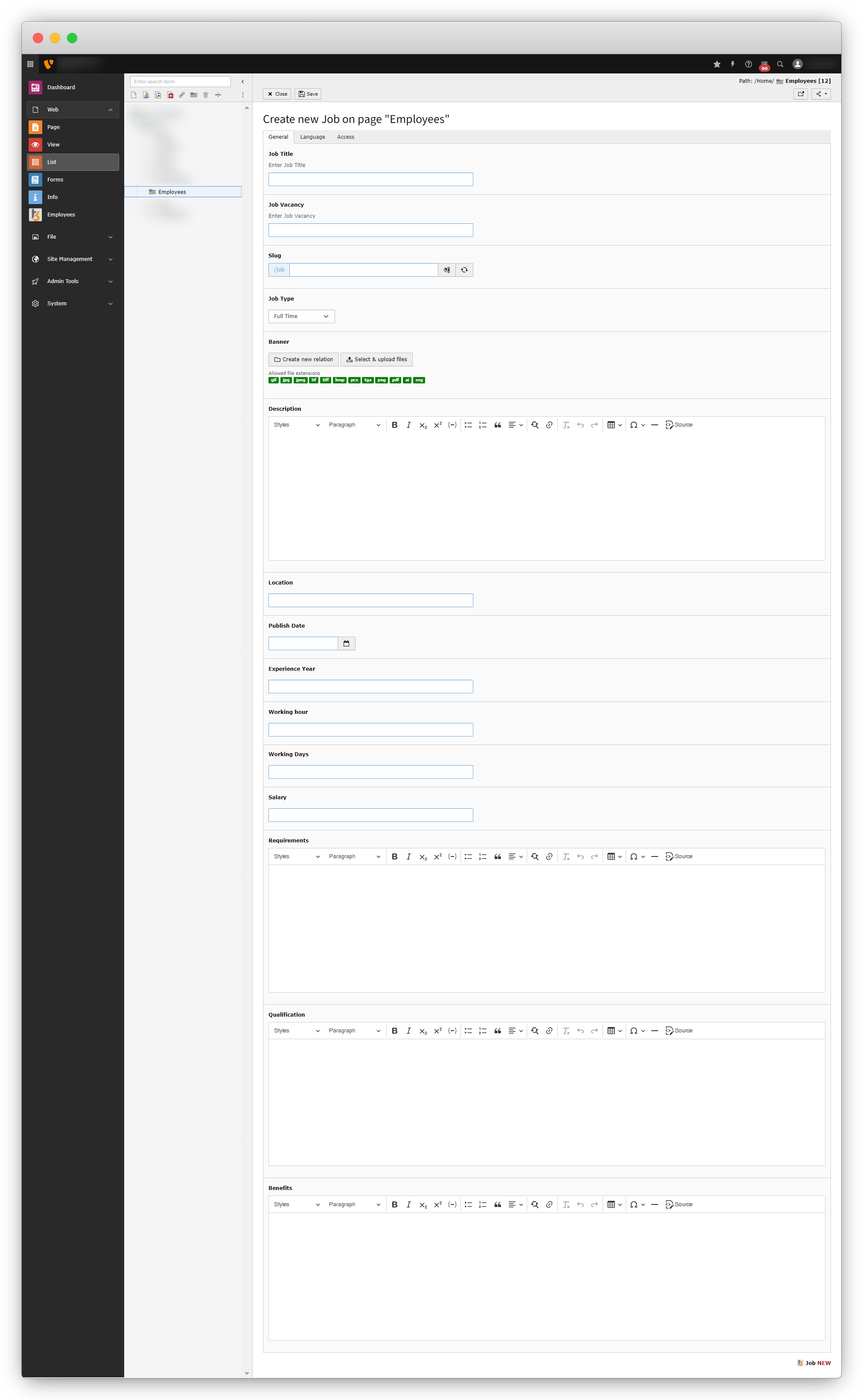
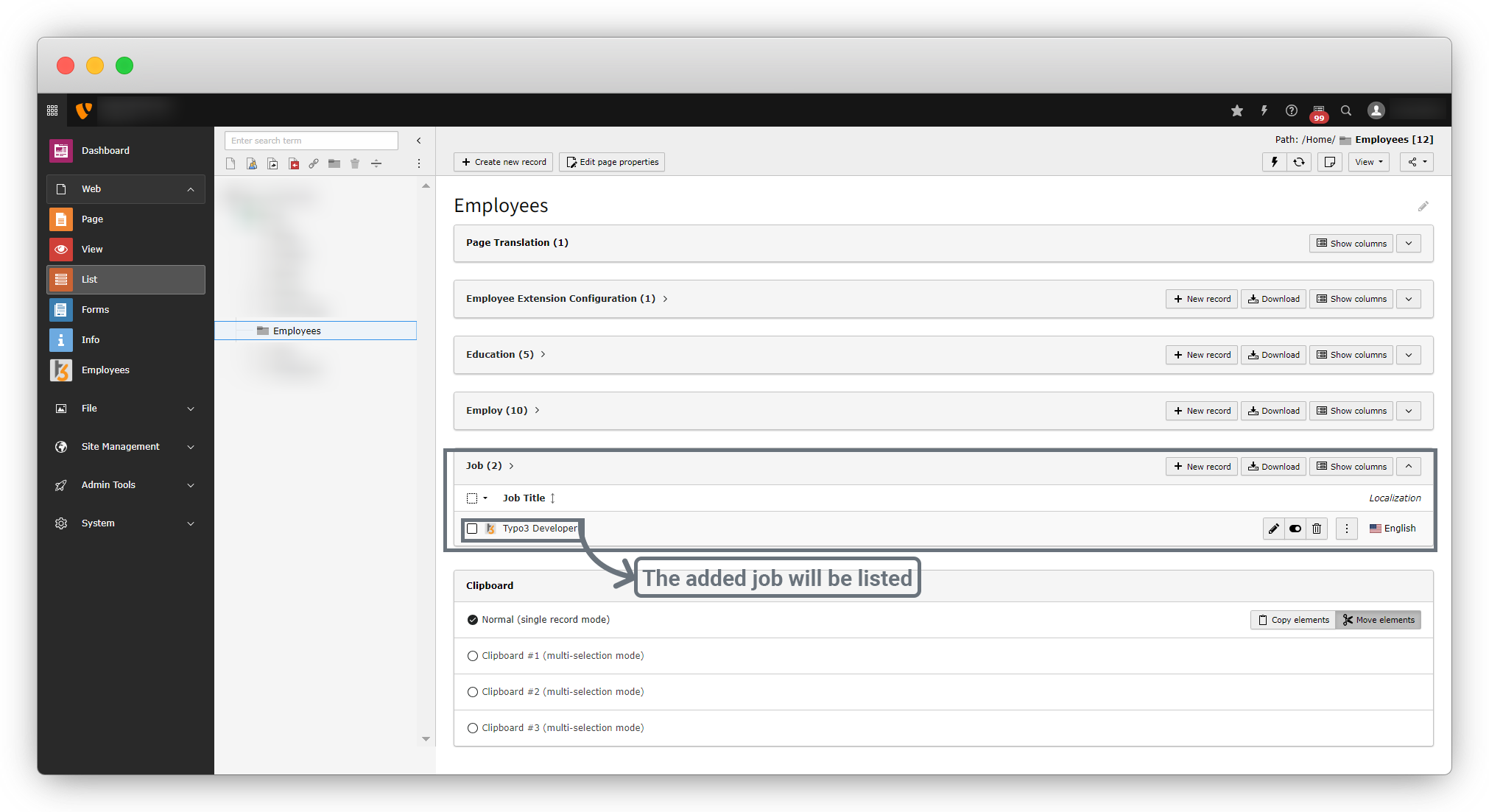
3. Fill up all the details for the job and, save that job and you will see that job in the list as seen below
Share



