



URL copied to clipboard

Delete the form
6 views
__readtime__ Min
read
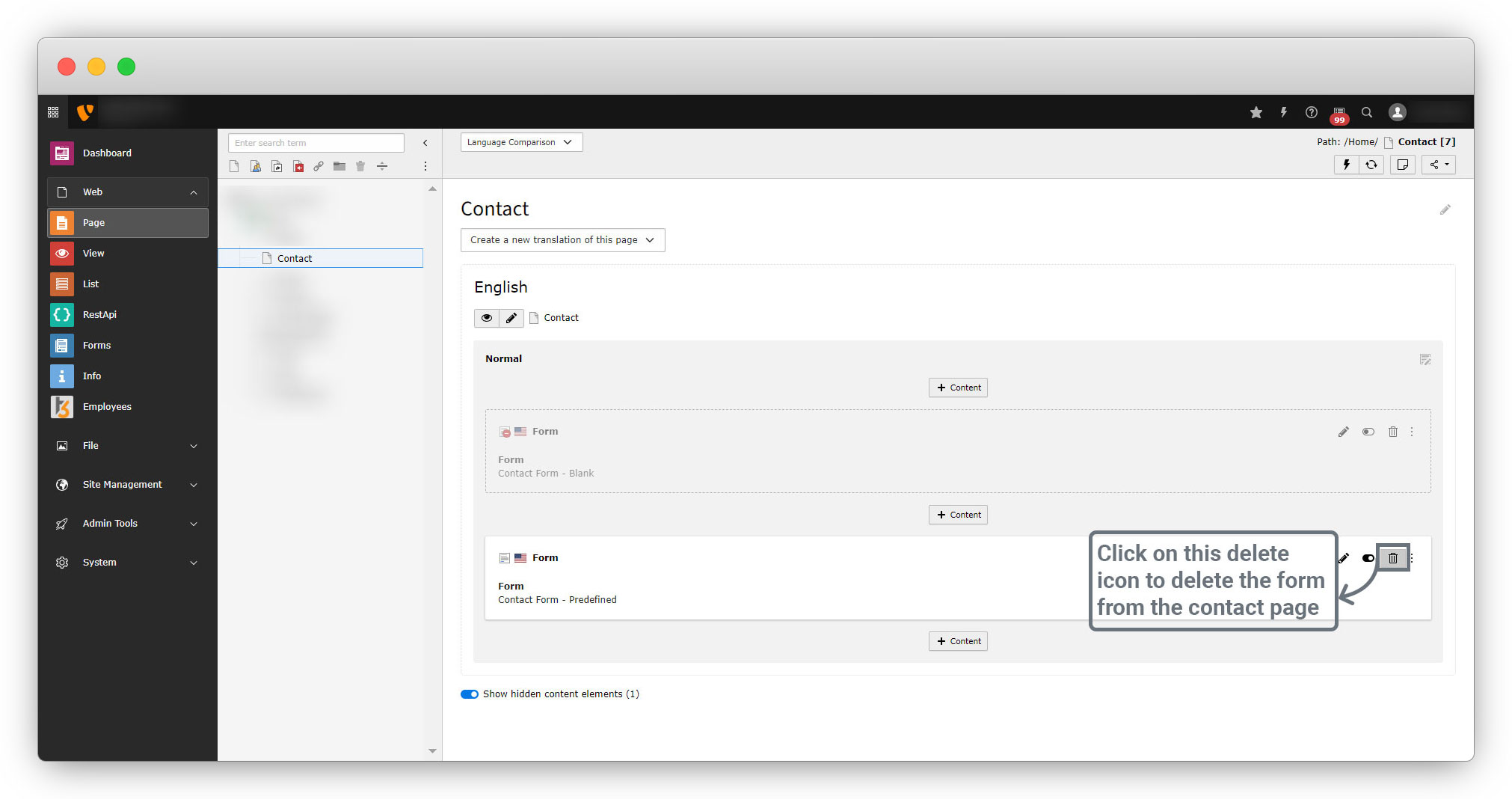
1. To delete the form, first remove the form from the page we have used it. We used the form in the contact page, let’s remove it from there.
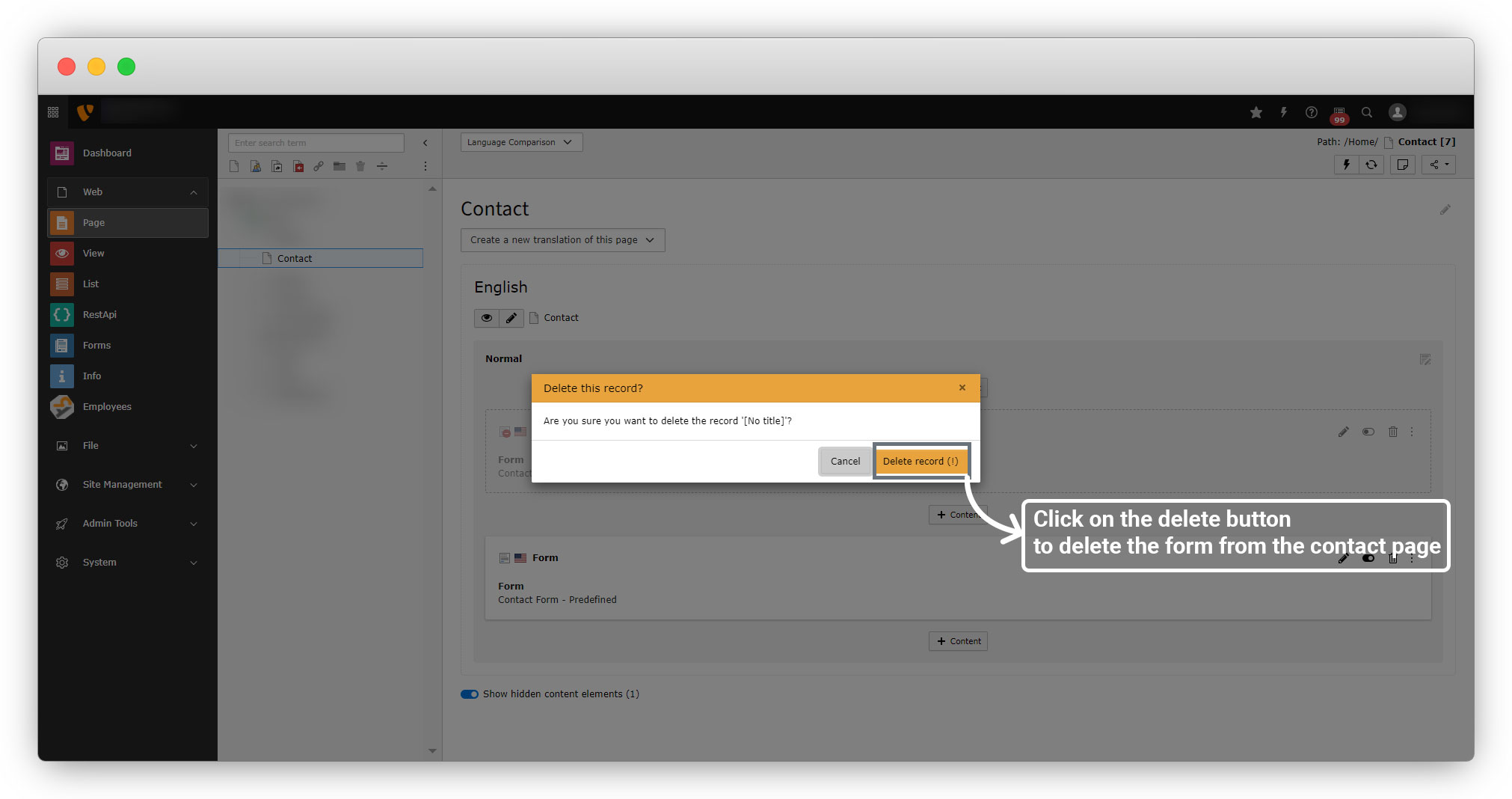
2. Click on the “Delete record” button to remove the form from the page.
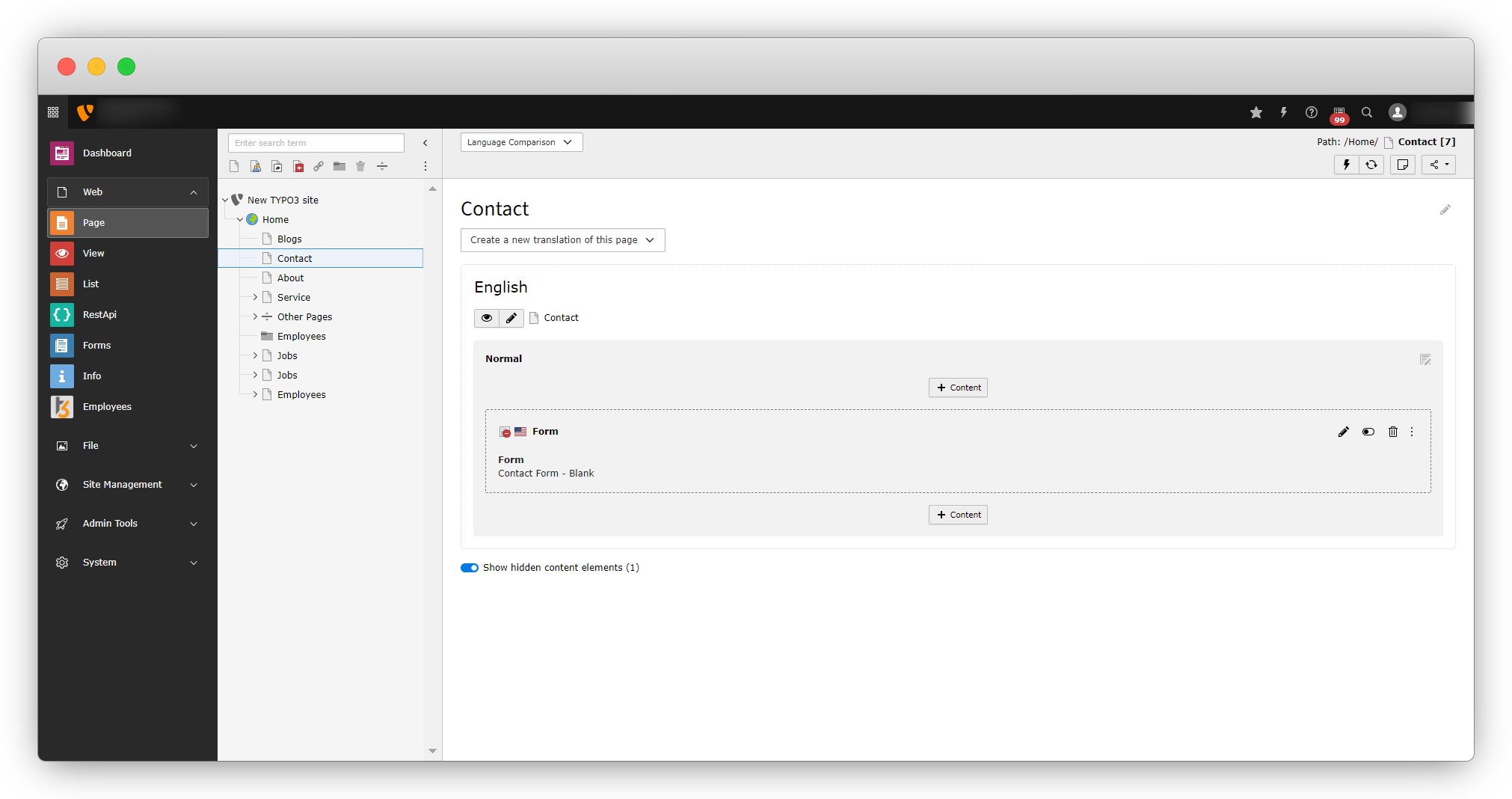
3. You can see in the below screenshot that the form “Contact Form – Predefined” is removed from the contact page.
4. Let’s delete the form now. You can see in the below screenshot that the delete option for the “Contact Form – Predefined” form is enabled now:
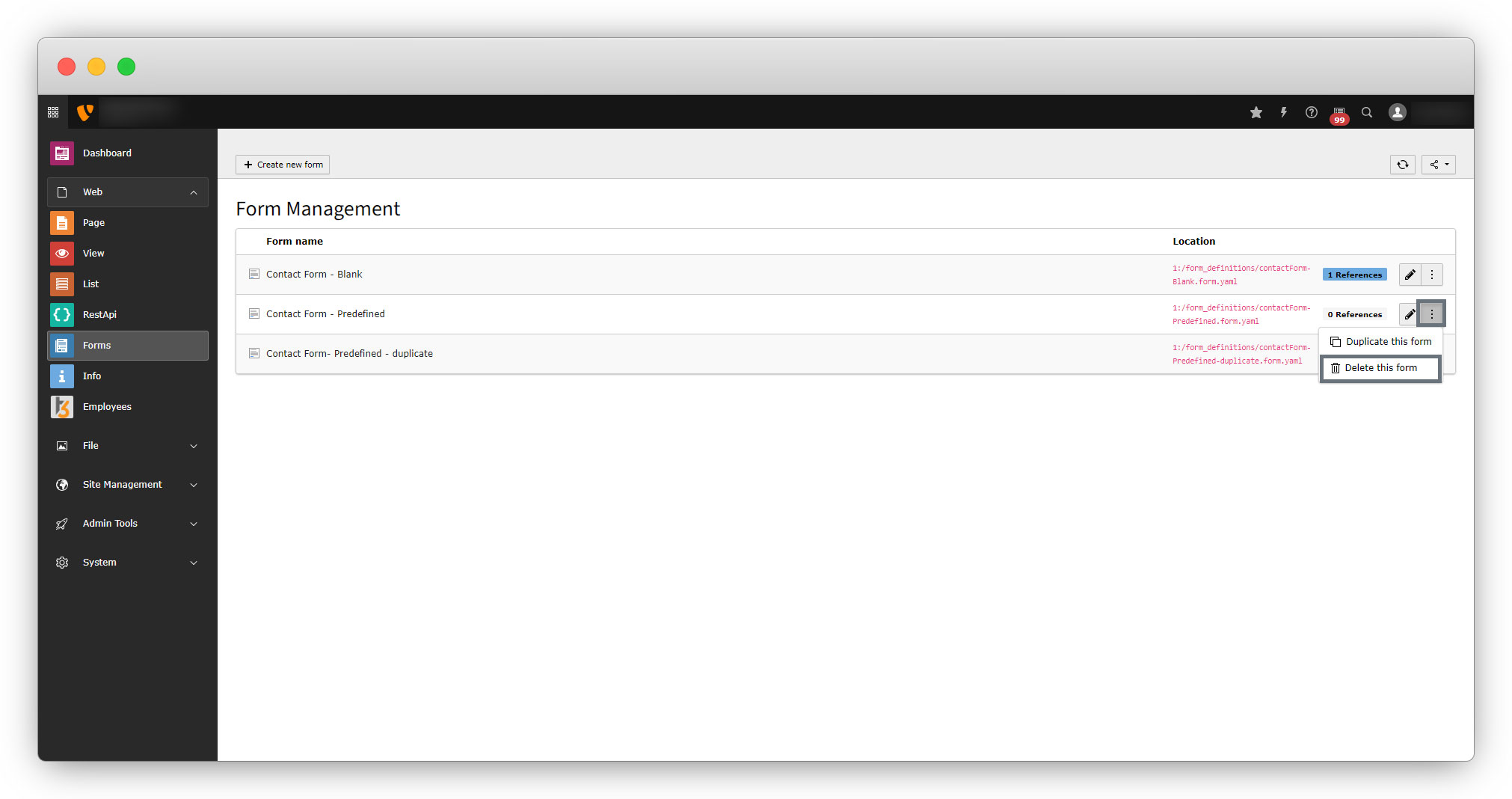
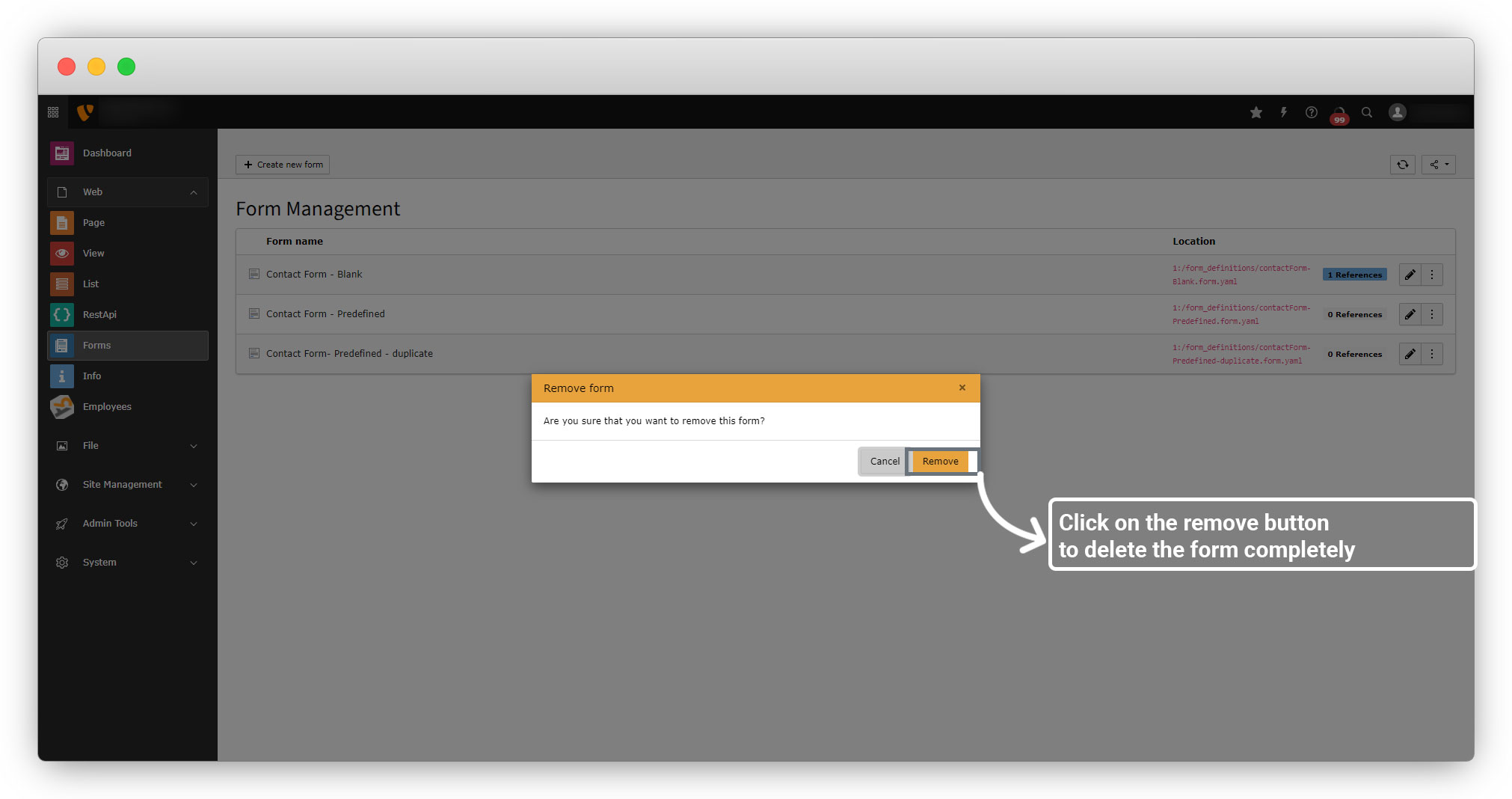
5. After clicking on the “Delete this form”, you will see a popup, click the button “Remove” to delete the form completely.
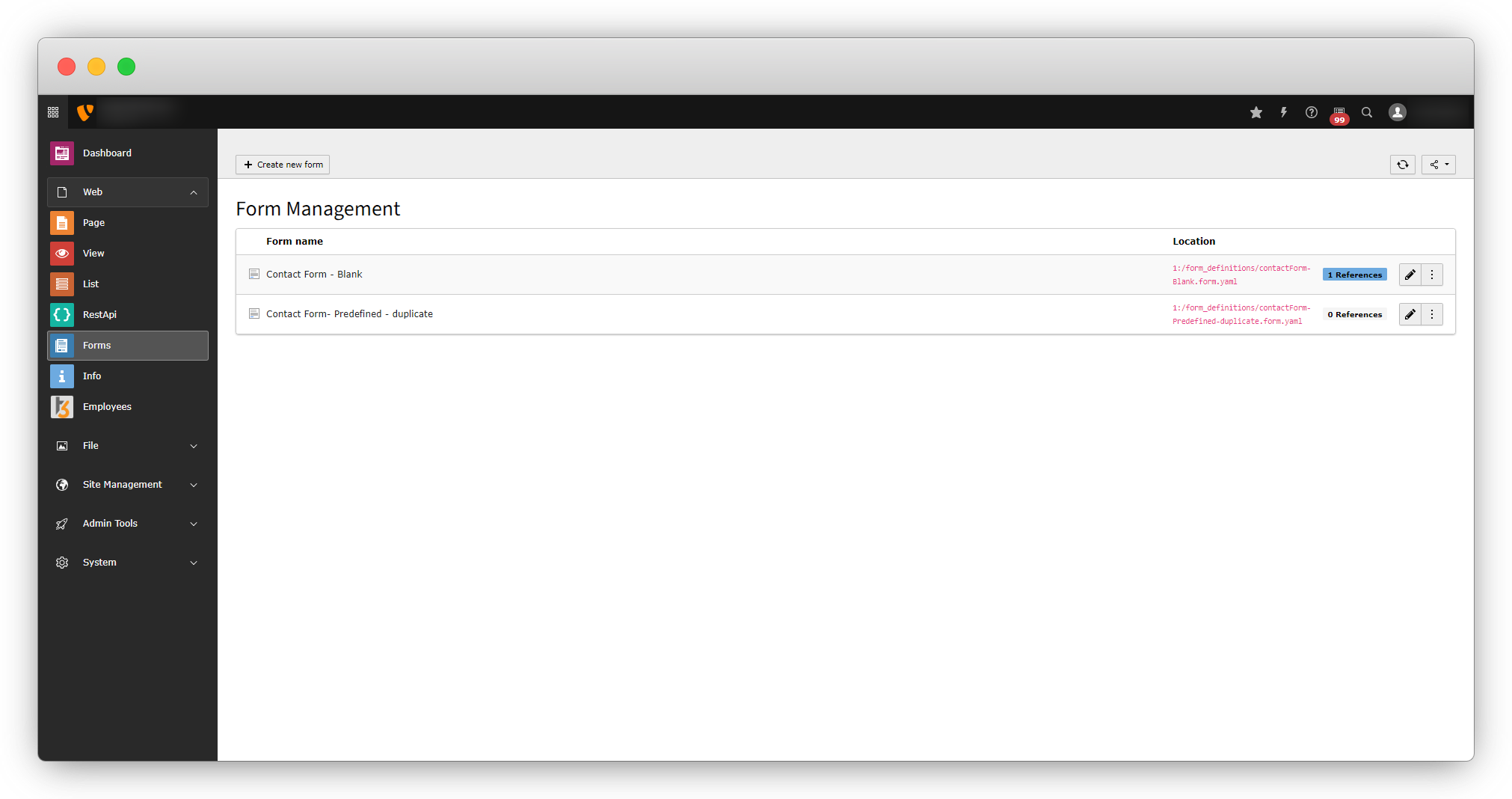
6. After clicking on the remove button you will see the form is not there in the list.
Share



