



URL copied to clipboard

How to perform CRUD
3 views
__readtime__ Min
read
(Here the CRUD has been performed for this example, you can implement the CRUD in your own example )
Create
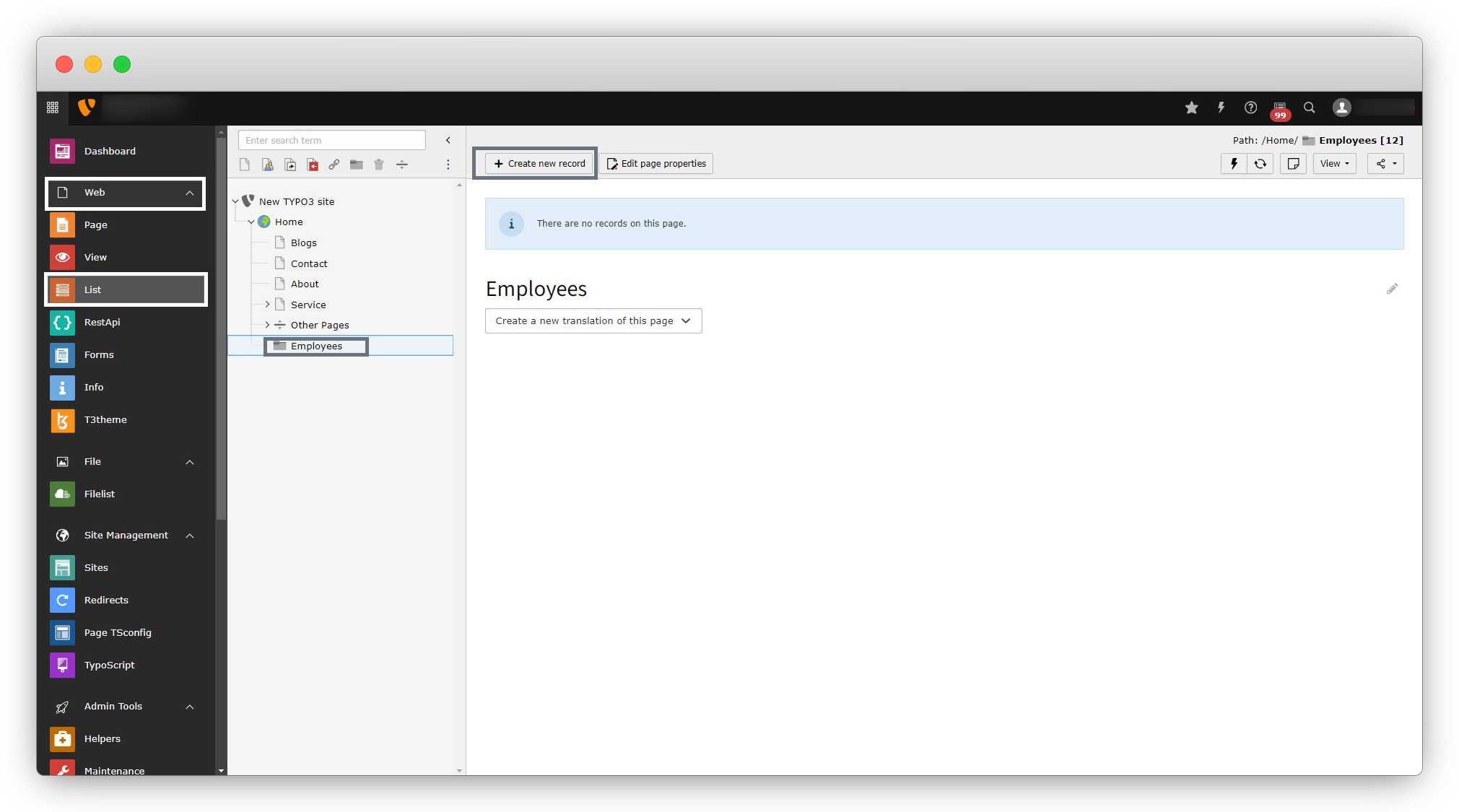
To create a new record, go to Web > List > Select the folder Or create the folder where you want to store your records for employees and then click on the “+Create new record” button and select Employe and you will see the form for the employee.
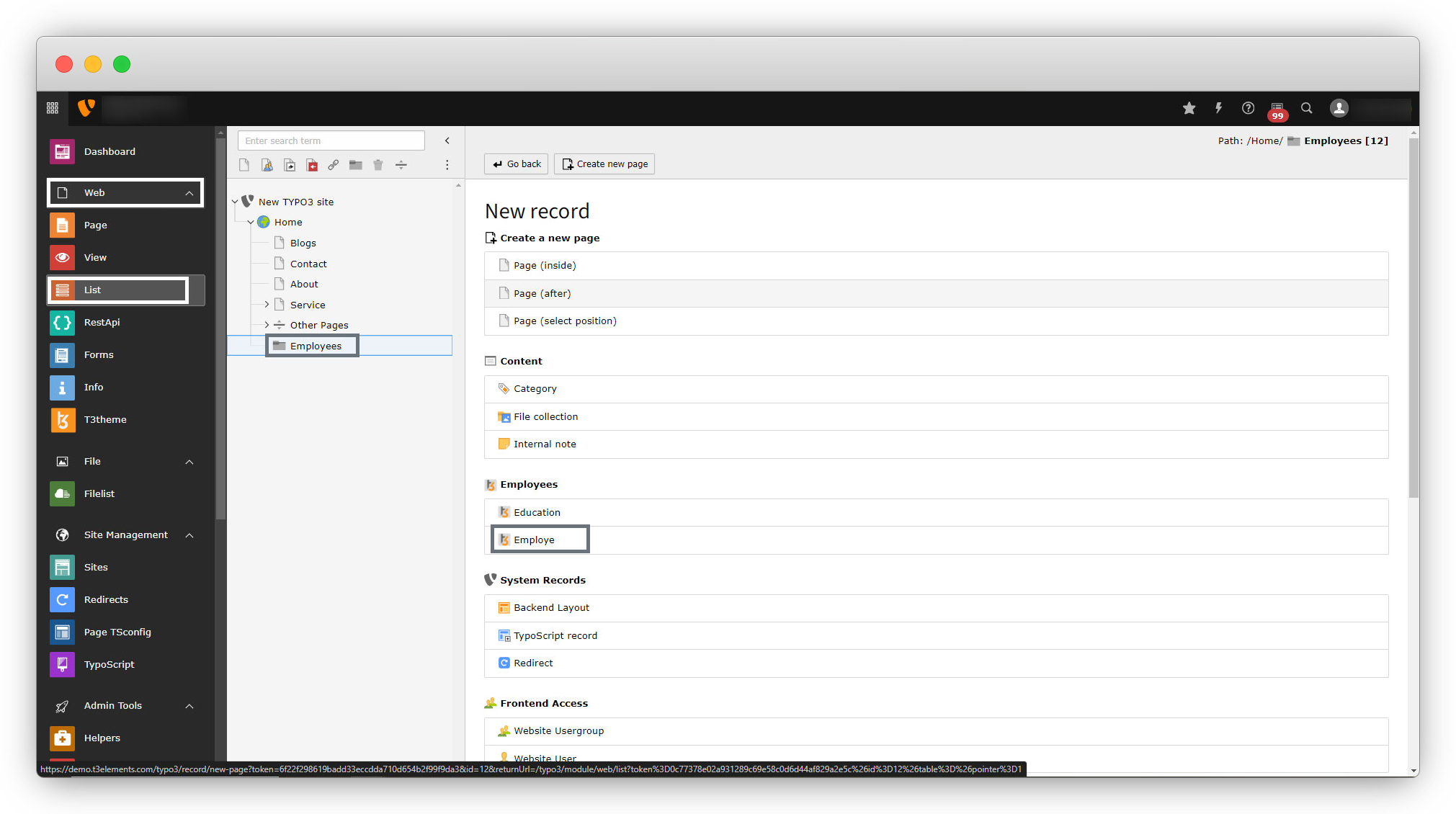
Fill up the form with the details of the employee and save the form.
Read
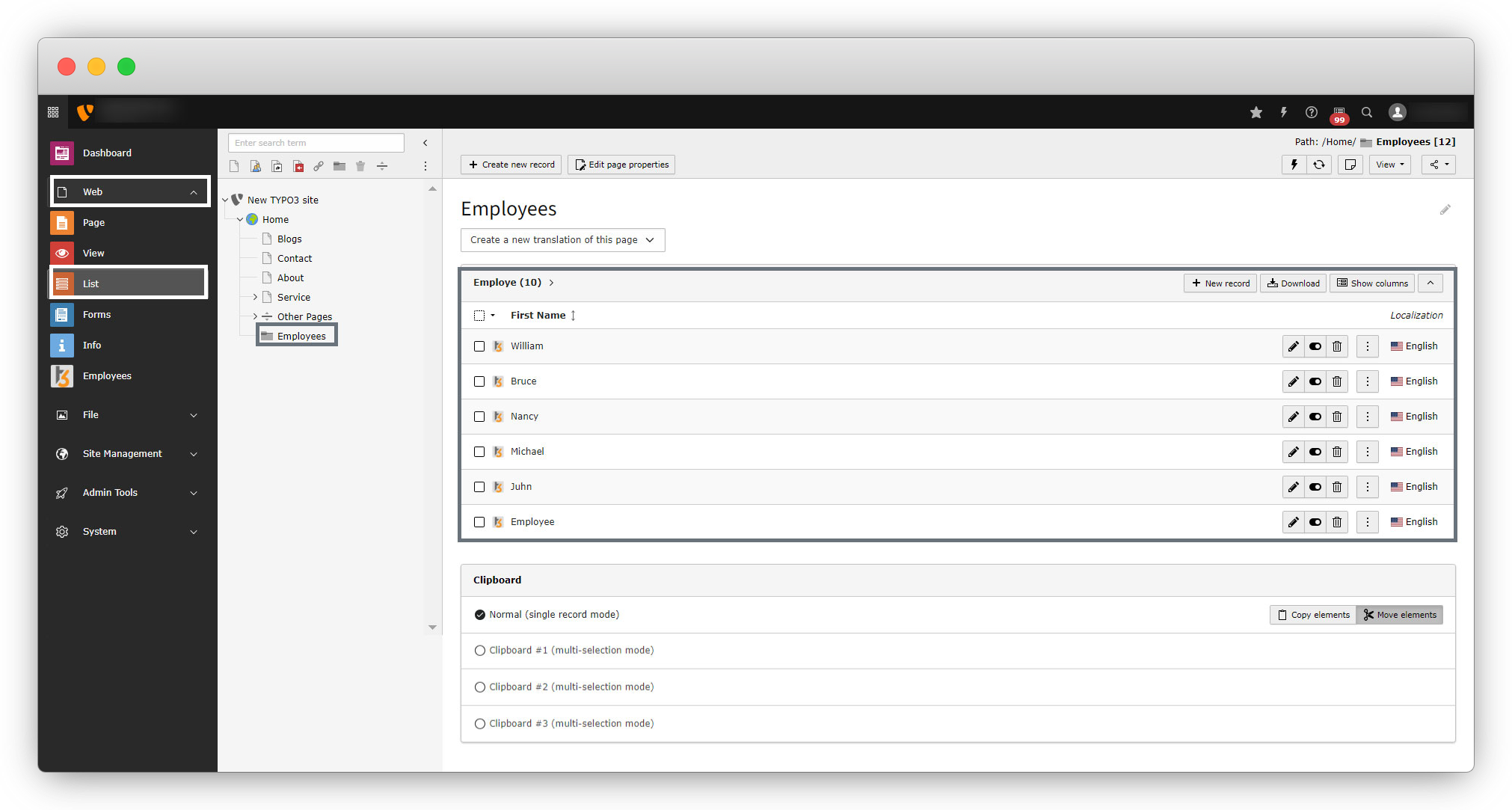
To get the list of all the employee’s go to Web > List > Select the folder you have stored your records in and you will see the list of all the records you have stored.
Update
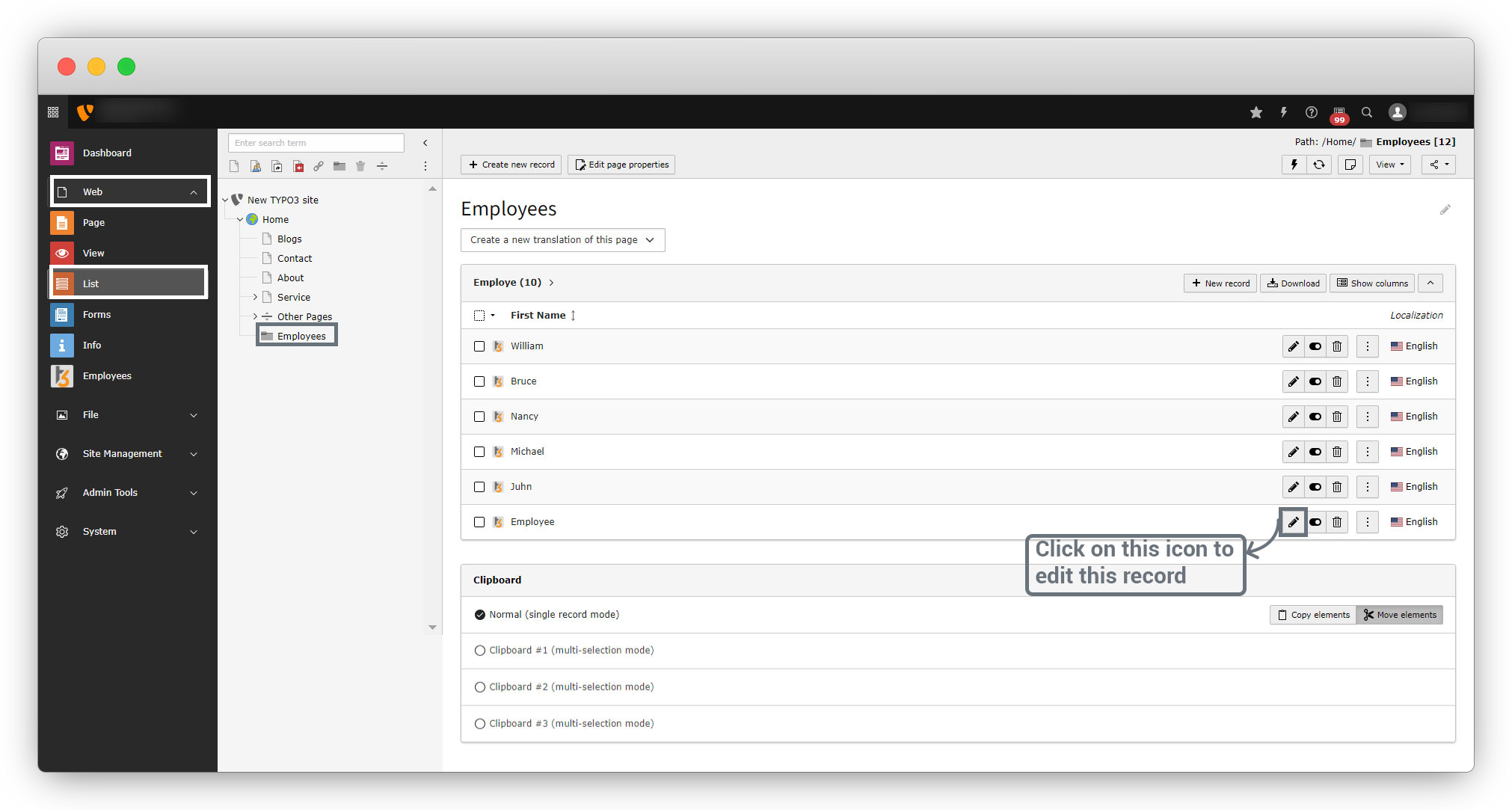
To update any record, just click on the edit icon for the particular record you want to edit, update the detail you want to update, and save the form, and you will see the value has been updated.
Delete
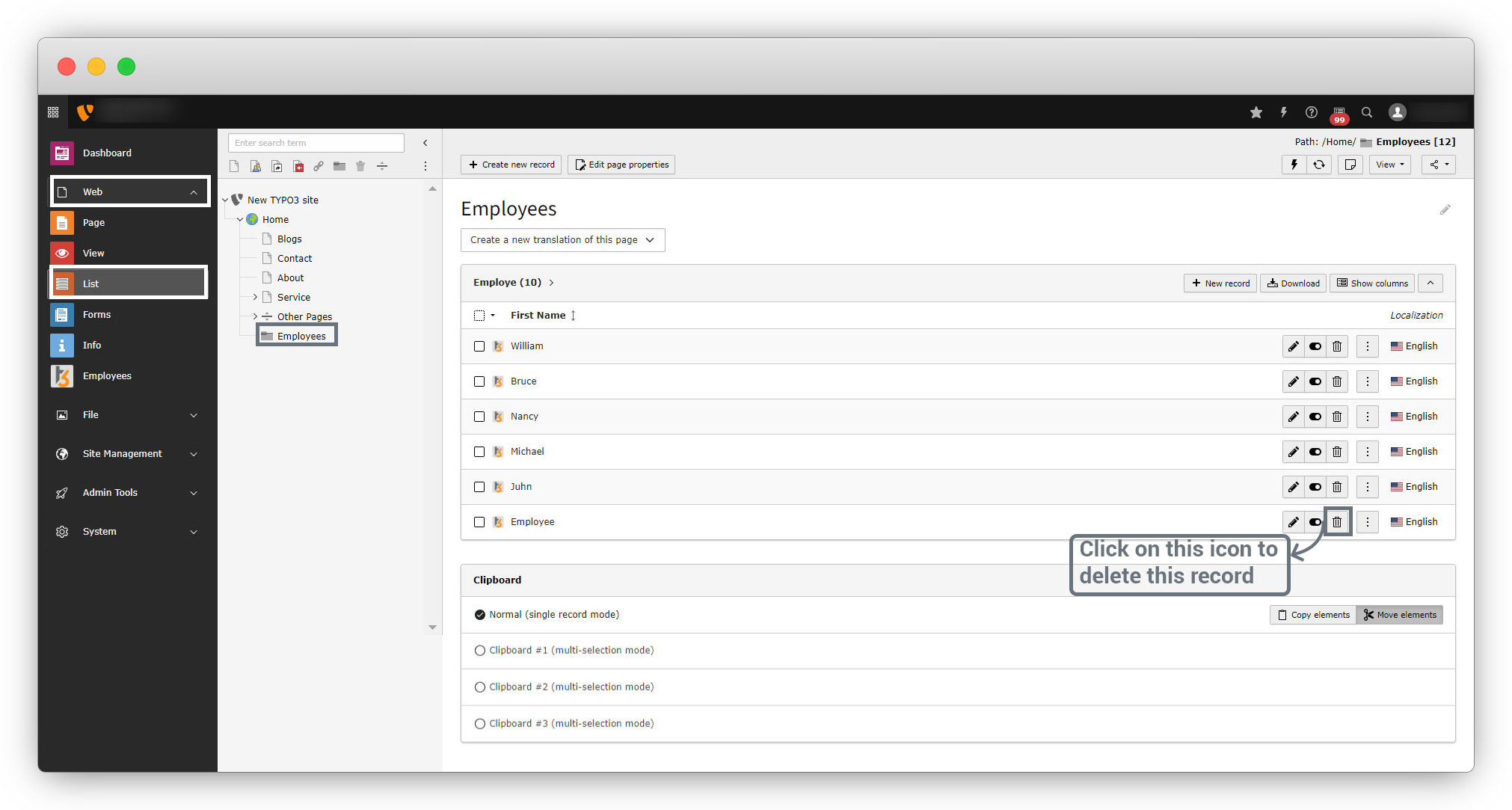
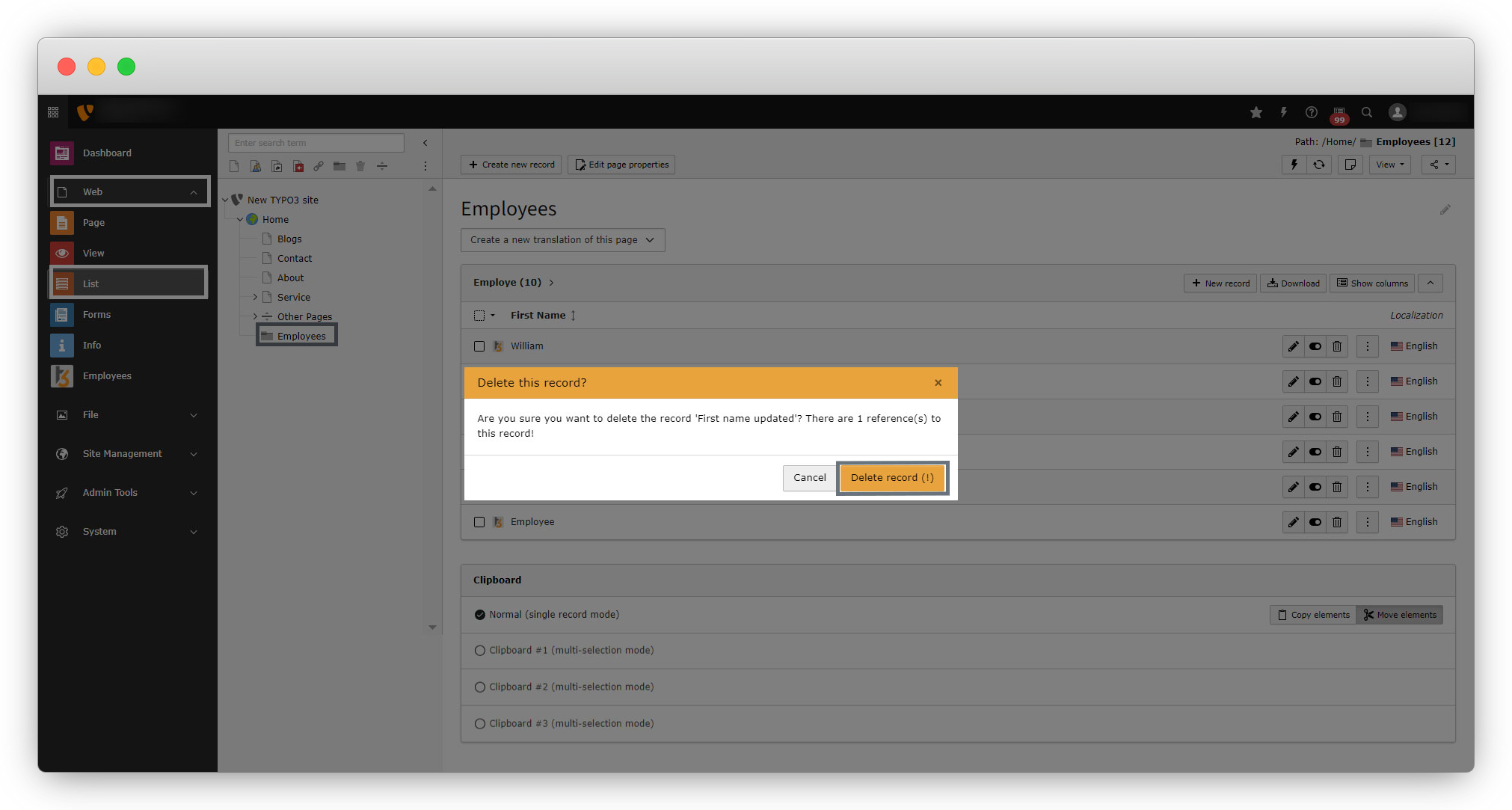
To delete a particular record, go to Web > List > Select the folder from which you want to delete the record and you will see the list of the records. Then click on the delete icon for that particular record, then confirm that you want to delete the record and that record will be deleted.
So we have performed the CRUD for the Employee from the TYPO3 admin panel, now it’s time to show those employees on the front-end page, but there is no option to render records on front-end pages. That is possible by creating the front-end plugin. Let’s create Front end plugin.
Share



