



URL copied to clipboard

Article Templates
3 views
__readtime__ Min
read
Article Templates allow you to control how news-related content is displayed on the frontend.
From here, you can manage the layout, structure, and content for different sections of the News module.
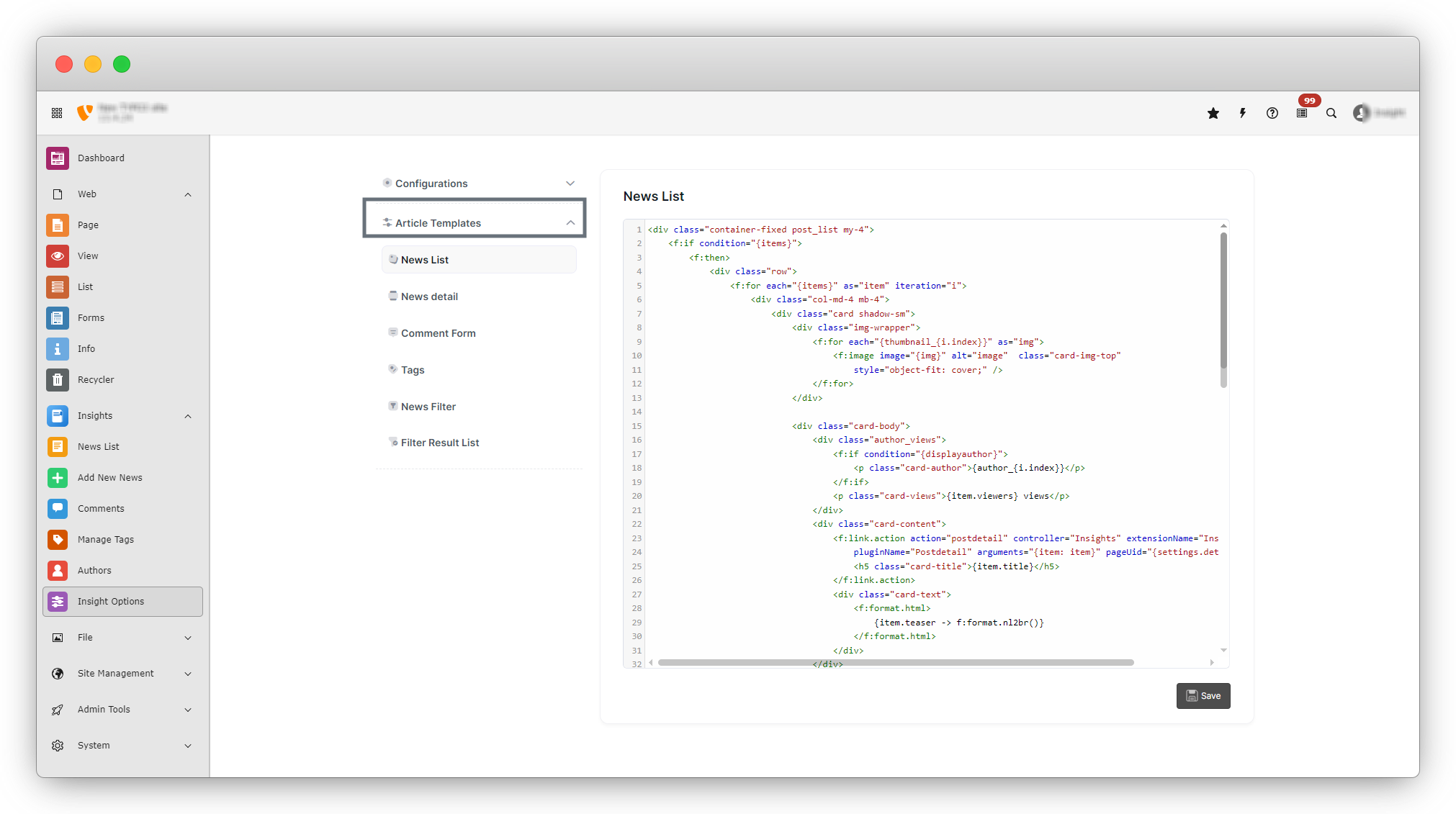
Article templates are written using HTML combined with Fluid template syntax, which allows dynamic news data (like title, image, author, and content) to be displayed on the frontend.
Article templates have six template options.
News List
- This template controls how all news items are displayed in the news listing page.
- It defines the layout of each news card, including the image, title, author, views, and short description.
News detail
- This template manages the design and content of the single news detail page.
- It controls how the full news content, author details, social share icons, comments, and navigation buttons appear on the frontend.
Comment Form
- This template controls the comment submission form shown on the news detail page.
- You can customize how the comment form fields (name, email, comment) are displayed.
Tags
- This template manages how tags are displayed on the news detail page.
News Filter
- This template controls the filter section used to filter news based on criteria such as category, tag, or searching.
Filter Result List
- This template controls how filtered news results are displayed after applying filters in the News Filter section.
Why Use Article Templates?
- You can customize the frontend design without changing backend data.
- Each template controls a specific section of the News module.
- Changes made in templates are reflected immediately on the frontend after saving.
- Once you update a template, click the Save button to apply the changes.
Share



