



URL copied to clipboard

News Options
3 views
__readtime__ Min
read
For any configuration related to news details,
go to Configuration > News Options.
There are four main options under News Options:
- Storage for News
- This option defines where news data is stored.
- We have already created and selected the “News Details” folder to store all news.
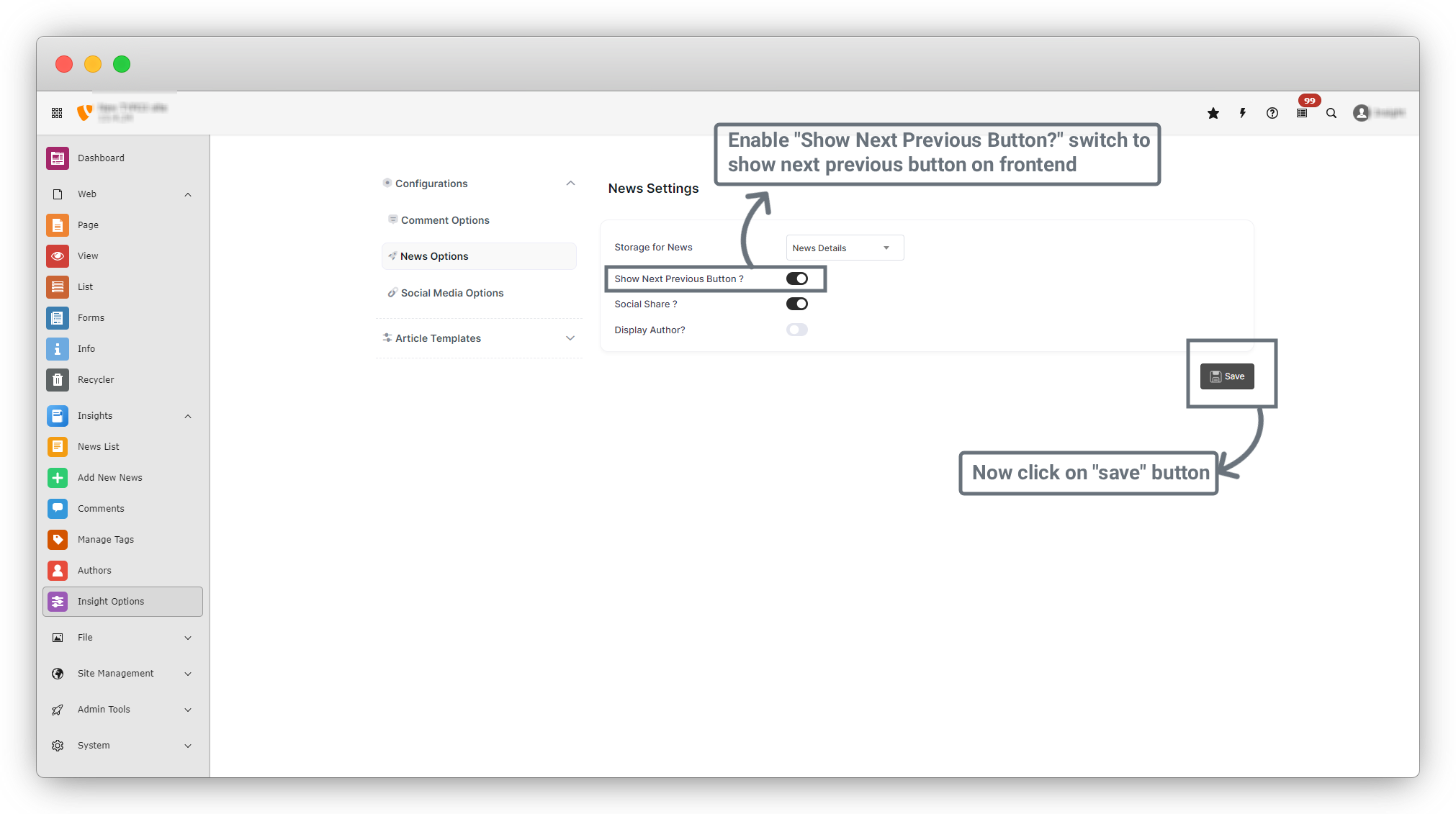
- Show Next / Previous Button
- This option displays Previous and Next buttons on the News Details page on the frontend.
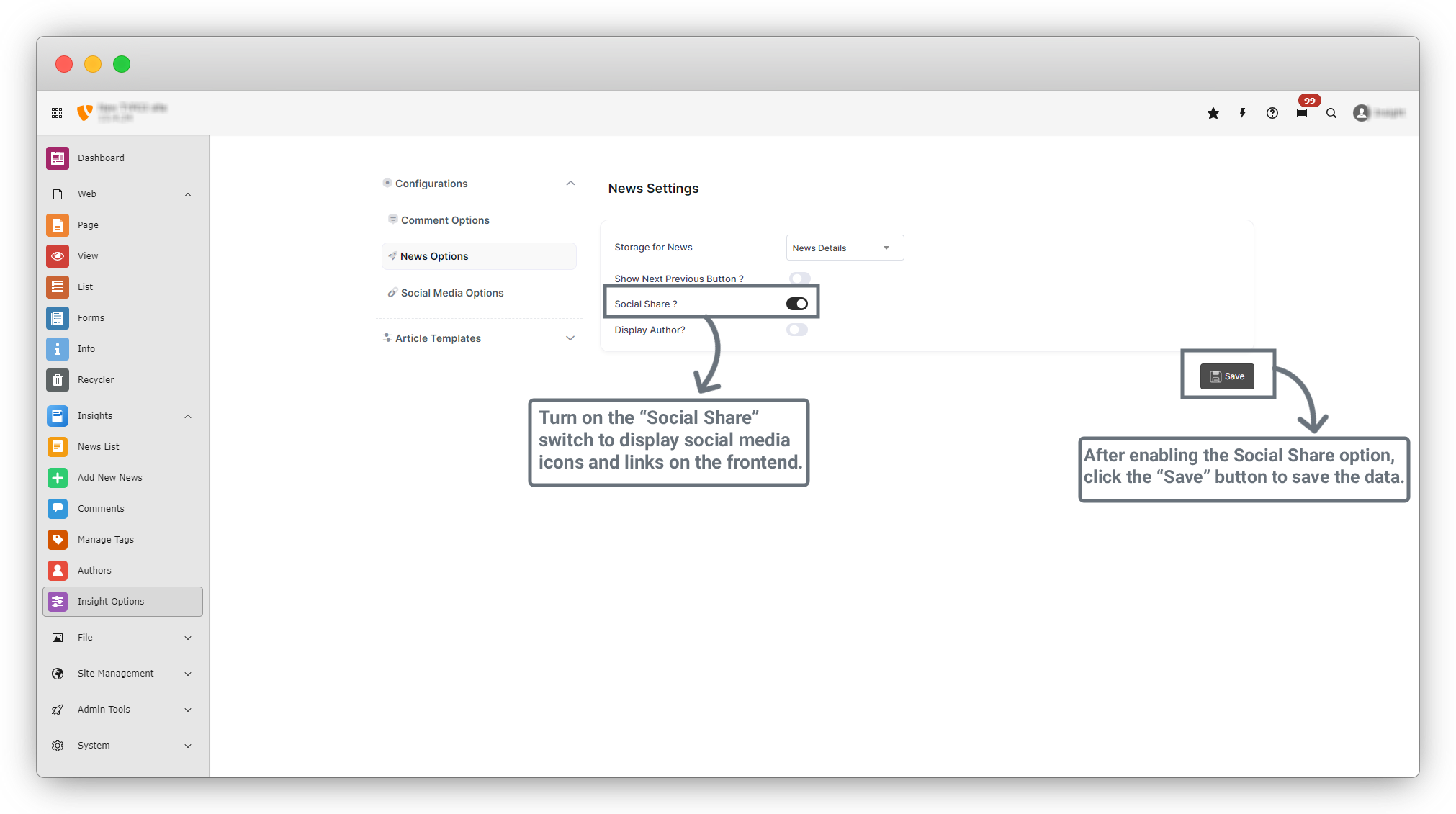
- Social Share
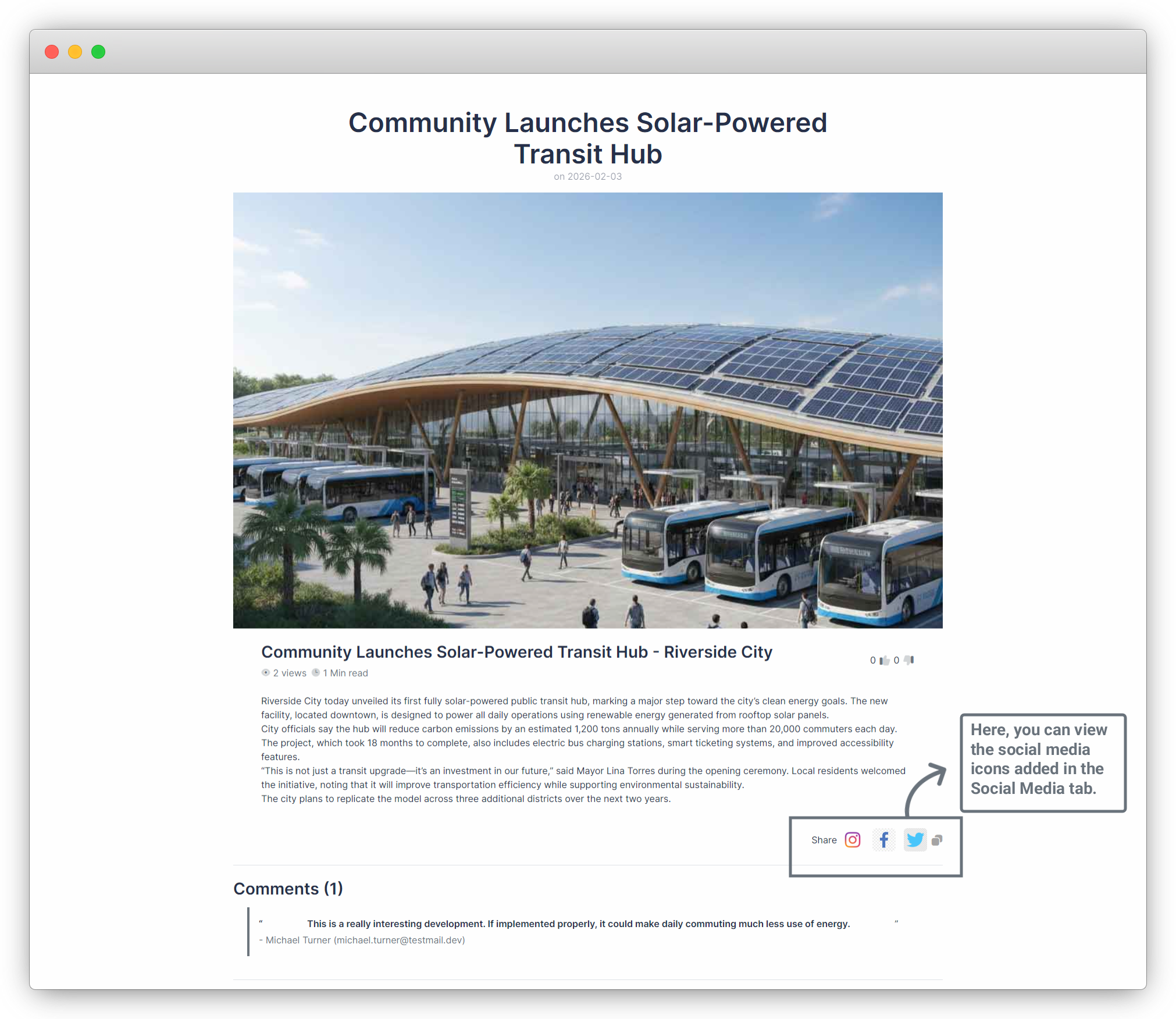
- This option displays the social media icons added in Configuration > Social Media Options on the frontend News Details page.
- Display Author
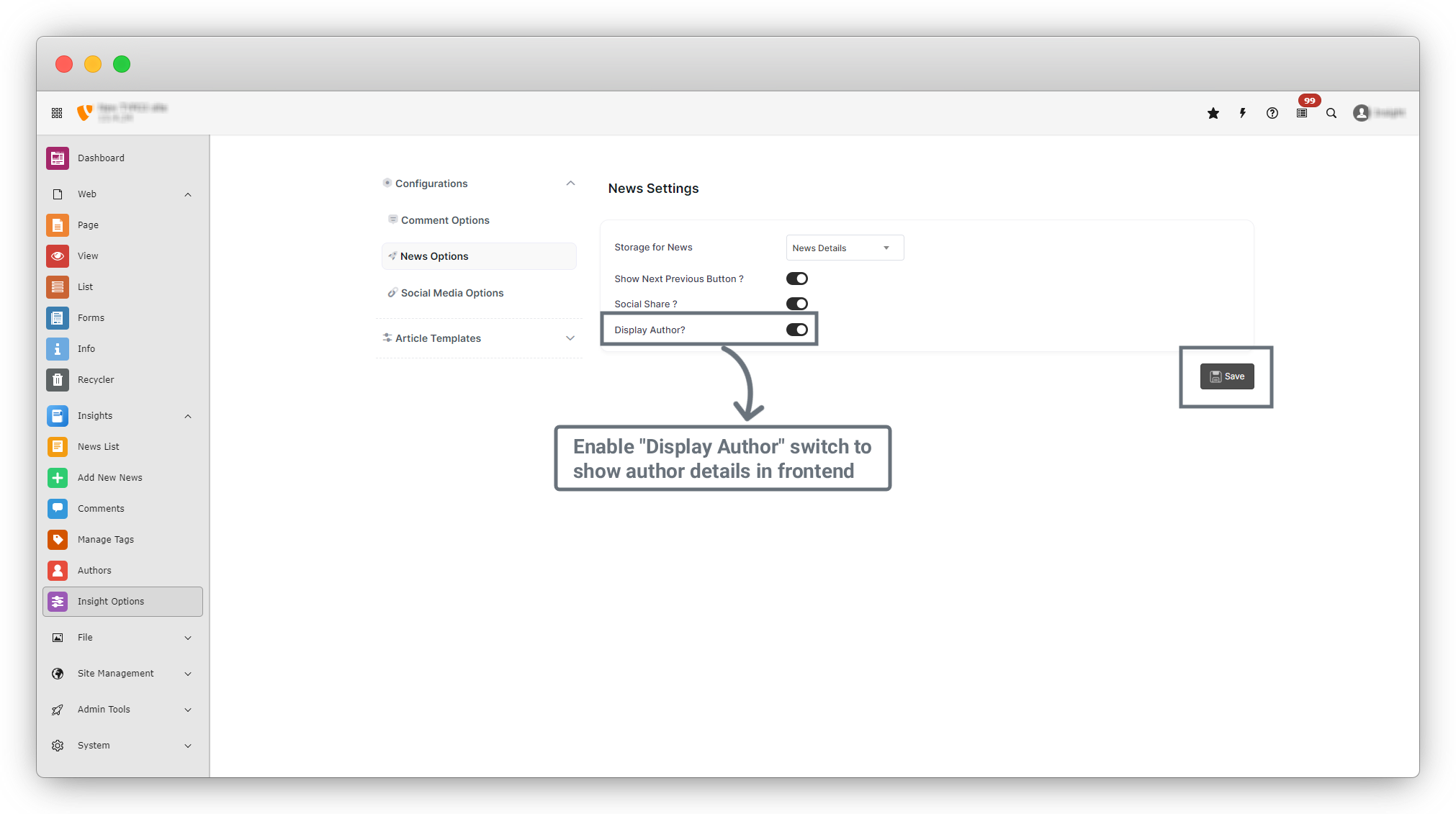
- This option controls whether author details are shown or hidden on the frontend News Details page.
Now let’s check all options one by one
1. Enable the “Social Share” option and click the “Save” button.
2. The social media options added in Configuration > Social Media Options will now appear on the frontend News Details page.
3. Enable the “Show Next / Previous Button” option and click the “Save” button.
4. Go to Insights > News List and edit the news item “Community Launches Solar-Powered Transit Hub.”
5. In the edit form, locate the “Previous News” and “Next News” fields (after the Related Files field).
6. Select the following:
- Previous News : The Sentry In The News
- Next News : UAE’s decision to join “Board of Peace”
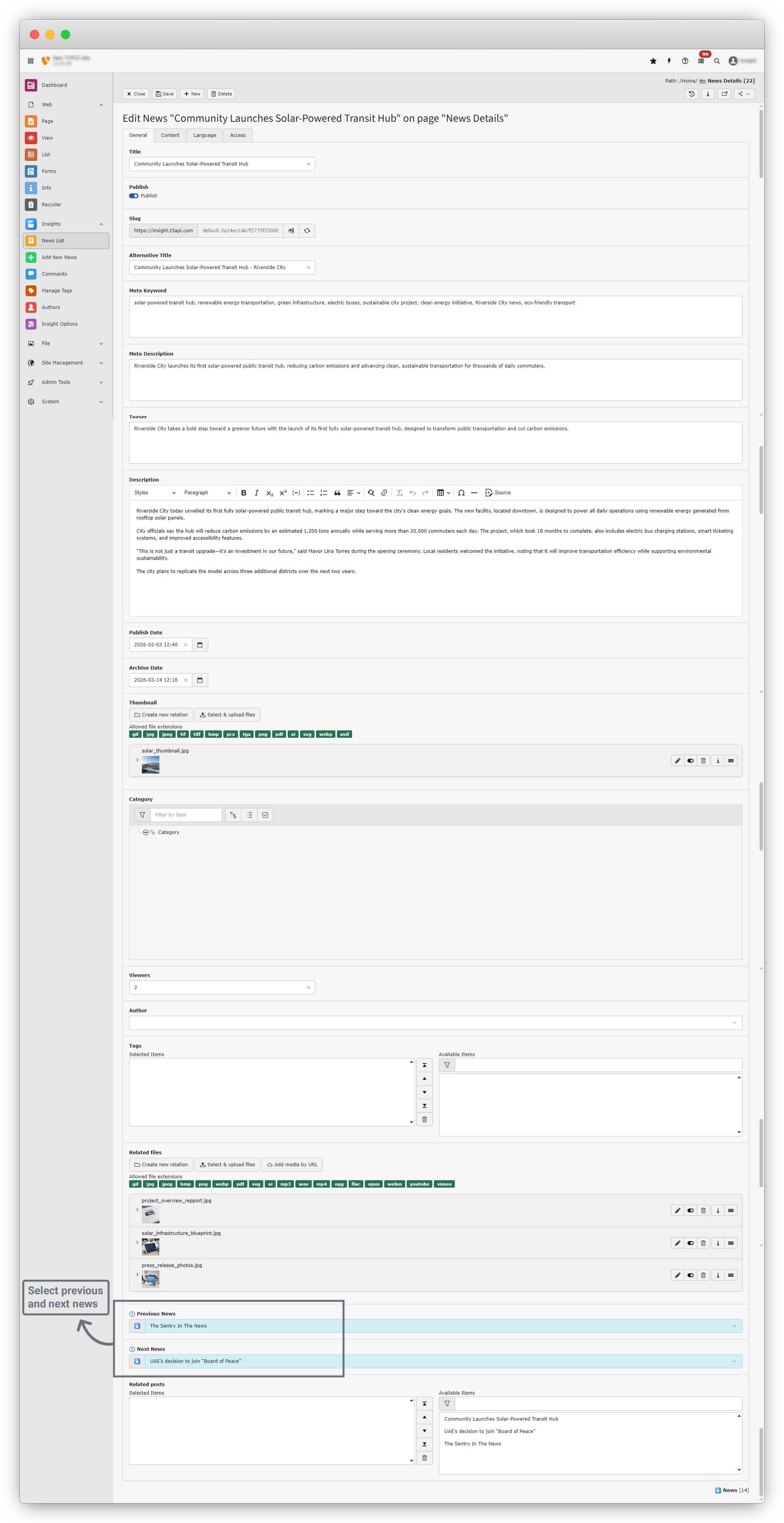
7. Click the Save button to save the news item.
8. Go to the frontend News Details page for “Community Launches Solar-Powered Transit Hub.” You will now see the Previous and Next buttons displayed with the selected news items.
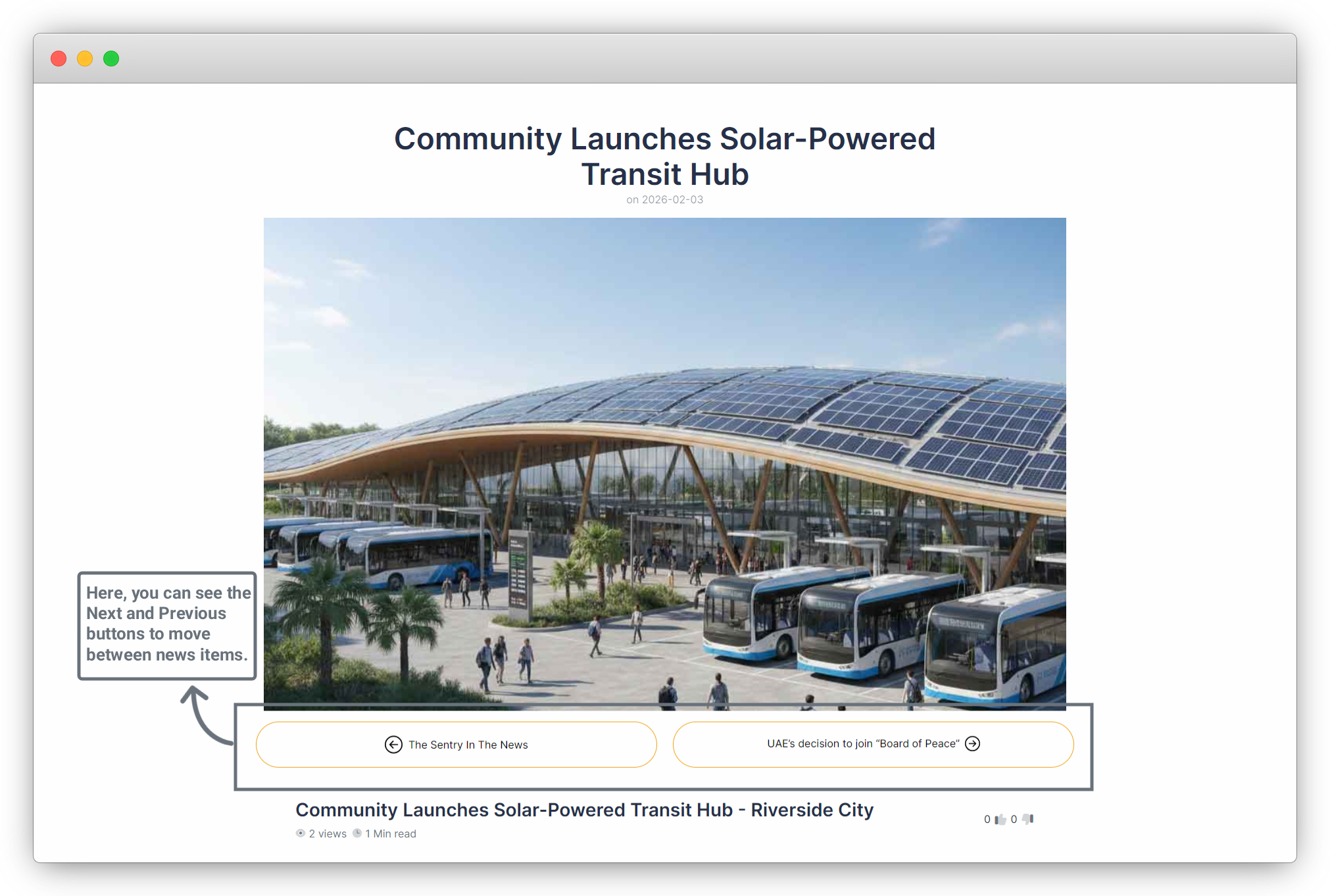
9. Note : If the Previous and Next news items are not selected in the news edit form, the buttons will not appear on the frontend.
10. Go back to Configuration > News Options, enable “Display Author”, and click the “Save” button.
11. We have already added an author earlier and know how to create new authors.
12. Edit the news “Community Launches Solar-Powered Transit Hub.” You will now see the Author field before the Tags field.
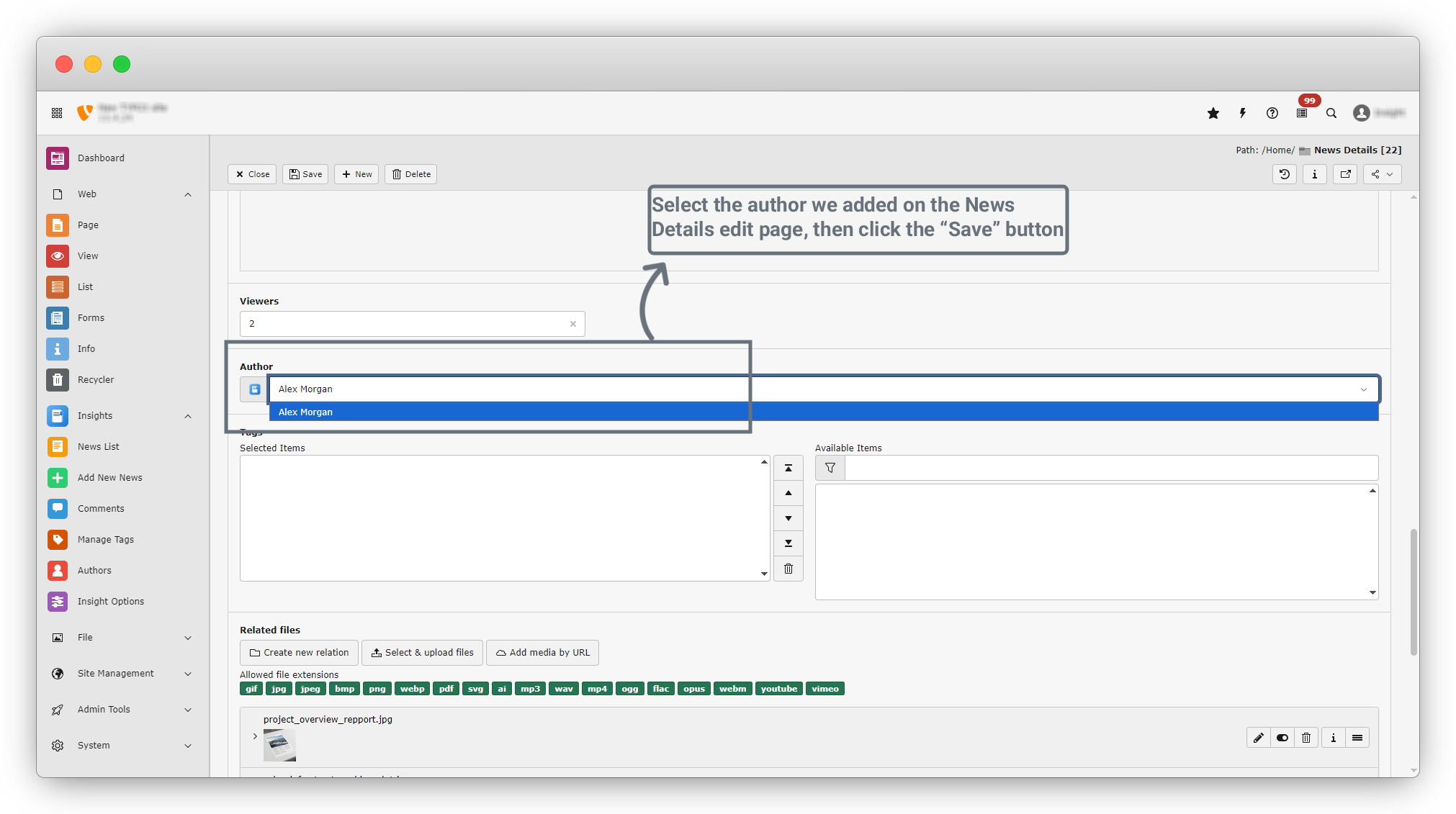
13. Select the recently added author and click the “Save” button.
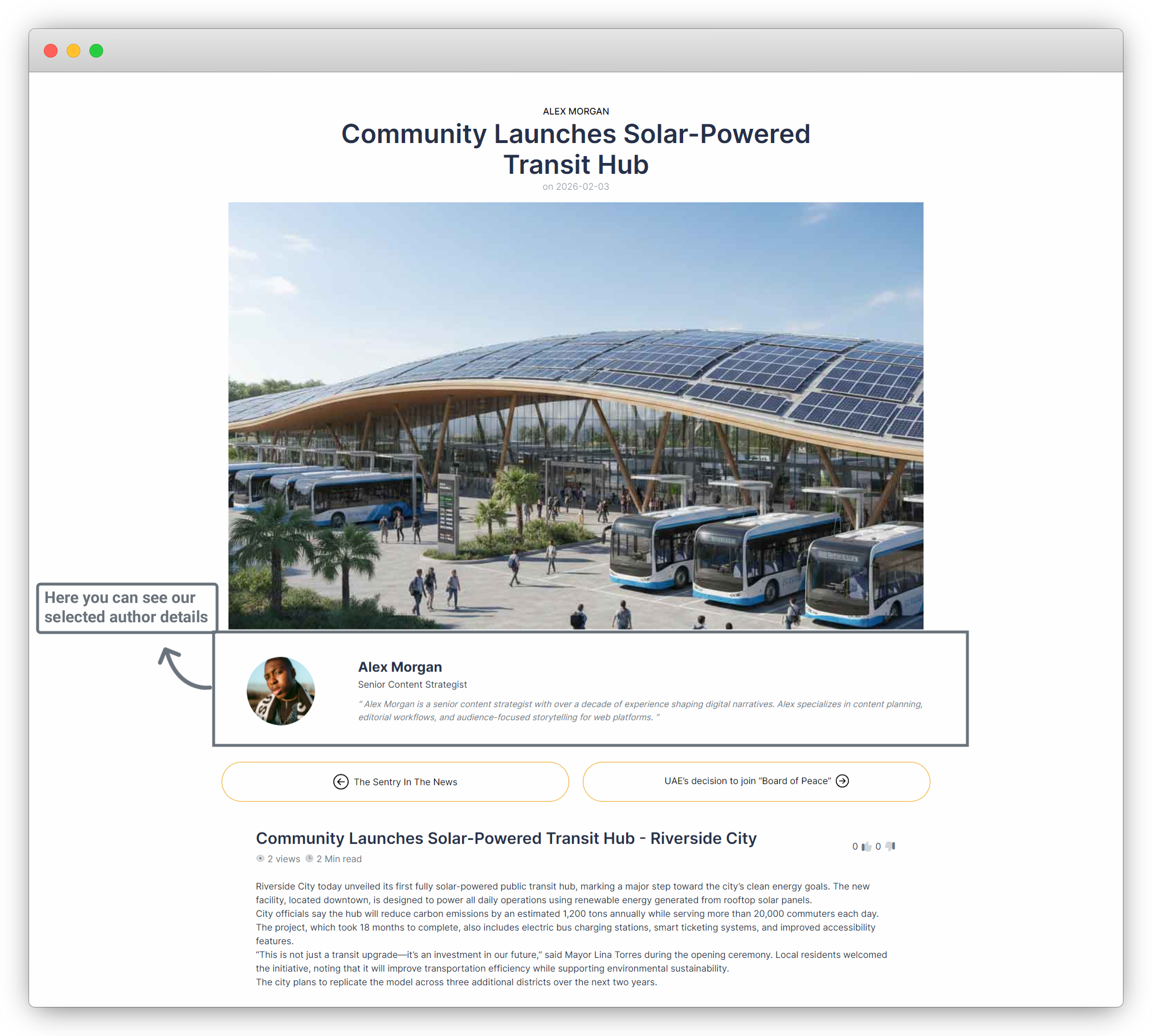
14. Finally, go to the frontend News Details page. You will see the author details displayed on the page.
Share



