



URL copied to clipboard

Social Media Options
3 views
__readtime__ Min
read
1. To change any social media–related configuration, go to Configuration > Social Media Options.
2. On this page, you will see a “+ Add New” button to add social media.
3. Click the “+ Add New” button. A form will appear with two fields:
- Link: Enter the social media URL
- Icon: Select the related social media icon
4. Let’s add the following three social media platforms:
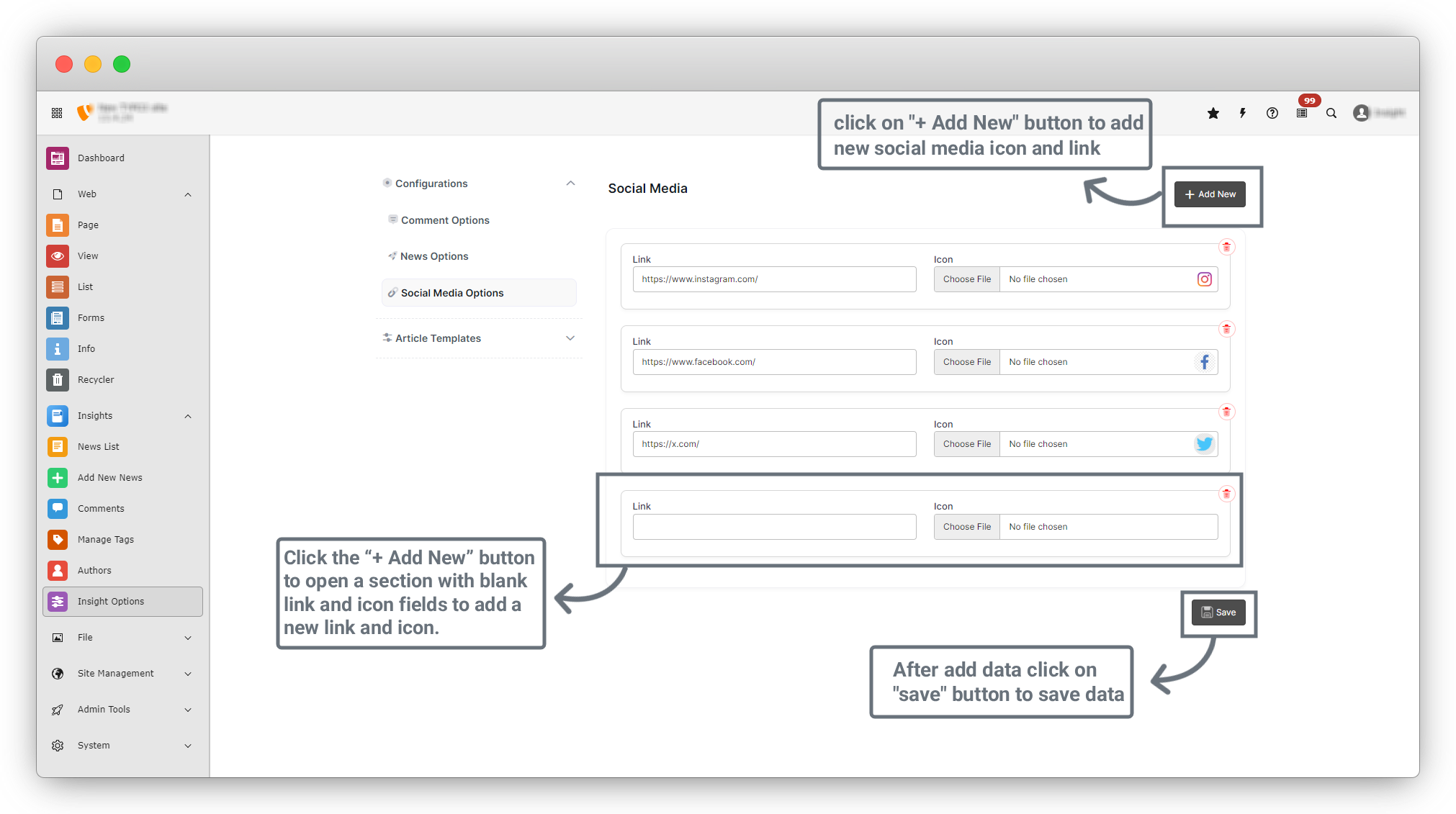
5. Click the “Save” button to save the data.
6. Currently, the social media icons are not visible on the frontend News Details page because additional configuration is required in the News Options tab.
7. Now, navigate to News Options.
Share



