



URL copied to clipboard

Comment Options
5 views
__readtime__ Min
read
To change any comment-related configuration, go to Configuration > Comment Options.
There are three main options under Comment Options:
- Show Comments :This option displays comments on the News Details page that are added by users.
- After enabling this option, a child option named All Comments / Approved Only will appear.
- All Comments / Approved Only : When set to Approved Only, only comments approved by an admin will be shown on the frontend. If a comment is not approved, it will not be visible on the News Details page.
- Allow comments : This option enables a comment form on the News Details page, allowing users to submit comments on a news item.
- Language wise comments : If news is created in multiple languages, comments will be displayed only for the corresponding language of the news. Currently, this option is not in use and you can implement it by using Site Management > Sites module.
Now let’s check all options one by one
1. Let’s enable the comment form on the News Details page. At the moment, there are no comments and the comment form is not visible on the frontend.
2. Enable the “Allow Comments” option under Comment Options. This will add a comment form to the News Details page, allowing users to submit comments. Click the “Save” button after enabling the option.
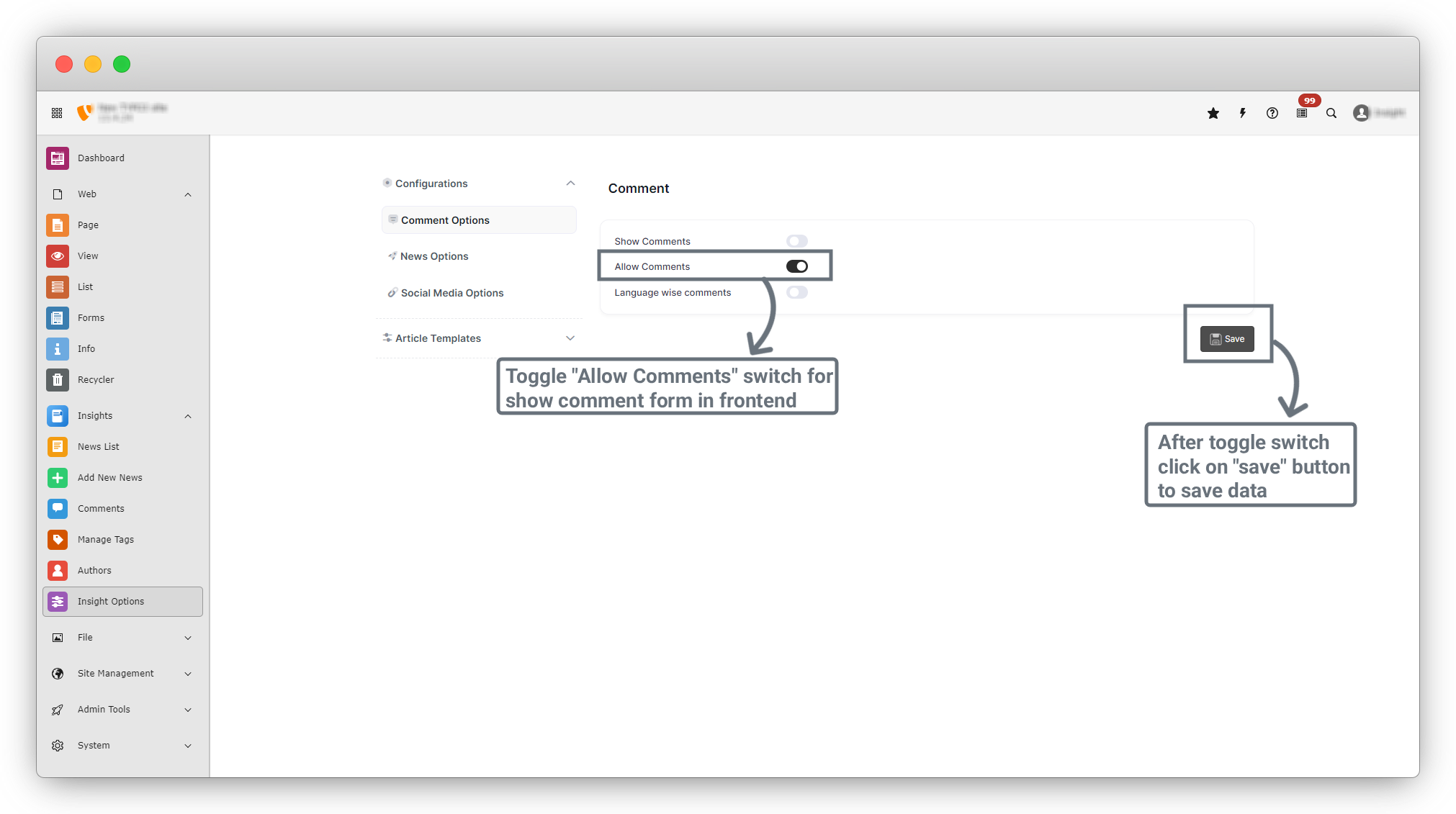
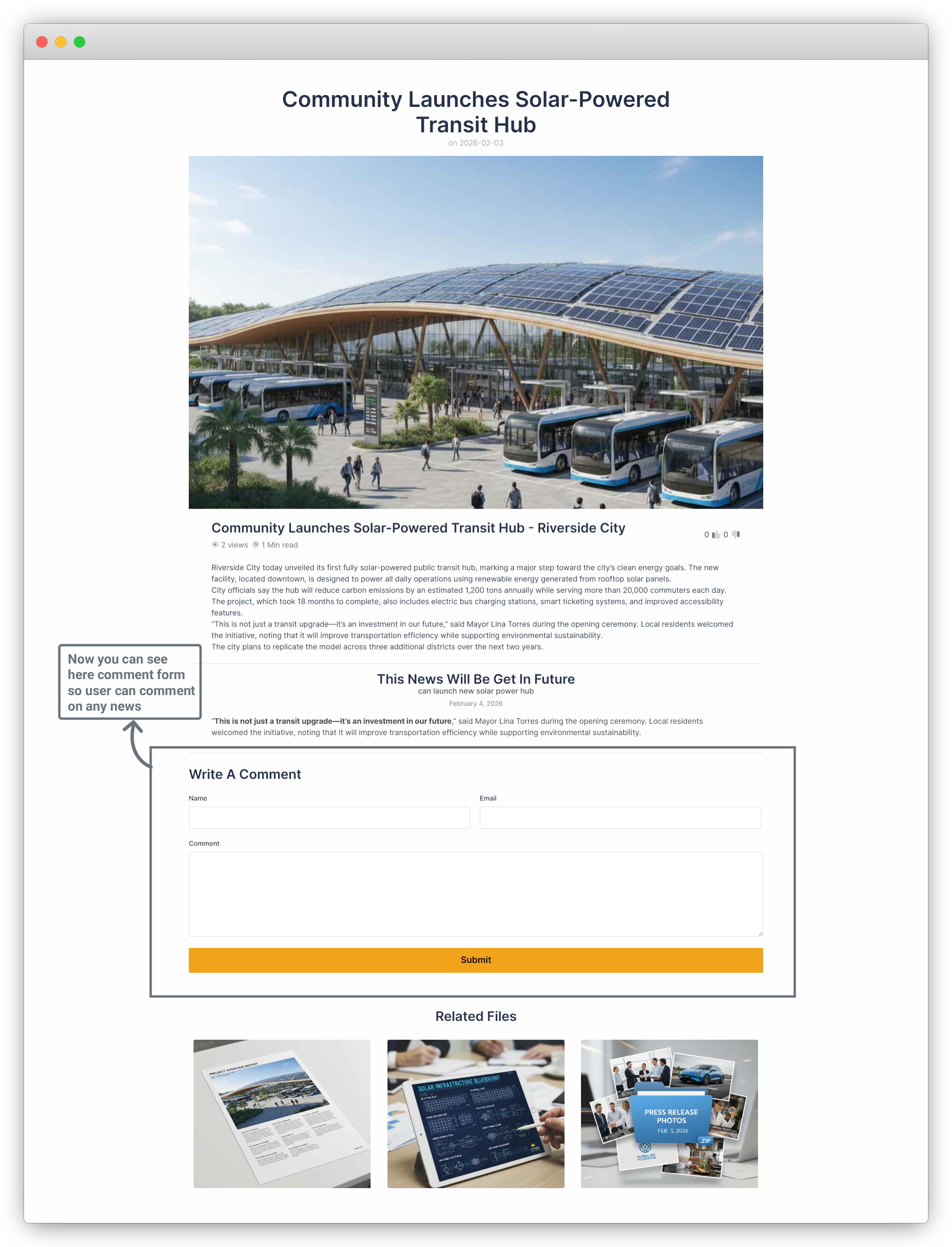
3. Now go to the News Details page on the frontend. You will see a comment form with three fields: Name, Email, and Comment, as shown in the screenshot below.
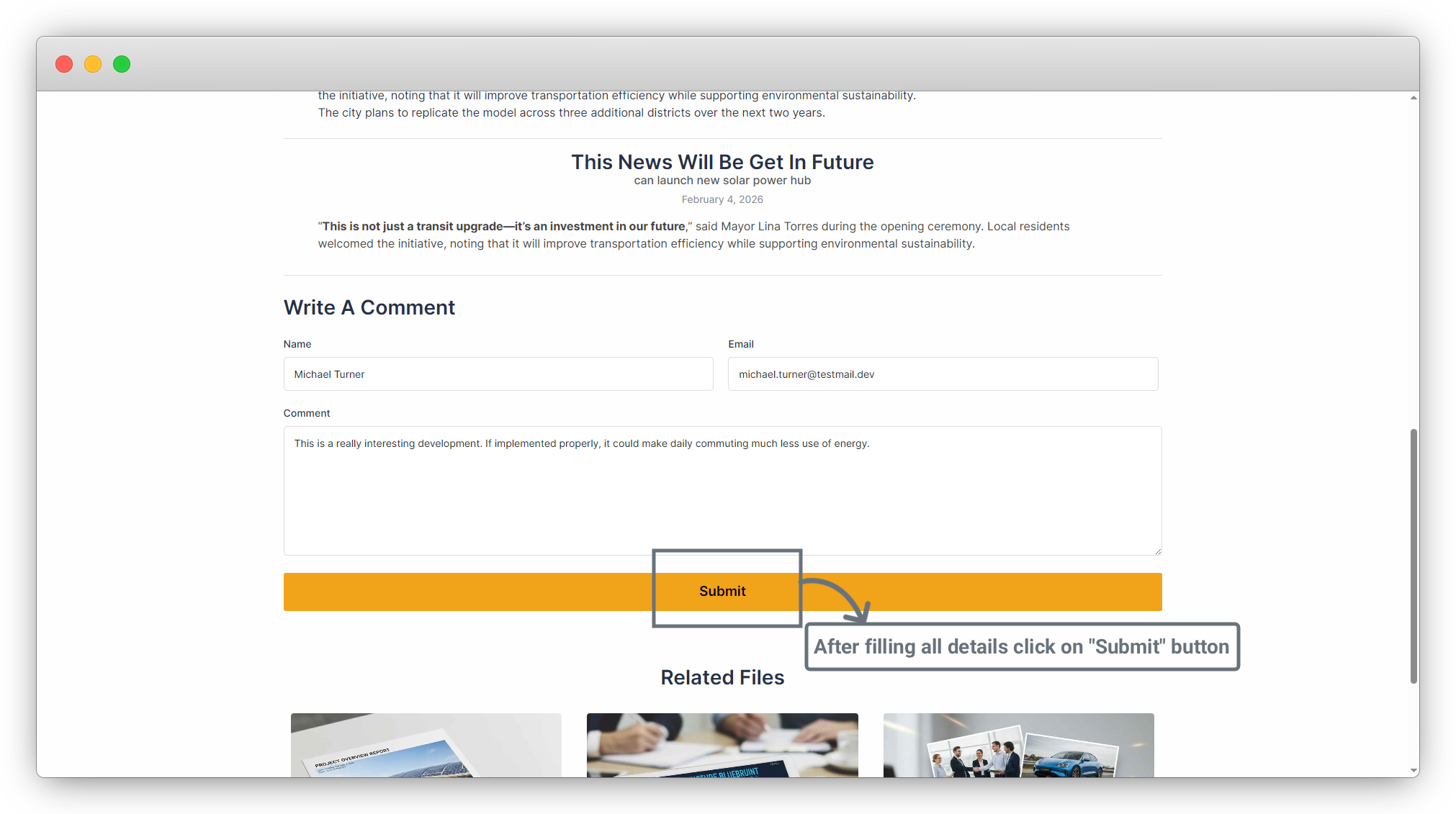
4. Fill in all the fields in the comment form and click the “Submit” button to save the comment.
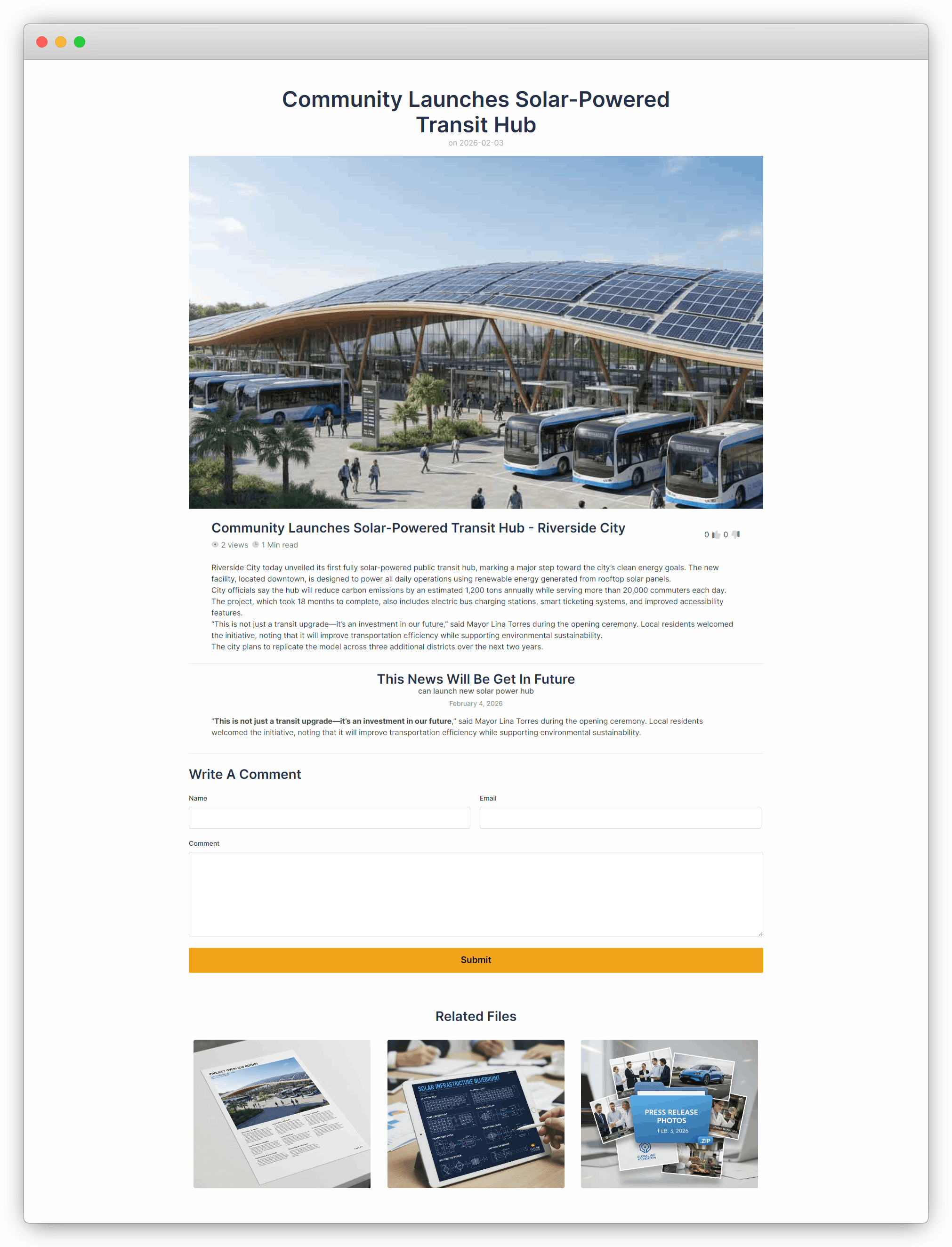
5. The comment is now submitted, but it is not yet visible on the frontend News Details page.
6. To display comments on the frontend, go back to Configuration > Comment Options, enable “Show Comments”, and click the Save button.
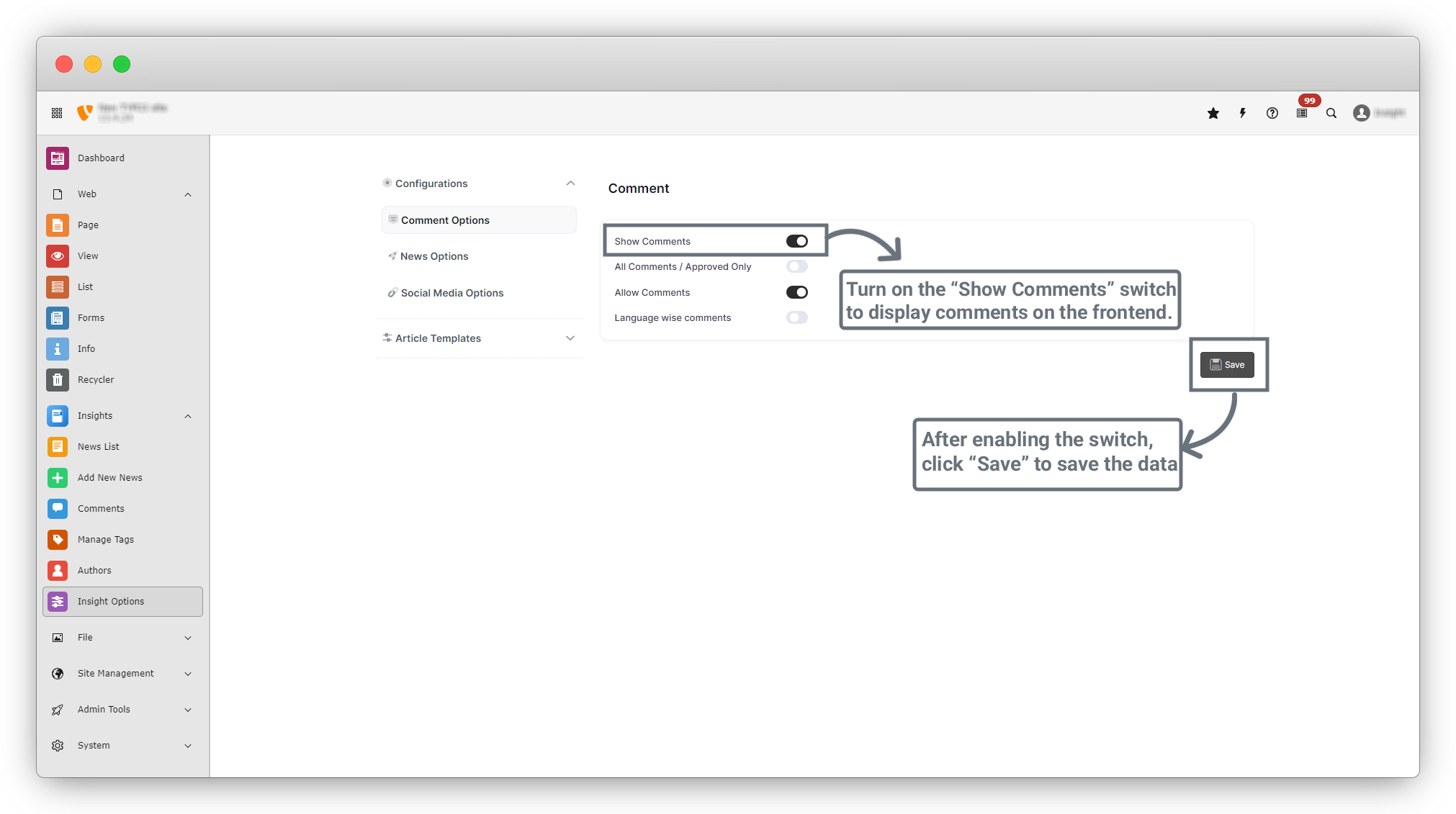
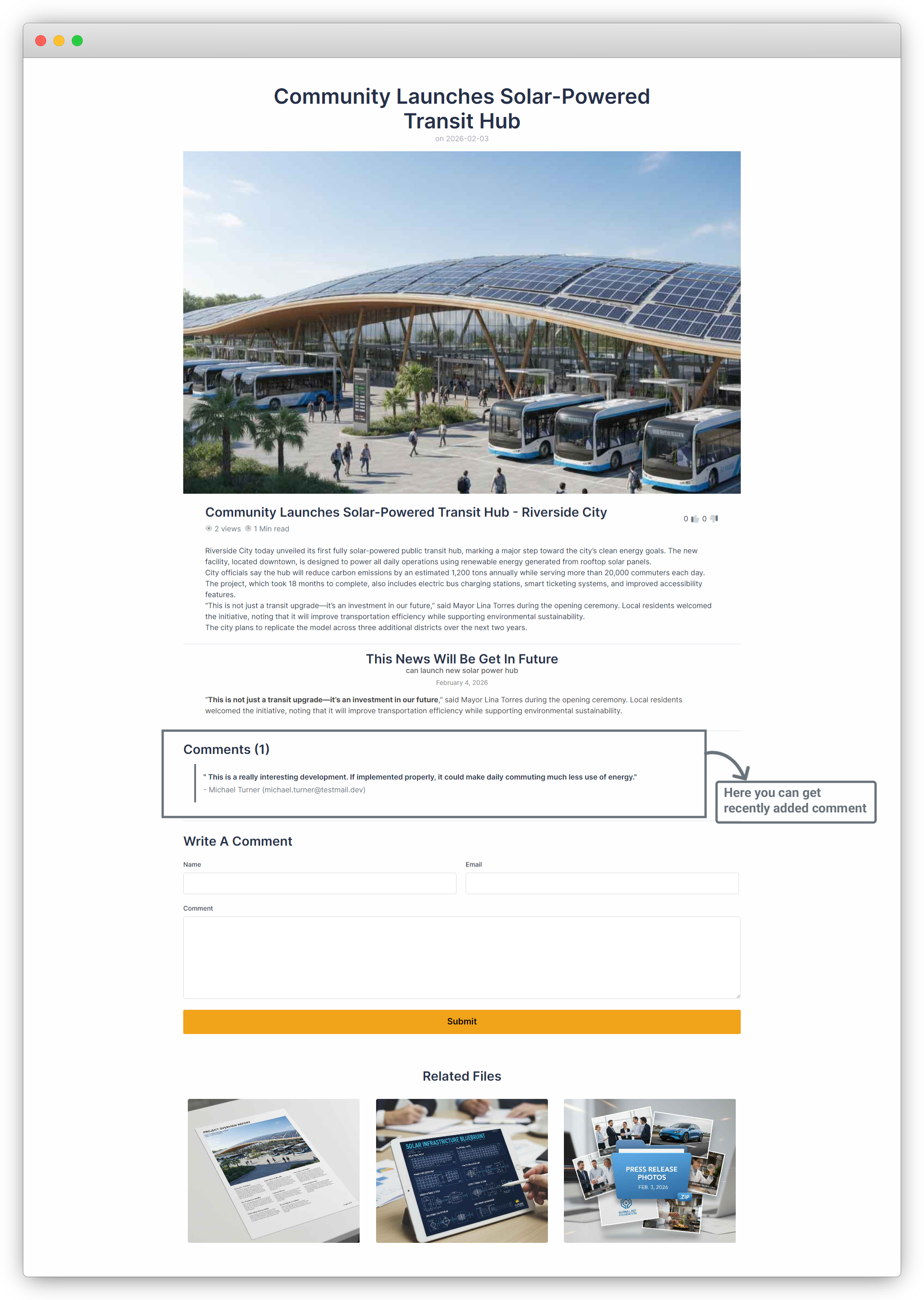
7. Return to the News Details page on the frontend. You will now see the submitted comment displayed on the page.
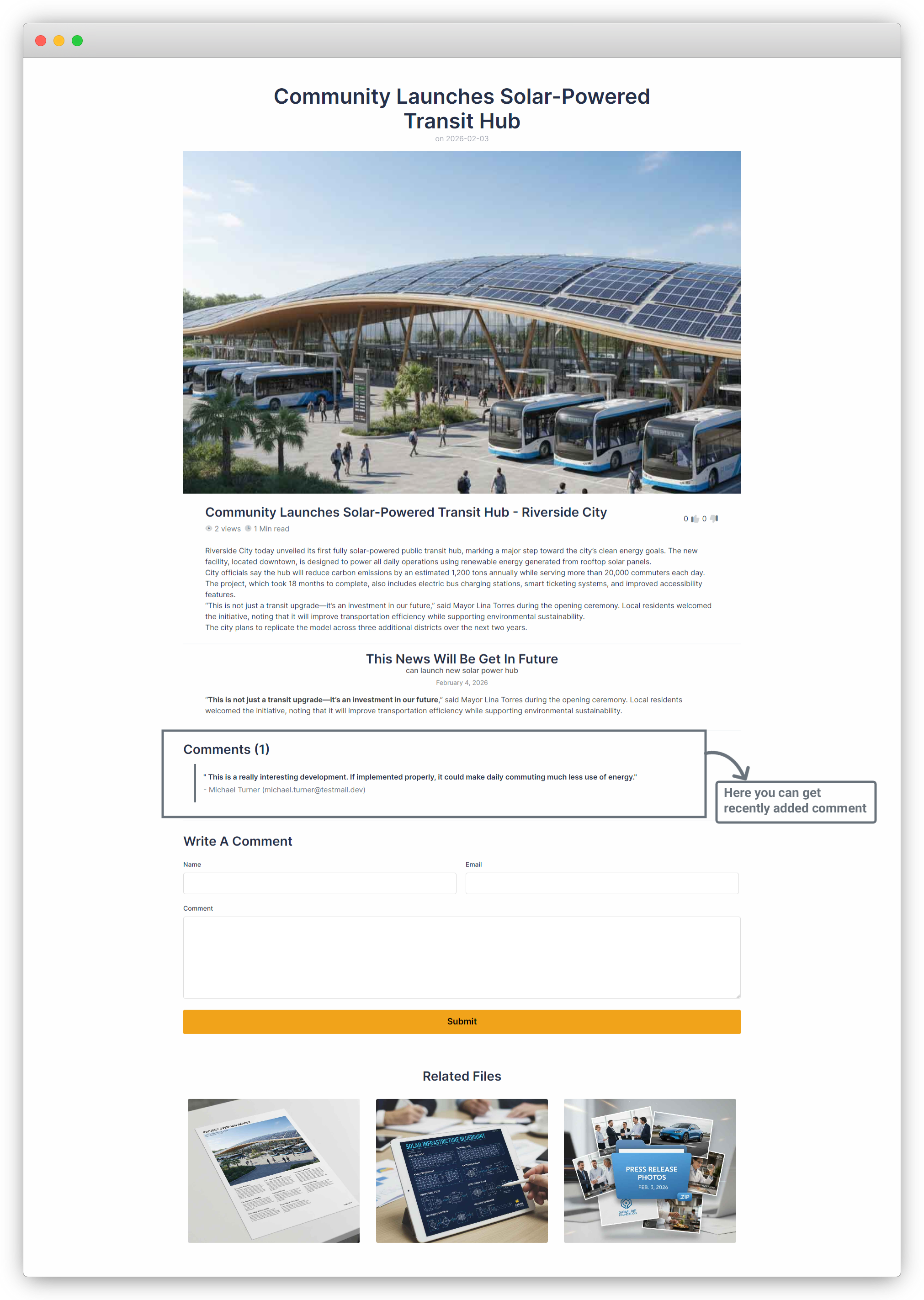
8. Note that the comment is still not approved, but it is visible because the Show Comments option allows all comments to be displayed.
9. If you want to display only approved comments, enable the child option “All Comments / Approved Only” under Show Comments, then click the Save button.
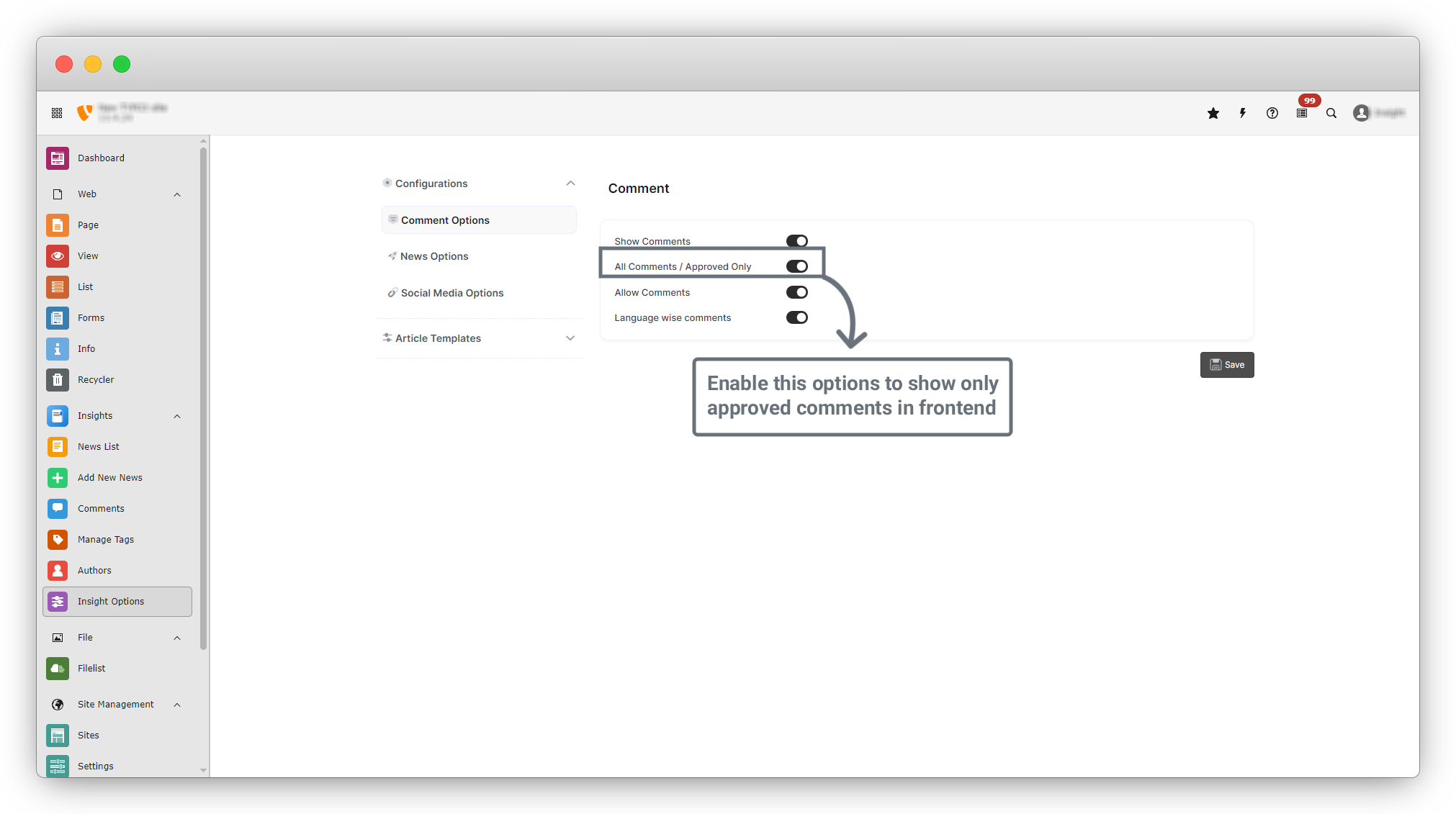
10. After enabling this option, the unapproved comment will no longer be visible on the frontend News Details page.
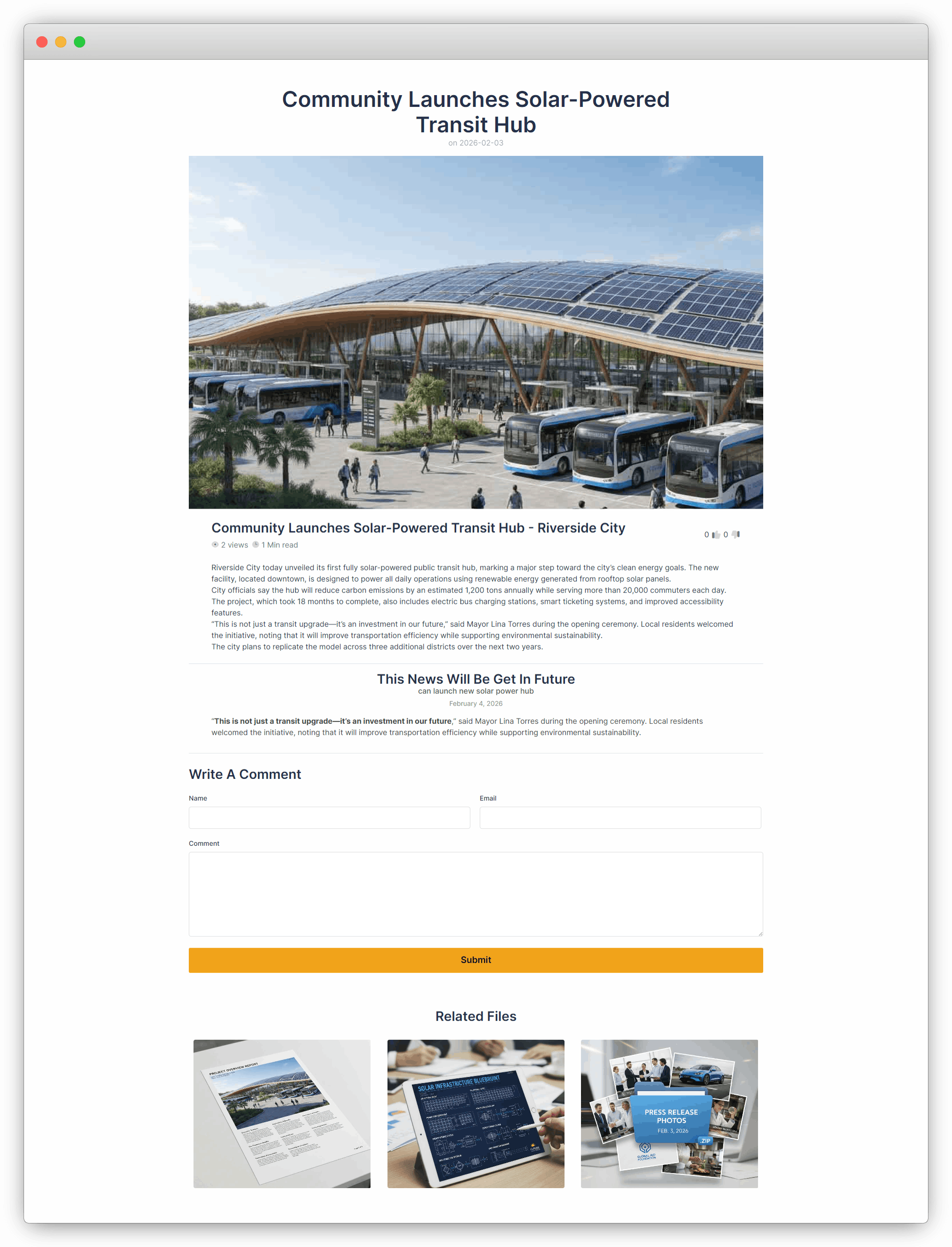
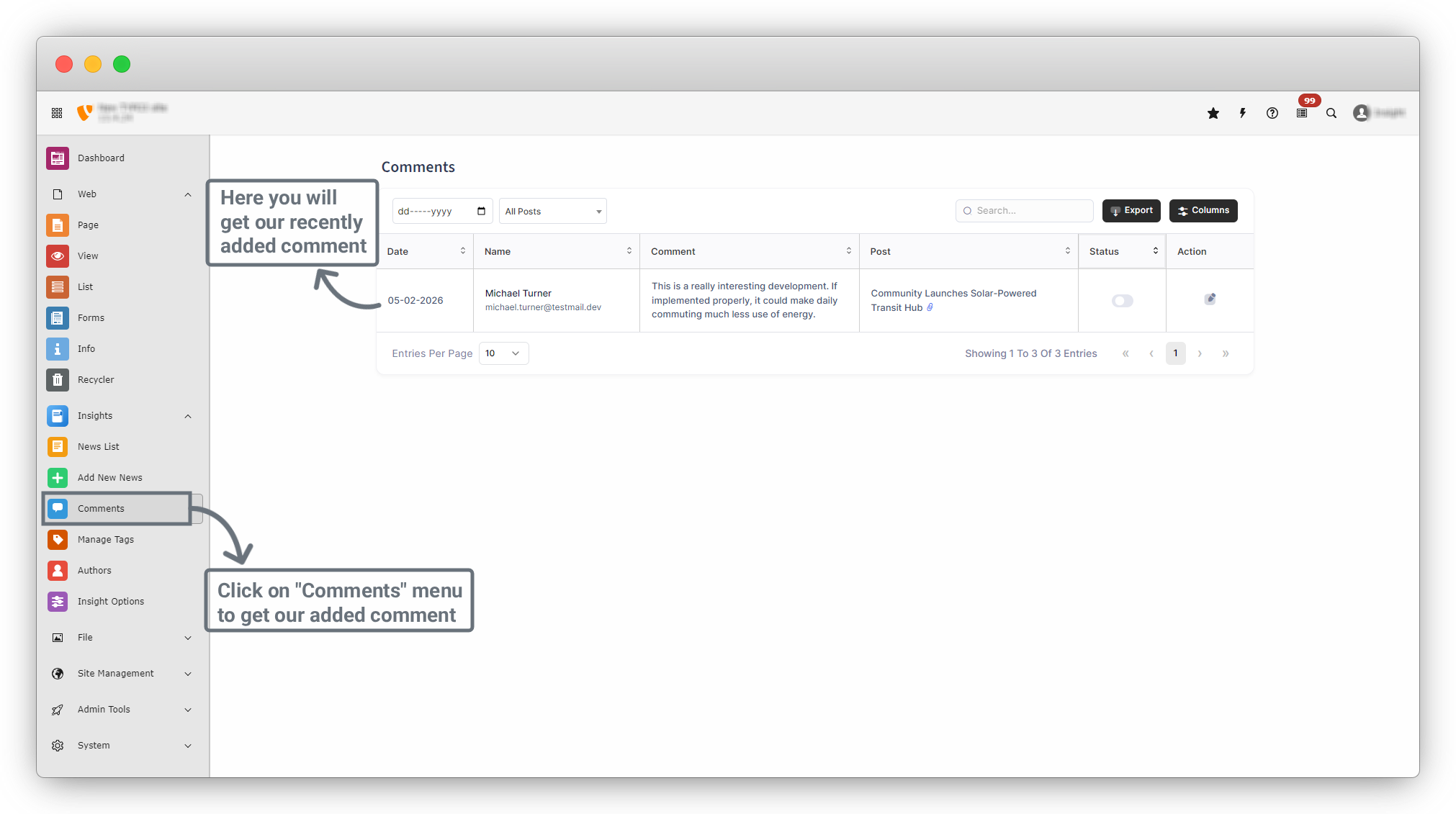
11. To approve the comment, go to Insights > Comments from the sidebar menu. You will see a list of all comments, including the recently added one.
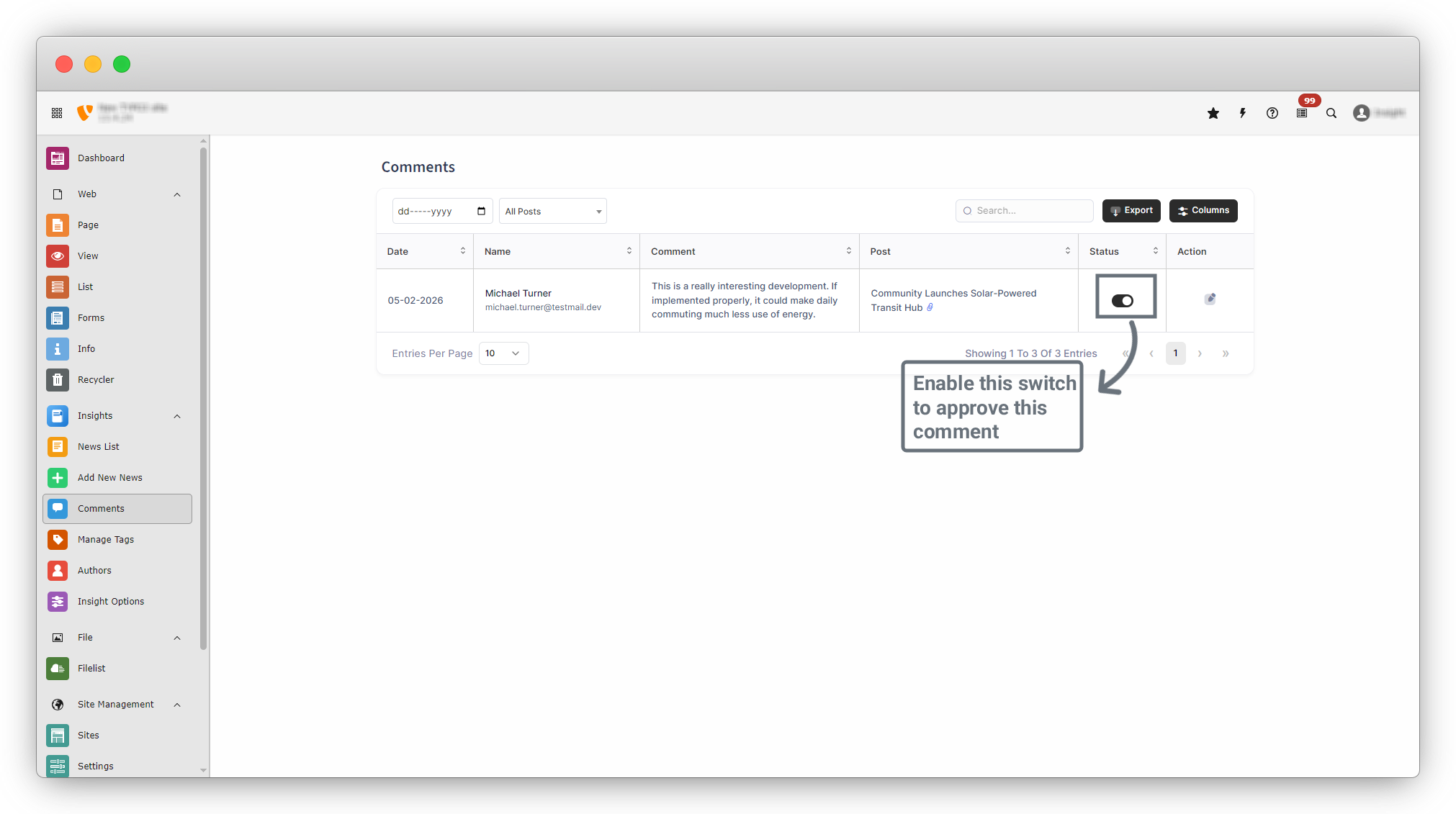
12. In the comment list, locate the Status column. Use the toggle switch in the Status column to approve the comment. Once enabled, the comment is approved.
13. Finally, return to the News Details page on the frontend. You will now see the approved comment displayed on the page.
Share



