



URL copied to clipboard

Assign the flexform to the plugin
3 views
__readtime__ Min
read
1. Assign the flexform to the plugin, add the below code in the tt_content.php file (employee/Configuration/TCA/Overrides/tt_content.php)
$GLOBALS['TCA']['tt_content']['types']['list']['subtypes_addlist']['employee_employlist'] = 'pi_flexform';
    TYPO3CMSCoreUtilityExtensionManagementUtility::addPiFlexFormValue(
        'employee_employlist',
        'FILE:EXT:employee/Configuration/FlexForms/ListConfigs.xml'
    );
2. After adding the above code, your tt_content.php file will have the code as seen in the screenshot below
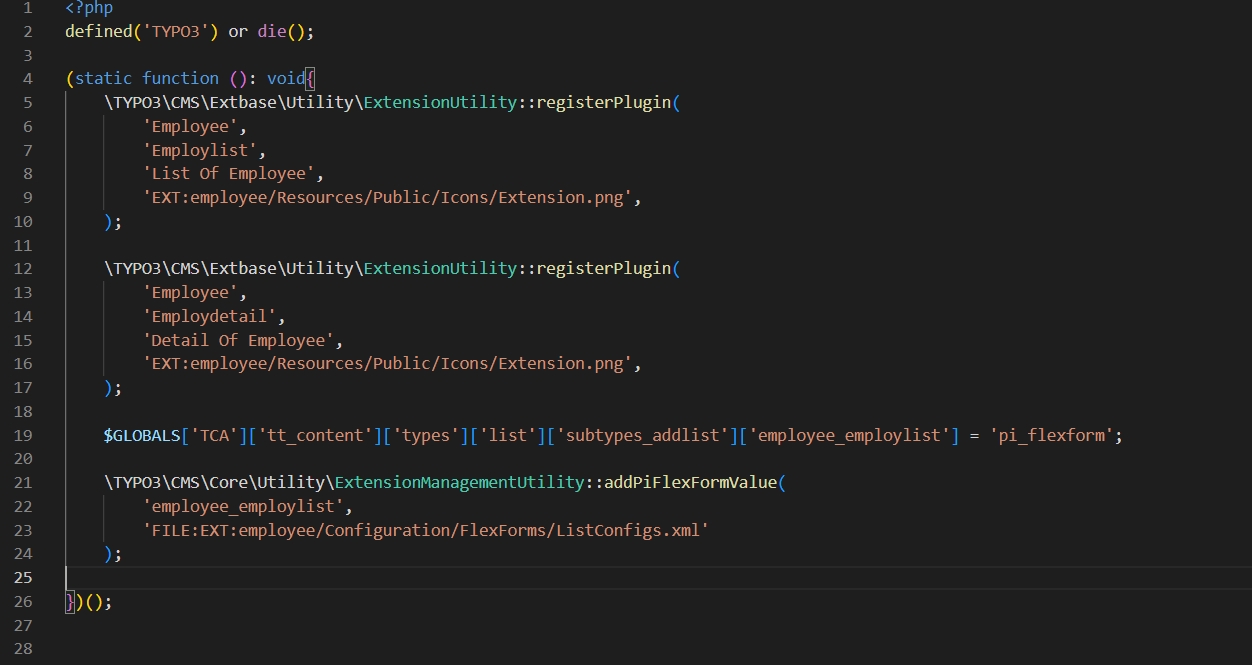
The global variable will contain the pluginSignature and this is the syntax to add the flexform: $GLOBALS[‘TCA’][‘tt_content’][‘types’][‘list’][‘subtypes_addlist’][$pluginSignature] = ‘pi_flexform’; here pluginSignature will contain extensionName_pluginName, so here it is employee_employlist.
After this, add the flexform for that plugin signature with 2 params:
– The first one is the plugin signature and
– The second one is to add the path of the created flexform file for the plugin
3. Now flush the cache, now open the page Employees > edit the plugin “List Of Employee”
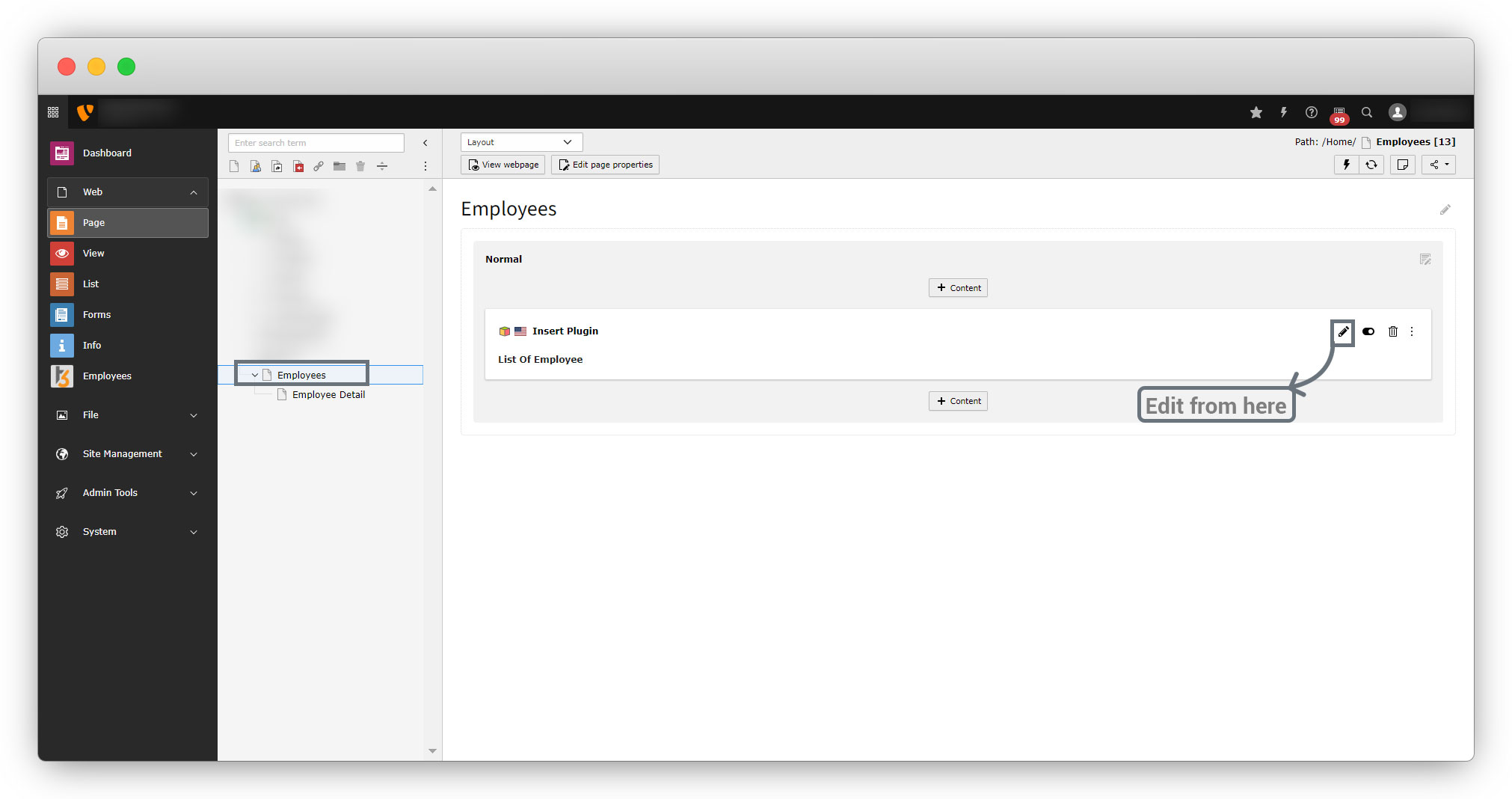
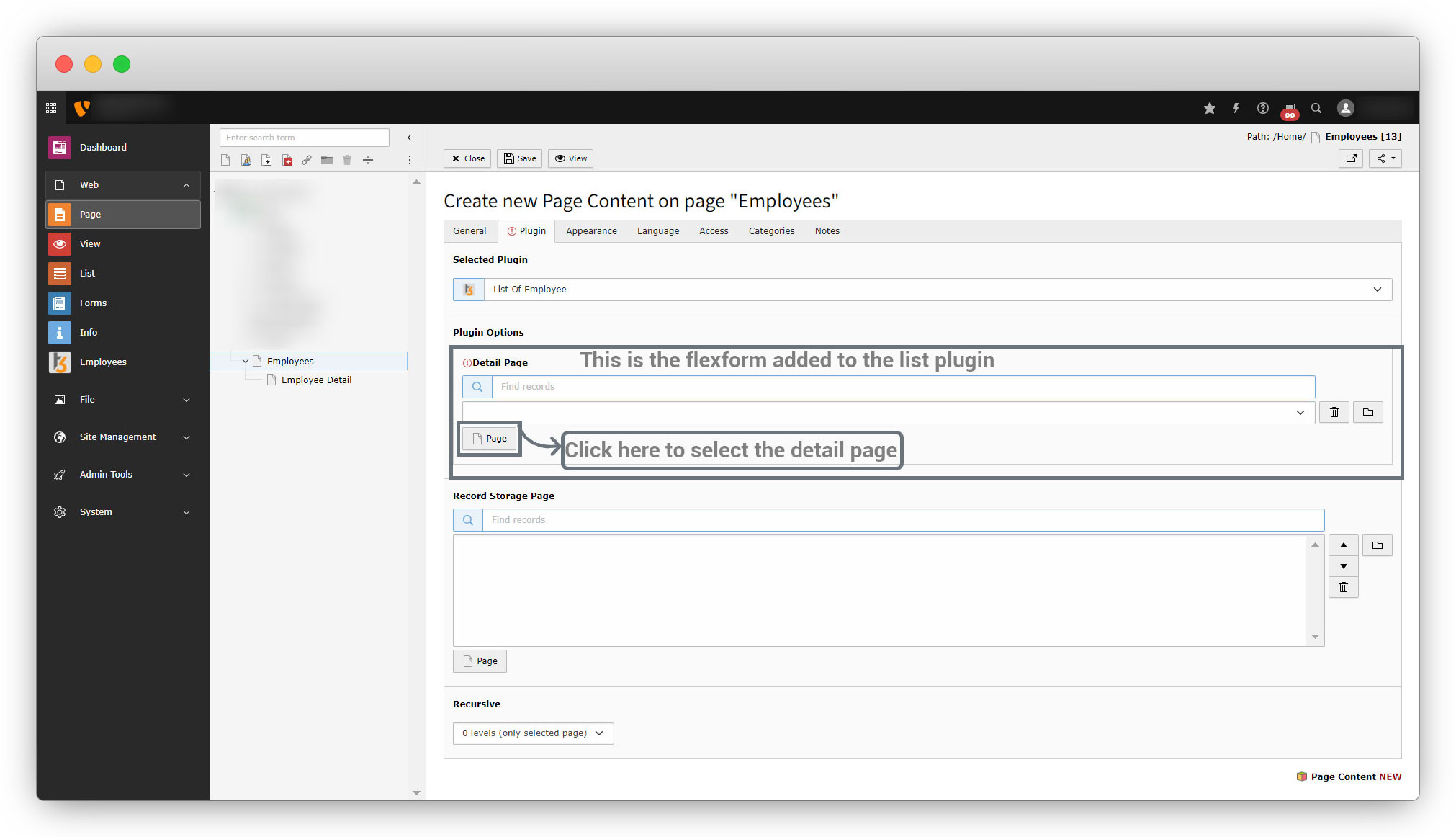
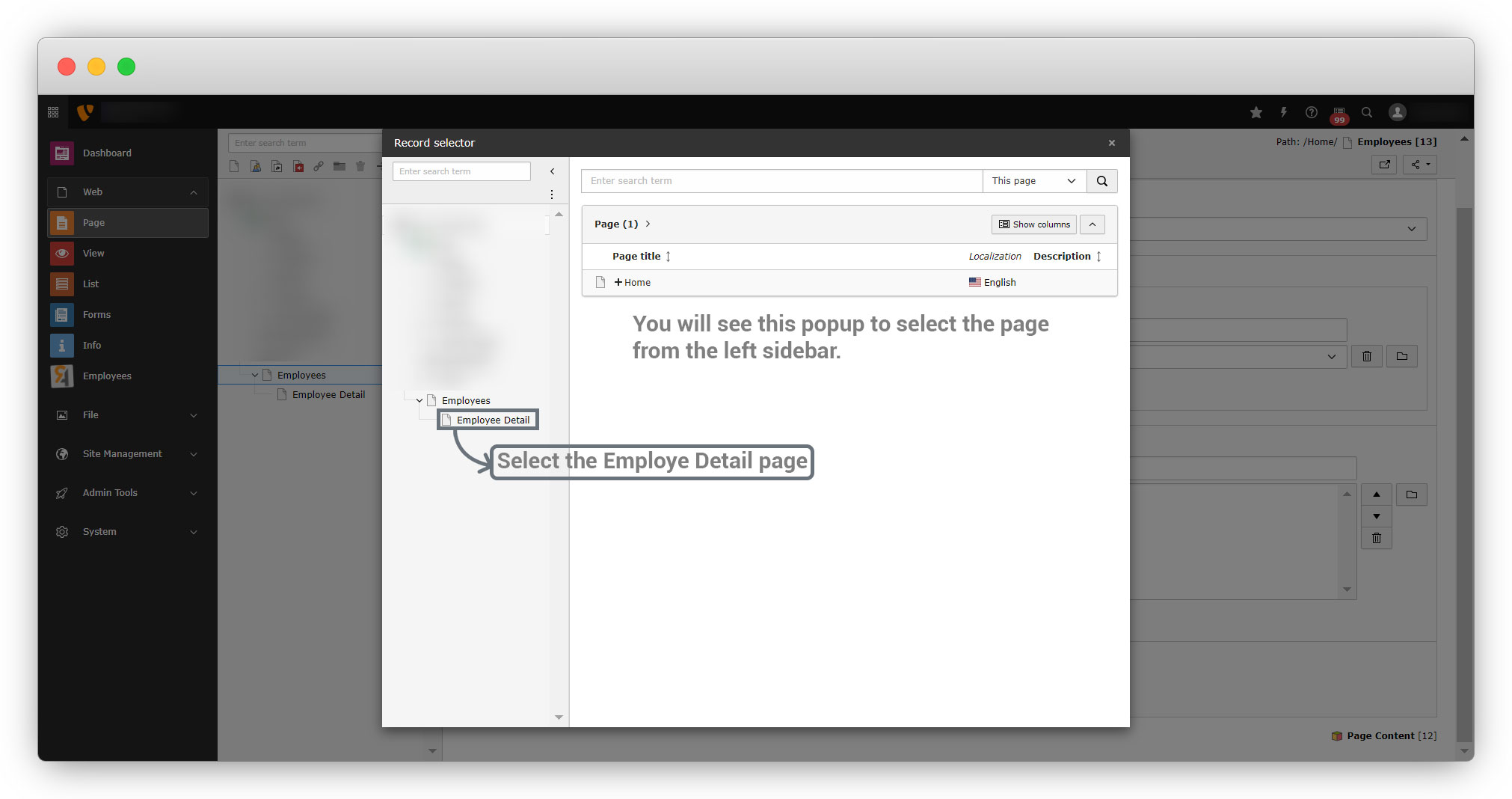
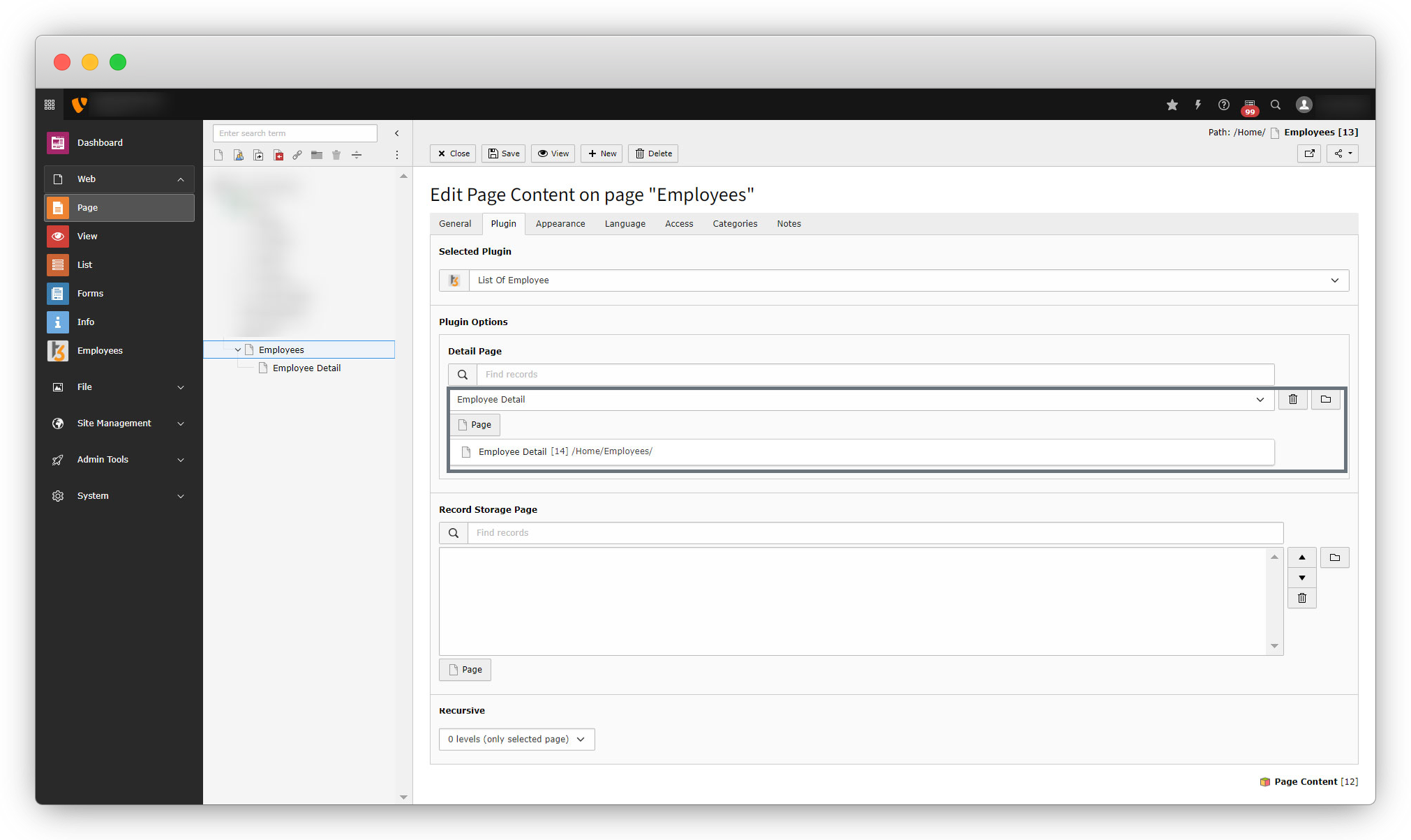
4. Now go to the Plugin tab as you can see in the screenshots below, click on the “Page” button under the Plugin options and you will see a popup, then select the detail page from the left sidebar where you want to render the details of employees, and where you have added the detail plugin. Here that page is “Employee Detail“.
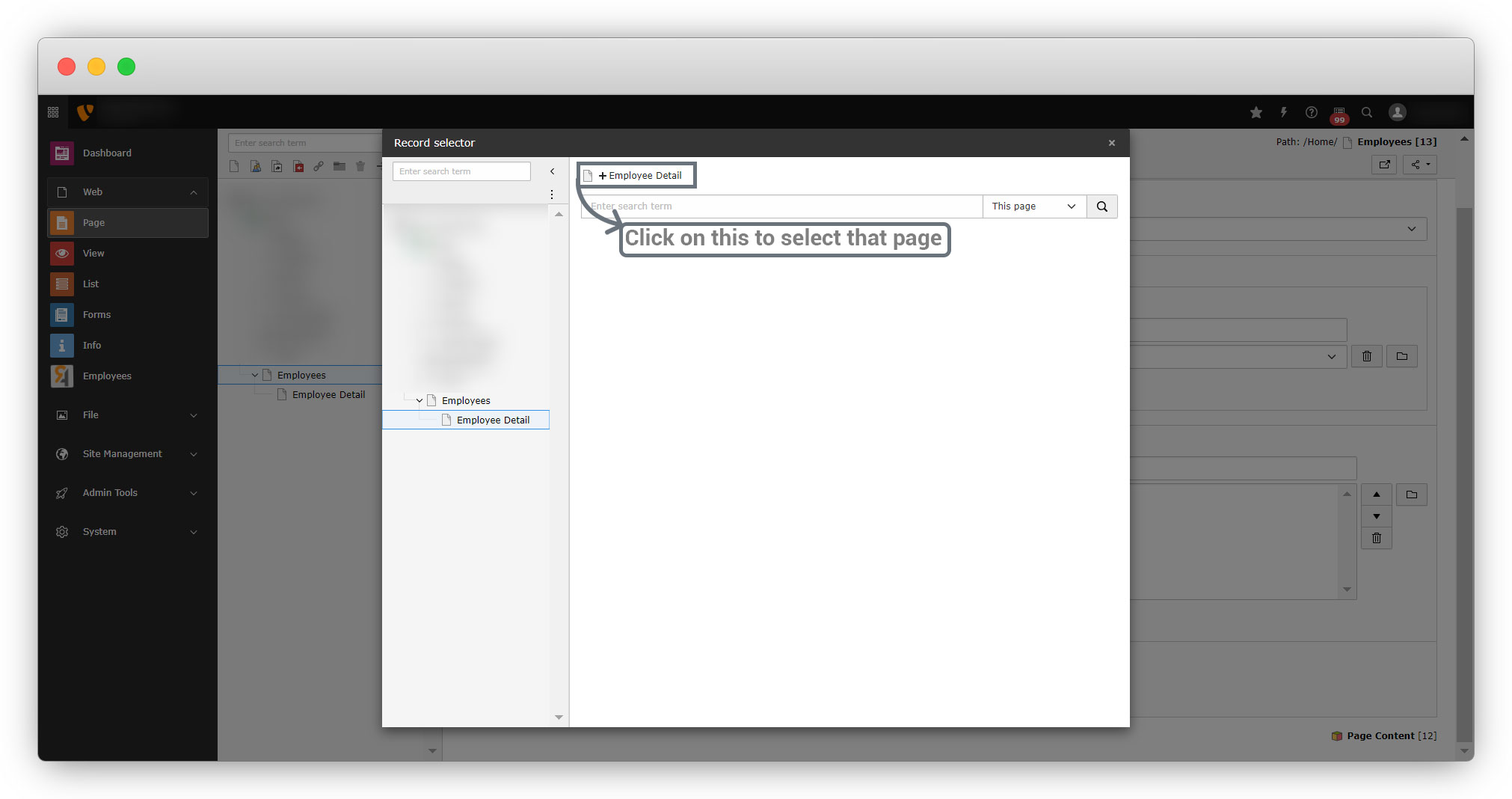
And save the page and you will see the selected detail page as seen in the screenshot below:
Share



