



URL copied to clipboard

Fetch the data of flexform
3 views
__readtime__ Min
read
1. To fetch the flexform data, go to the EmployController.php file (employeeClassesControllerEmployController.php)
2. You can get the flexform data from settings. Write the below code in indexAction() of the controller
 $settings = $this->settings;
 $this->view->assign('settings', $settings);
3. The final code of the indexAction() is :
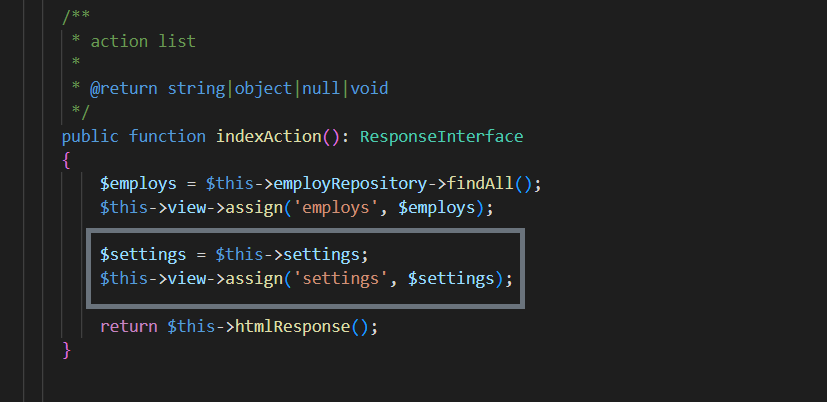
4. Now you can have all the data of flexform in the variable settings, and you can use that variable in template file to render the flexform data into the template file.
Please note here that the $settings on left is the variable (you can define any variable here) and the $this->settings on the right side is the pre-defined TYPO3 variable, and we used that pre-defined variable “settings” in flexform at the time of create flexform like “<settings.detailPid>” so the detailPid would store in that pre-defined settings variable, and we are fetching that flexform data from pre-defined settings variable to the new variable settings.
Share



