



URL copied to clipboard

Headless Configurations
10 views
__readtime__ Min
read
1. Now go to the “Headless” tab and you will see the screens as seen in the screenshot below.
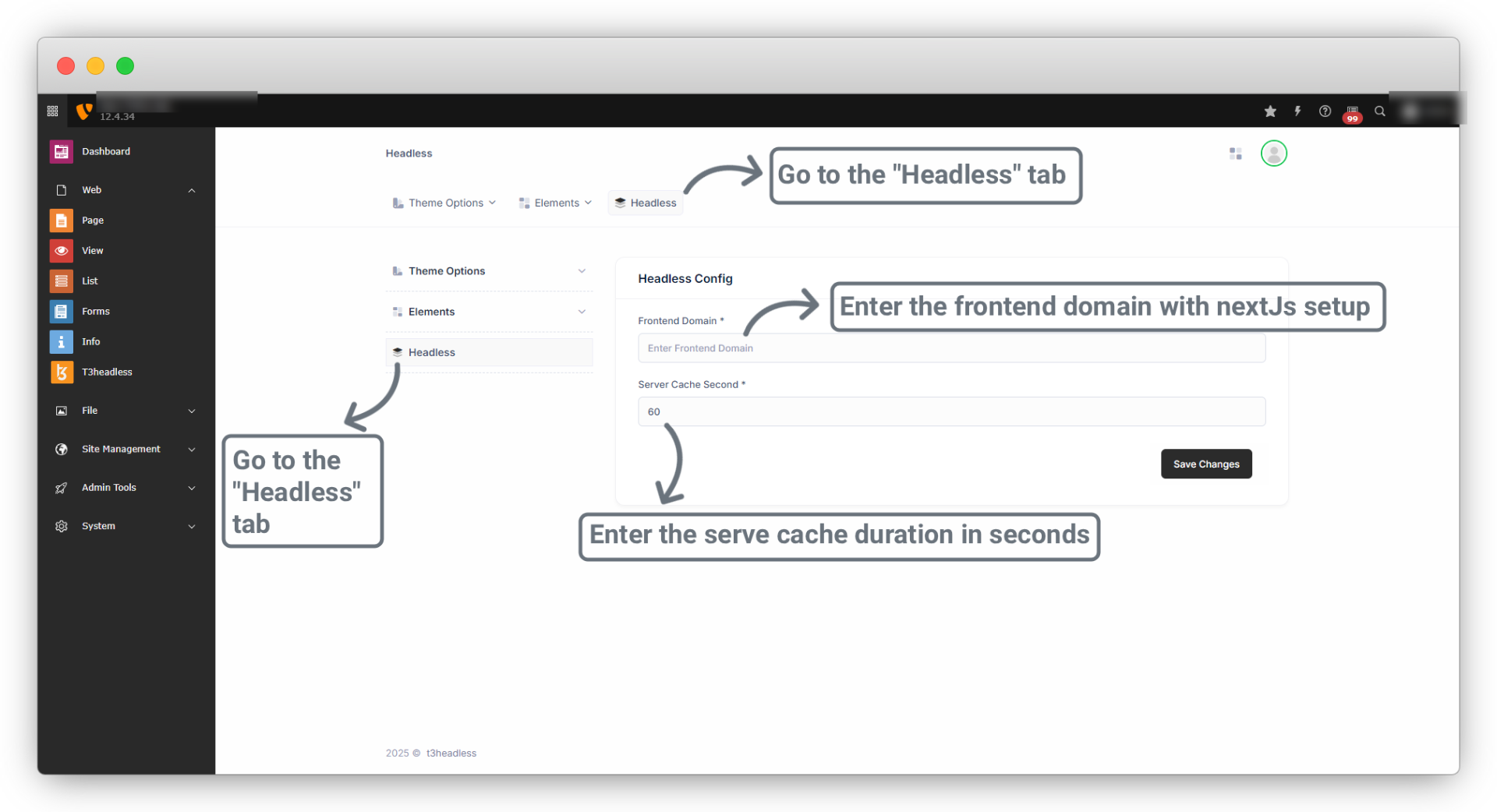
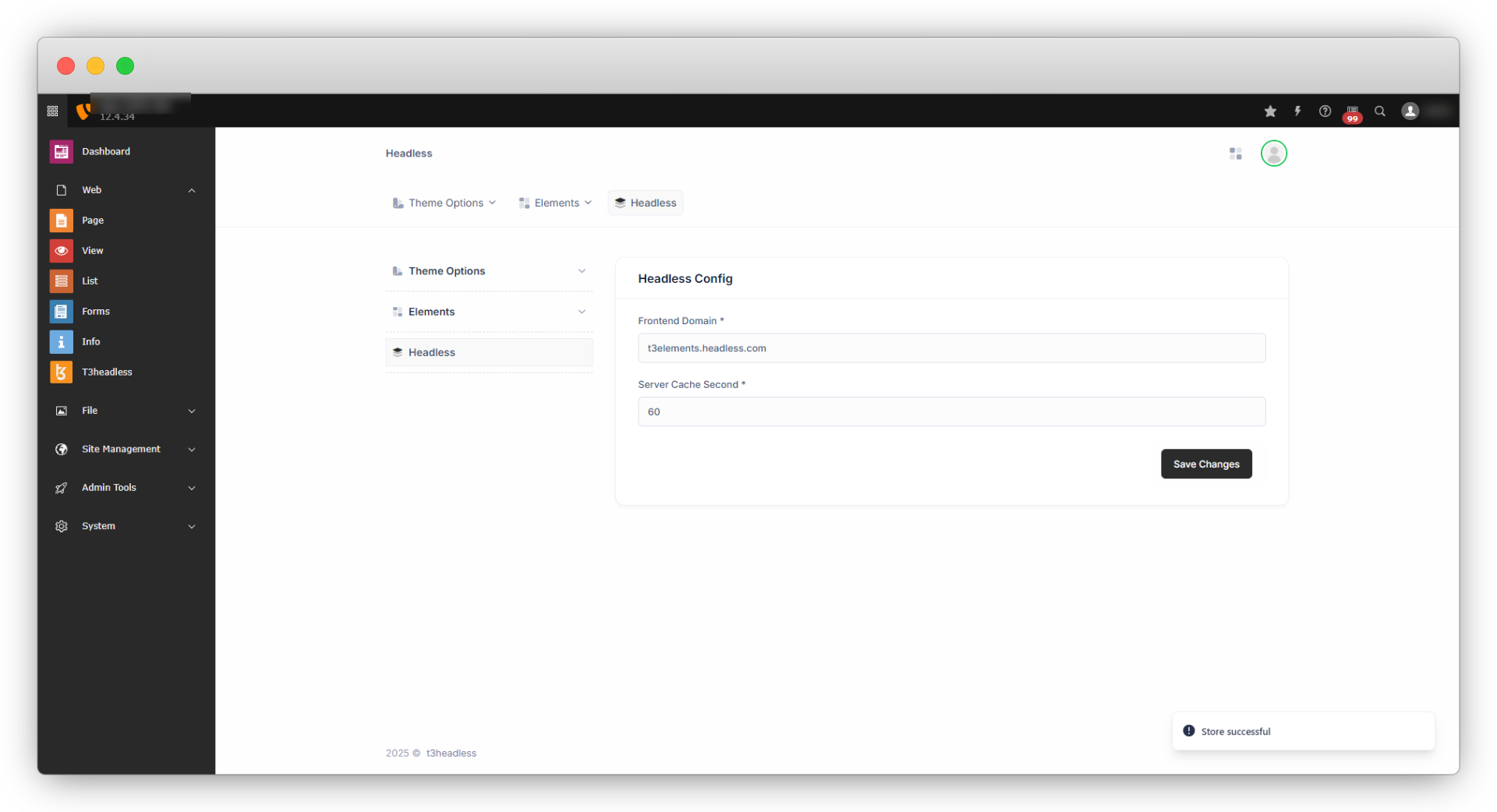
2. Add the Frontend domain with Next.js setup and server cache duration in seconds and click on the “Save Changes” button, and you will get the message “Store Successfully” and the details will be saved and you can see it on the screen.
Share



