URL copied to clipboard

T3headless Activation
12 views
__readtime__ Min
read
After all the configurations are done, now it’s time to activate the t3headless extension. Please follow the below steps to activate the t3headless extension.
1. There are 2 possibilities, 1 – If you have purchased the product from the t3element store and 2 – If you are going to register for a free license key.
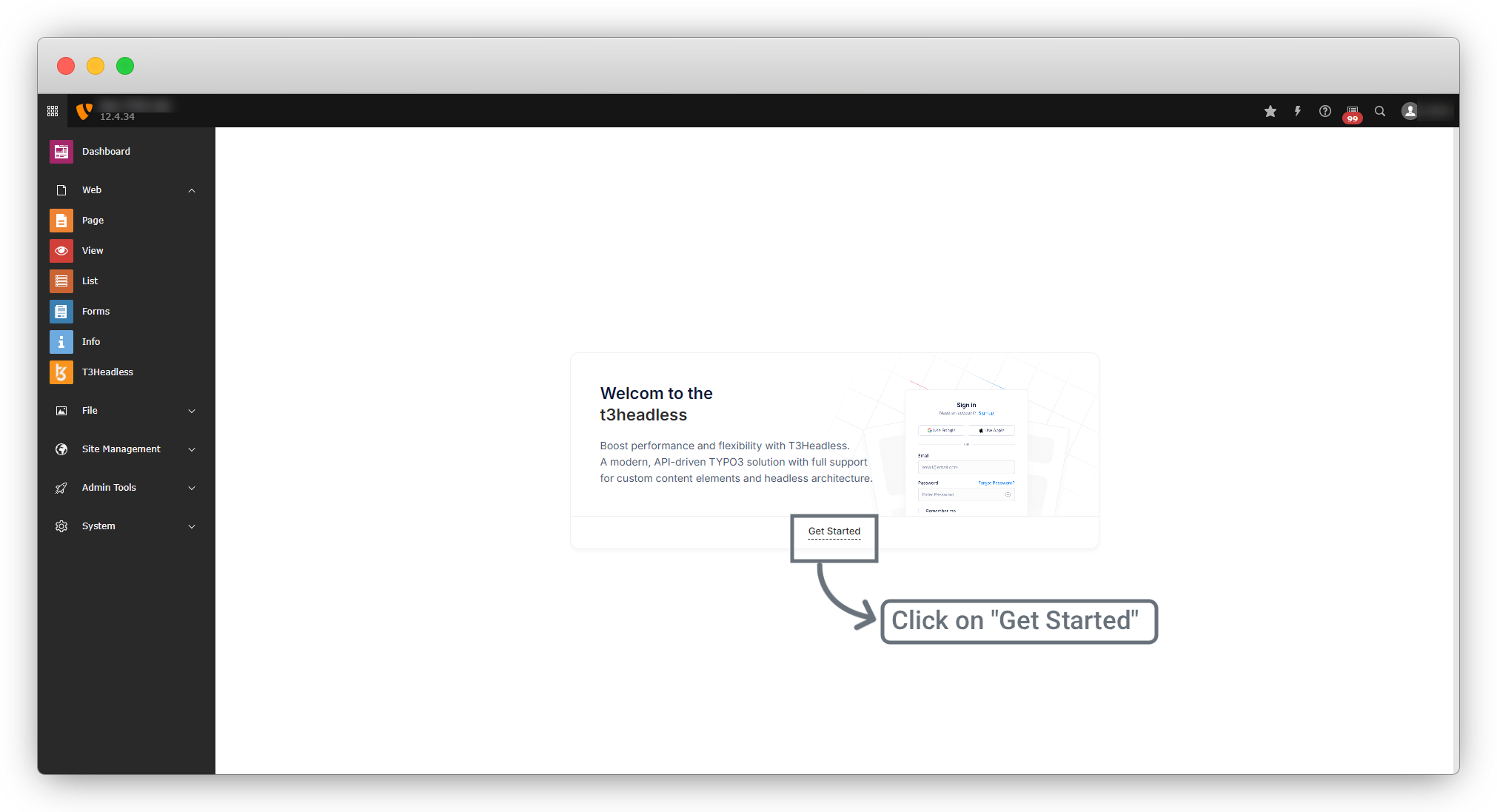
1.1. Go to Web > t3headless and you will see the screen as in the screenshot below click on “Get Started”.
2. Case -1: You already have purchased the product from the t3element store and you have the license key from that purchase.
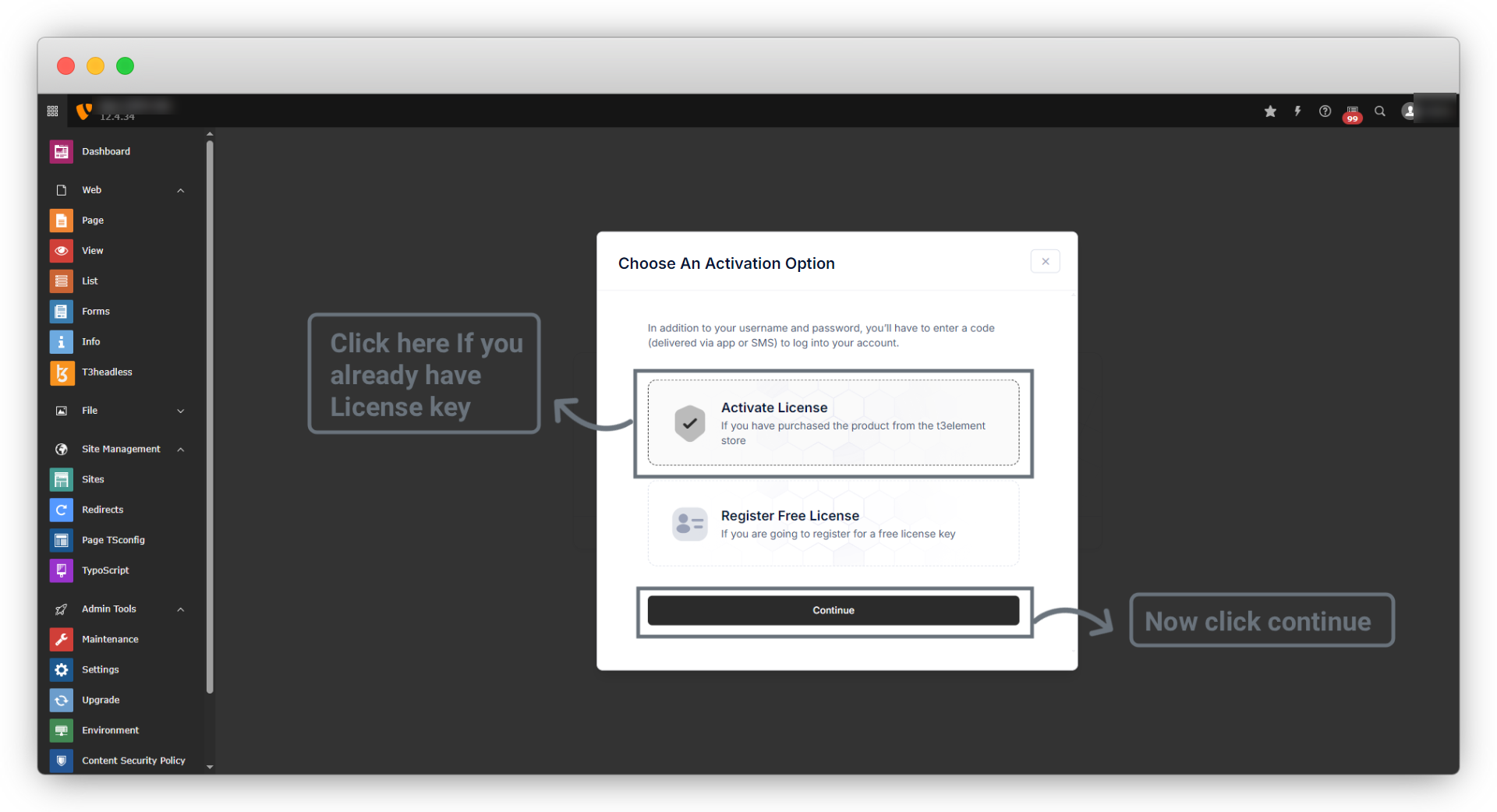
2.1. Please check your mail from T3element to find the license key, and select “Activate License” and then click on “Continue”.
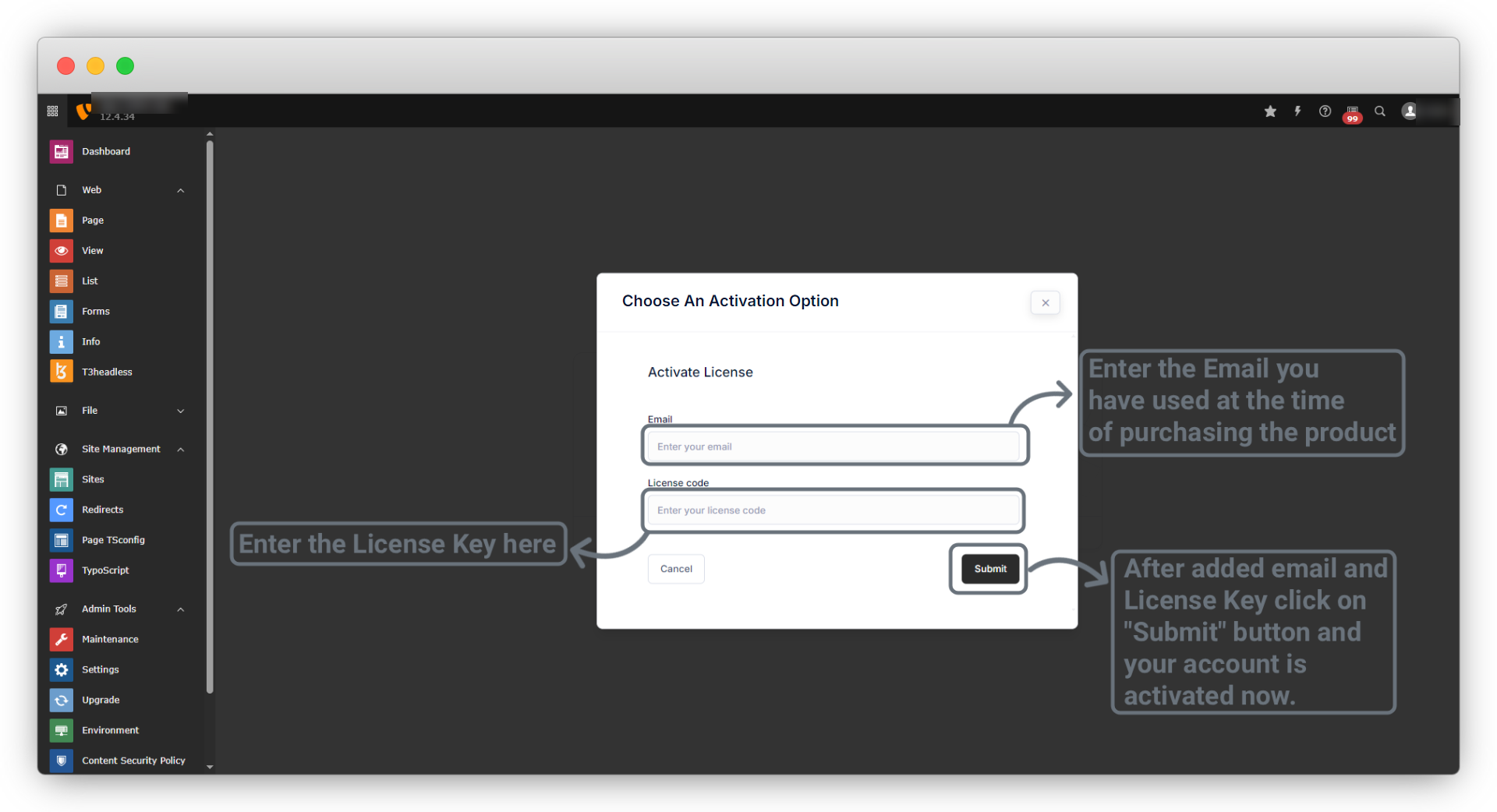
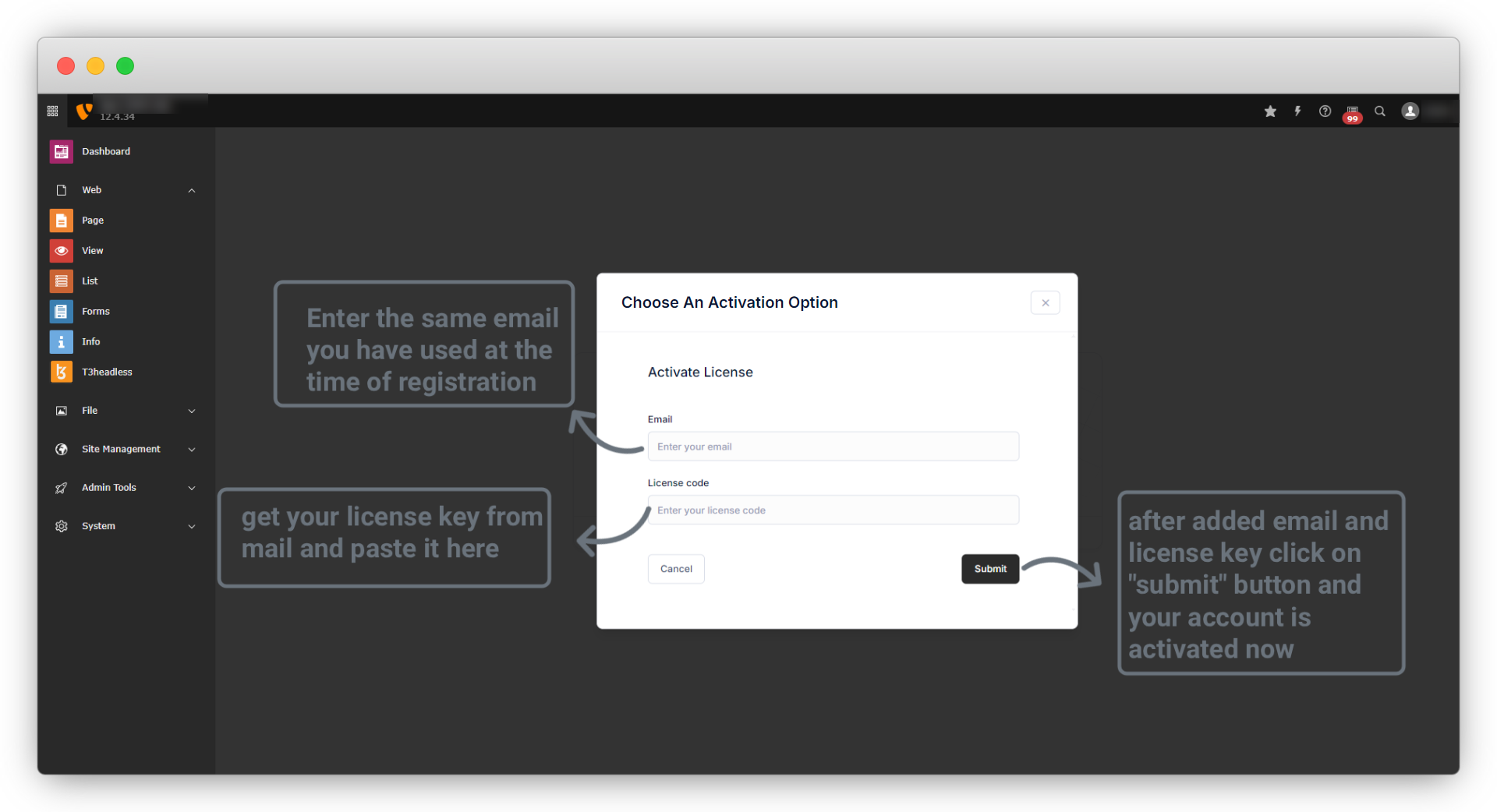
2.2. And you will see the screen as seen in the screenshot below. Now please enter your email and the license key and click on the button “Submit”.
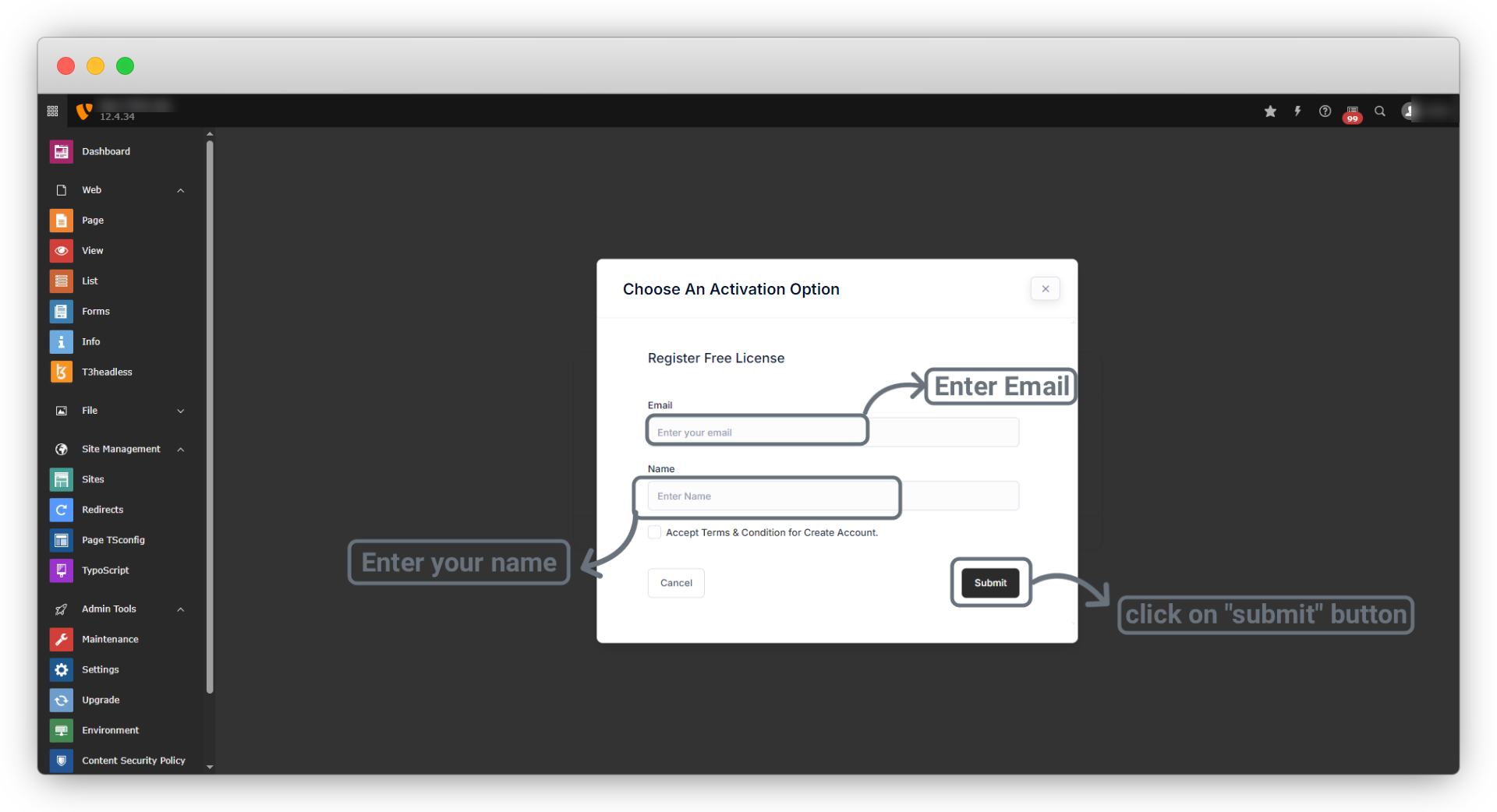
2.3. Case -2: If you didn’t purchase the product but want to use the t3headless extension, then you can register directly after extension installation and you will get the license key in your mail, then you can add the license key to activate the t3headless. Please follow the below steps to activate the t3headless extension by Free Registration.
2.3.1. Please Enter your email and name and then click on the “Submit” button.
2.3.2 Now you will get License key in your registered Email. Copy that license key and click on “Activate Now” button so you will see the activation screen.
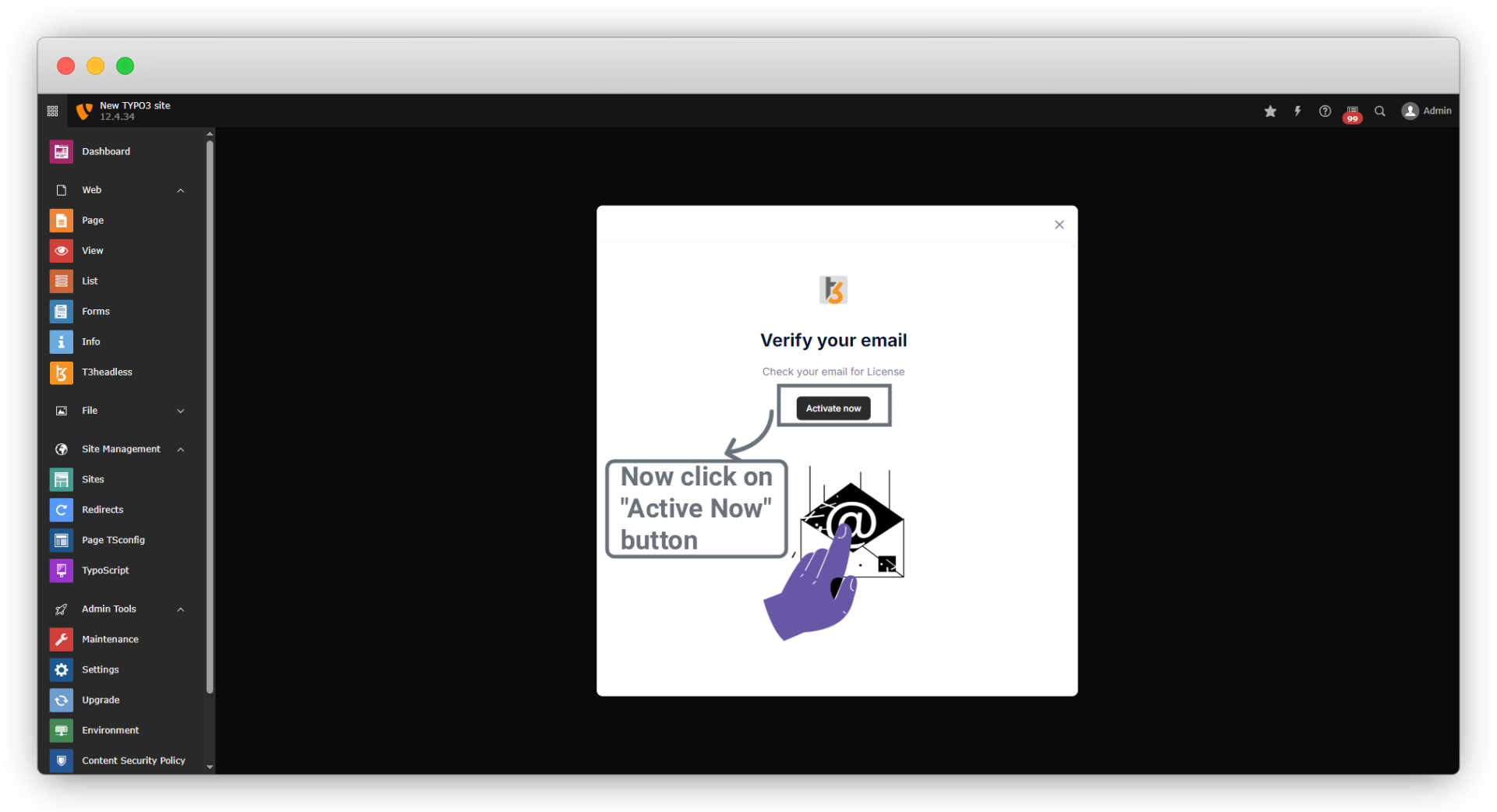
2.3.3 Now you are a registered user, and you will be redirected to the screen as seen in the below screenshot, but you need to activate the theme and for that, you should check your mail where you will find a mail from T3element with the license key. Copy that license key and paste it into the field “License key”.
2.3.4. After clicking on Submit you will be redirected to the screen as seen in the below screenshot.
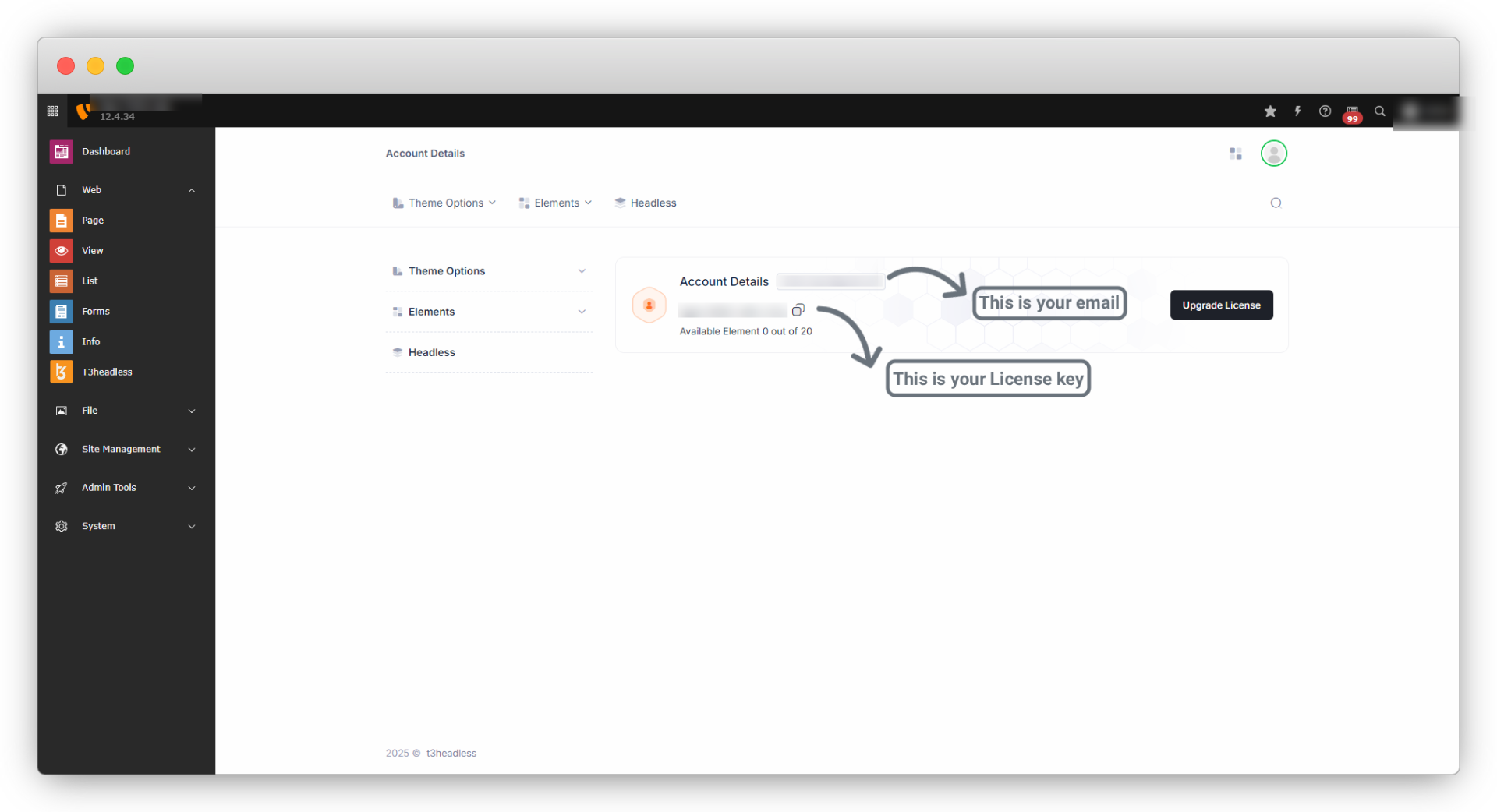
Now you can create your custom element.
Share




Related Files