



URL copied to clipboard

News Filter Result
3 views
__readtime__ Min
read
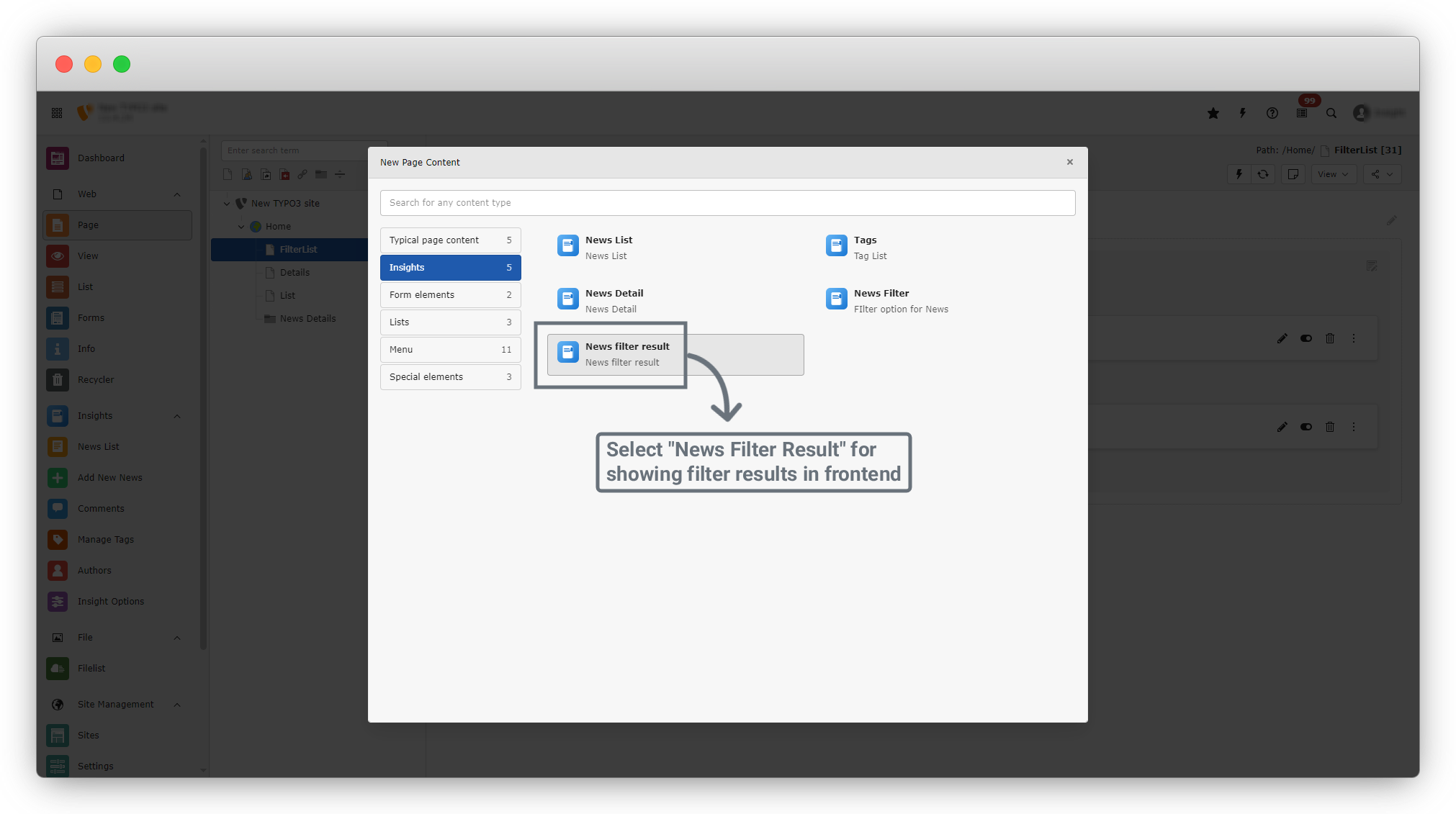
1. Similar to Tags, create a News Filter Result content by clicking on “+ Create New Content”. A dialog box will open.
2. From the left sidebar, click on the second option, “Insights”, and then select “News Filter Result”.
3. Select News Filter Result to display filtered results on the frontend based on selected filter data.
4. This will open a new form. In this form, click on the “Plugin” tab.
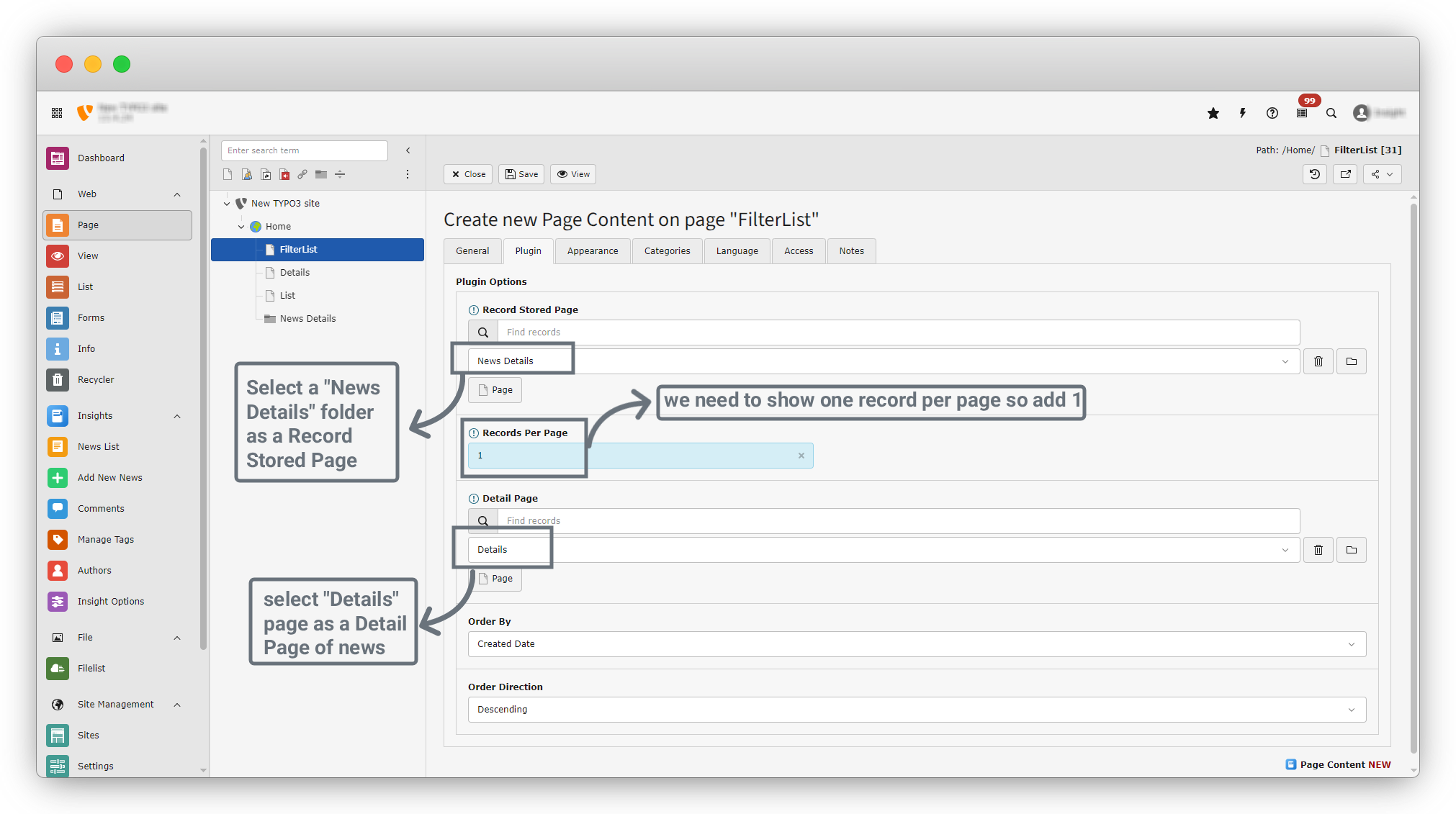
5. In the Plugin tab, there are five fields:
- Record Stored Page: Select the page where records are stored. In our case, records are stored in the “News Details” folder.
- Filter Result Page ID: Select the page where filtered results will be displayed. Since record details are shown on a “Details” page, select the “Details” page.
- Record Per Page: Enter the number of records you want to display on one page.
- Order By: By default, this is set to Created Date.
- Order Direction: By default, this is set to Descending.
6. Select “News Details” as the Record Stored Page, set Record Per Page to 1, and select the “Details” page as the Detail Page.
7. Click the “Save” button. After the content is saved successfully, a success message will appear. Then click the “Close” button next to the Save button to close the form.
8. After clicking the Close button, you will be redirected back to the Filter List page. On this page, the newly created News Filter Result content will be listed below the News Filter content.
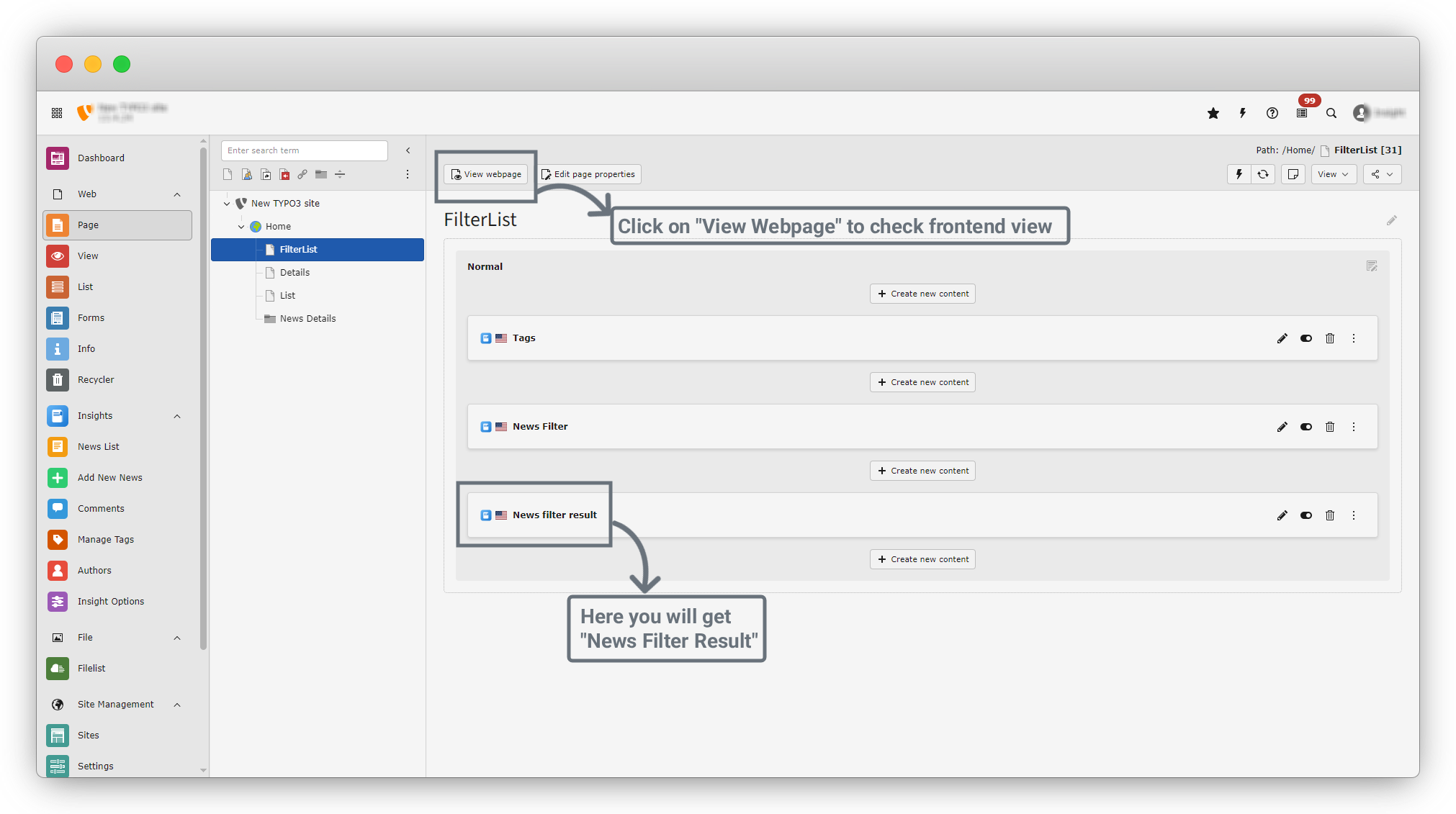
9. You will see options to Edit, Enable/Disable (to show or hide the content), and Delete the content.
10. From the top section, click the “View Webpage” button to navigate to the frontend. At this point, you will see the message “No Data Found” after the filter button because no data has been filtered yet.
11. Now, filter data using the “Solar Power” tag. Click on the “Solar Power” tag, and a list of news items associated with that tag will be displayed.
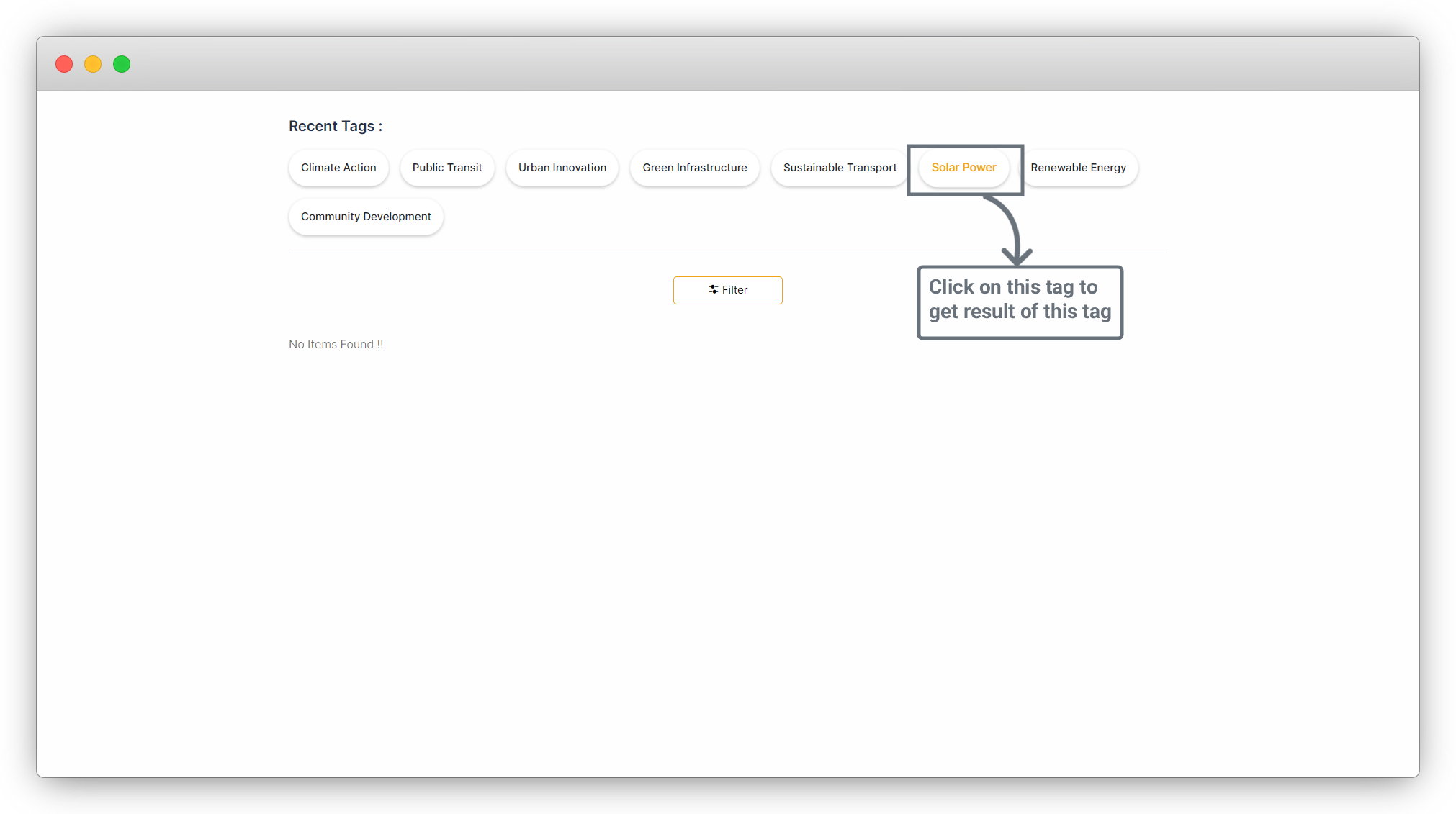
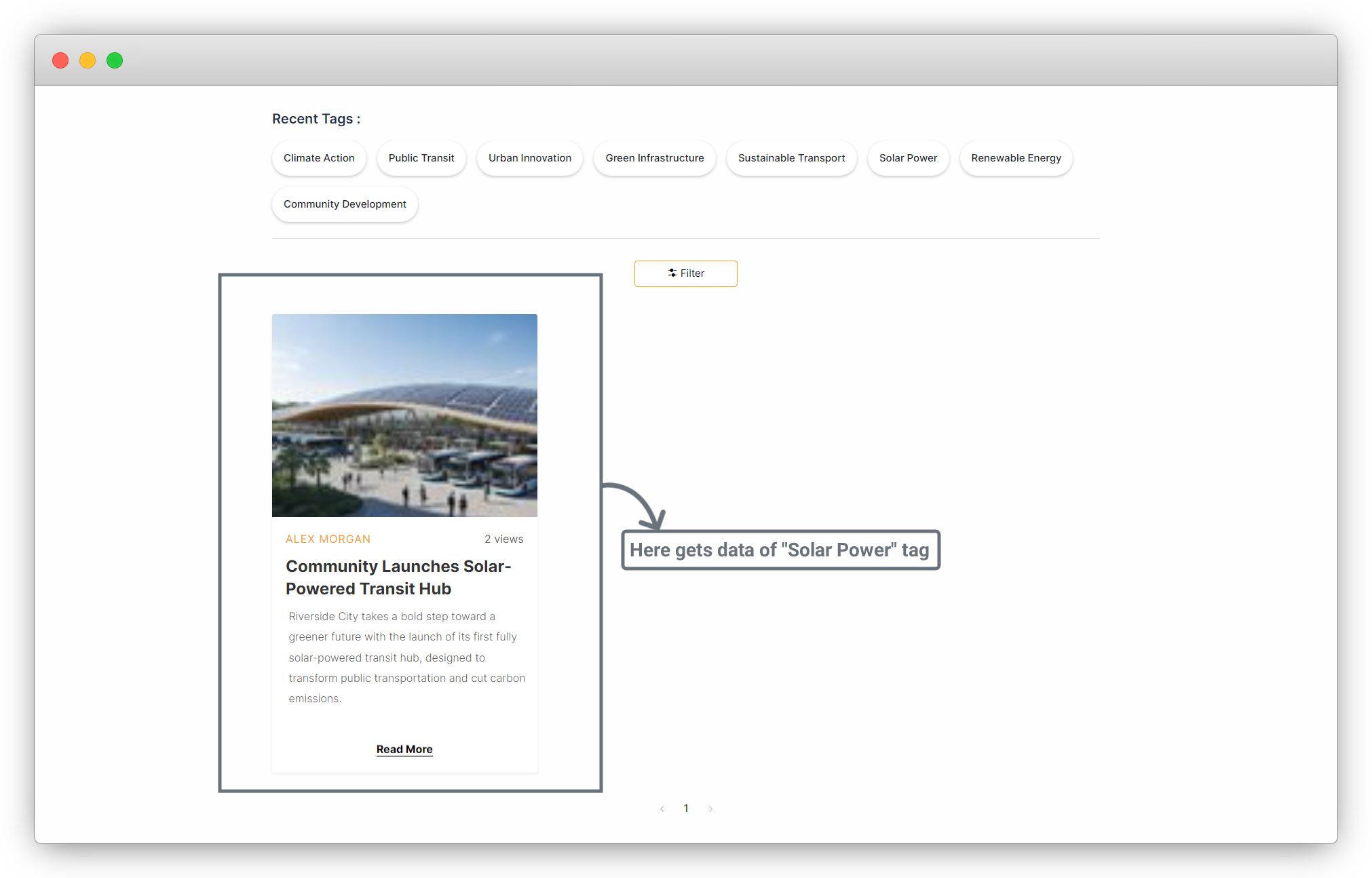
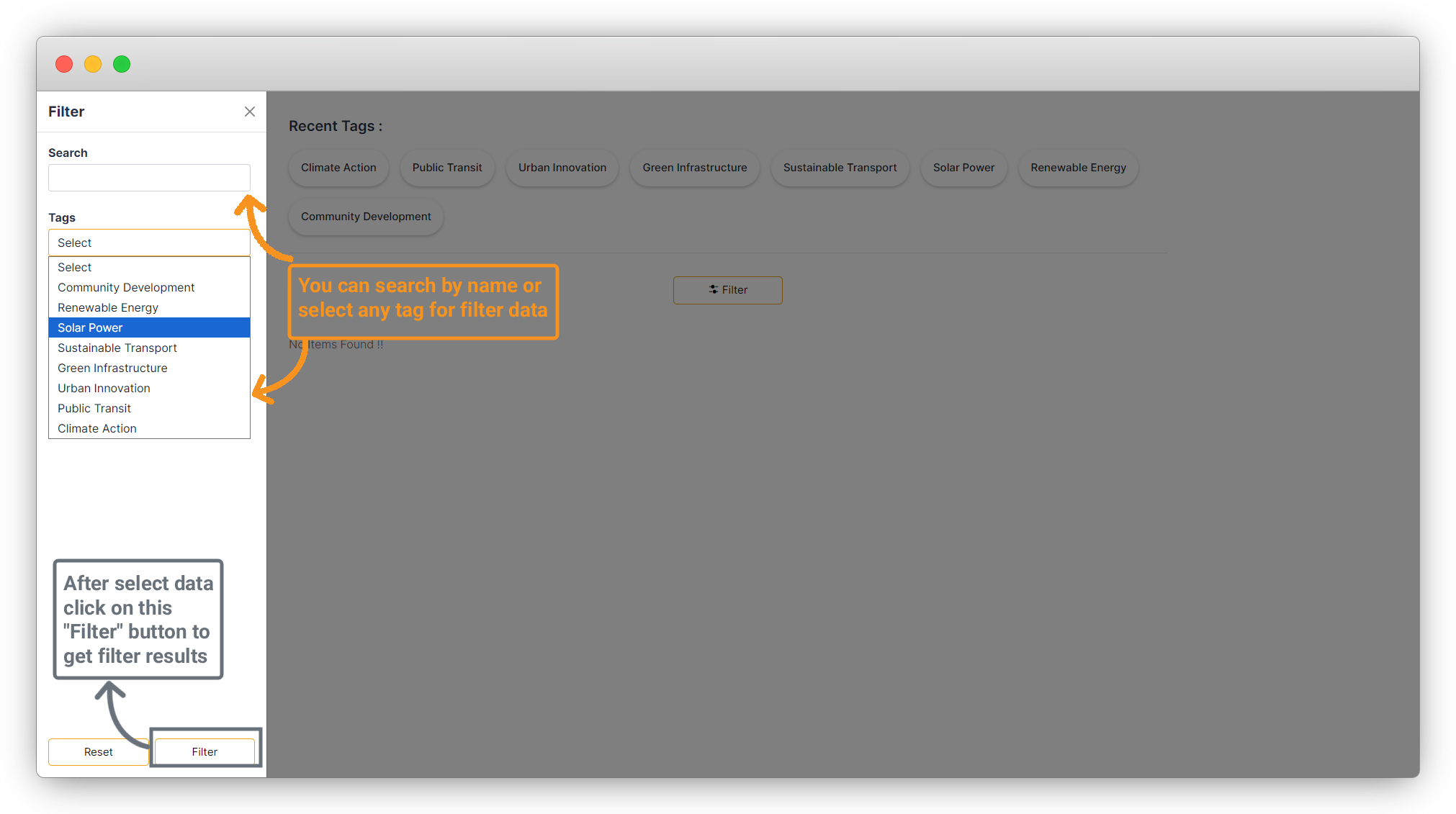
12. Next, test the Filter button. Click the Filter button, and a sidebar will appear containing a search bar and a tags dropdown. You can search using any keyword or filter by tag. After selecting your criteria, click the Filter button at the bottom to view the filtered results.
Share



