



URL copied to clipboard

Register back-end module
5 views
__readtime__ Min
read
1. The configuration of backend modules is placed in the dedicated Configuration/Backend/Modules.php configuration file.
2. Create the file Modules.php, and the path will be: <extension_directory>ConfigurationBackendModules.php, here for the employee extension the path will be employeeConfigurationBackendModules.php
3. Add the below code to the file
<?php

use CompanyEmployeeControllerEmployController;

return [
    'tx_employe' => [
        'parent' => 'web',
        'position' => ['after' => 'web_info'],
        'access' => 'user',
        'workspaces' => 'live',
        'path' => '/module/employee',
        'labels' => "LLL:EXT:employee/Resources/Private/Language/locallang_employee.xlf",
        'extensionName' => 'Employee',
        'iconIdentifier' => 'employee',
        'controllerActions' => [
        // Define the controller class names as an array key
        EmployController::class => [
                // Define all the actions for backend module
            ],
        ],
    ],
];
The explanation of all the parameters is below
- parent: If the module should be a submodule, the parent identifier, for example, web has to be set here. Have a look at the list of available top level modules.
- position: The module position. Allowed values are top and bottom as well as the key-value pairs before => <identifier> and after => <identifier>.
- access: Can be the user (editor permissions), admin, or systemMaintainer.
- workspaces: Can be * (= always), live or offline. If not set, the value of the parent module – if any – is used.
- path: Define the path to the default endpoint. The path can be anything, but will fallback to the known /module/<mainModule>/<subModule> pattern, if not set.
- labels: The value can either be a static string or a locallang label reference. |, It is also possible to define the path to a locallang file. The referenced file should contain the following label keys:
- mlang_tabs_tab (used as module title)
- mlang_labels_tabdescr (used as module description)
- mlang_labels_tablabel (used as module short description)
- extensionName: The extension name in UpperCamelCase for which the module is registered. If the extension key is my_example_extension the extension name would be MyExampleExtension.
- iconIdentifier: The module icon identifier.
- controllerActions: Define the controller action pair. The array keys are the controller class names and the values are the actions, which can either be defined as an array or comma-separated list.
4. In the above code, we have called the file locallang_employee.xlf but we haven’t created the file yet. Let’s create the file, and the file path would be employee/Resources/Private/Language/locallang_employee.xlf
4.1. After creating the file add the code given below to the file
<?xml version="1.0" encoding="utf-8" standalone="yes" ?>
<xliff version="1.0">
	<file source-language="en" datatype="plaintext" date="2023-02-25T07:50:45Z" product-name="t3theme">
		<body>
			<trans-unit id="mlang_tabs_tab" resname="mlang_tabs_tab">
				<source>Employees</source>
			</trans-unit>
		</body>
	</file>
</xliff>
You can see in the above code that we have added the id “mlang_tabs_tab” and added the label “Employees” to the source tag.
4.2. To get the module’s title, it is necessary to add the id mlang_tabs_tab, as you can see in the explanation in the Modules.php file’s explanation above.
4.3. You can find more explanations for the locallang_employee.xlf file in the “How to add multiple languages in TYPO3” section, which will be useful if you want to add multiple languages to your TYPO3 site. But for now, you can just carry on with the given information above for the locallang_employee.xlf file.
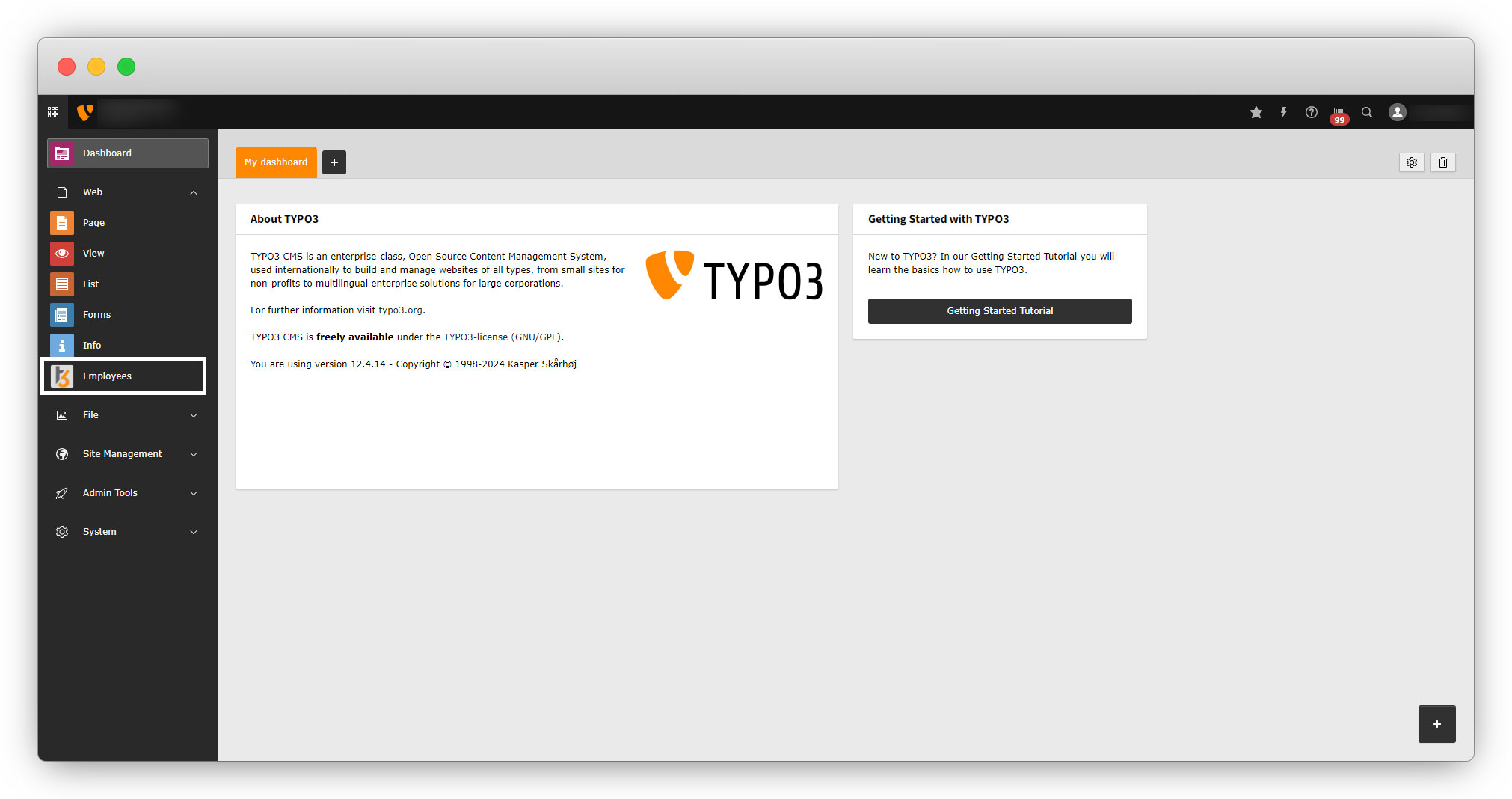
5. After saving the file, flush the cache and you will see the module has been added to the admin panel under the Web tab.
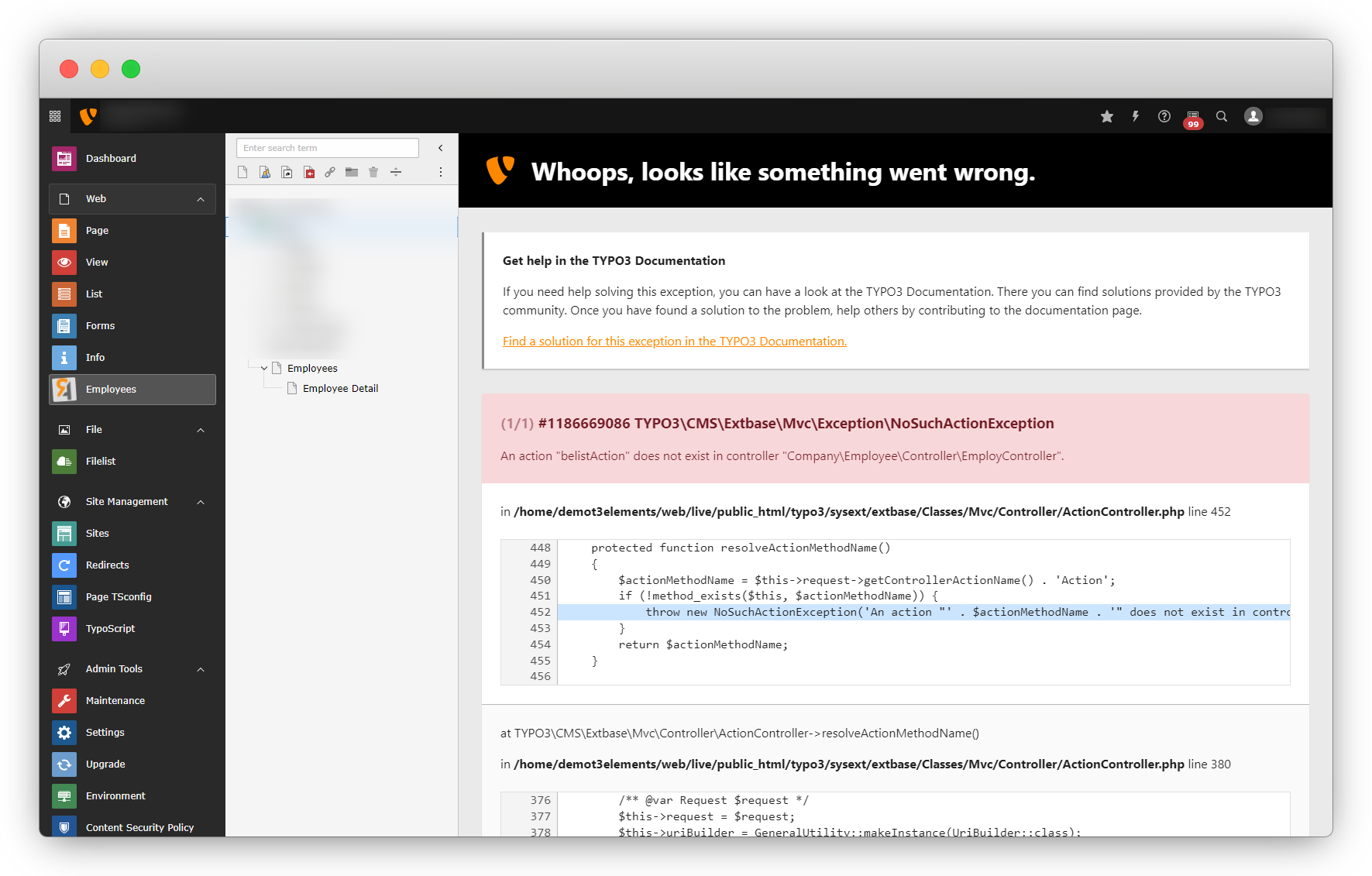
6. Click on the back-end module tab, and you will face the below error.
Share



