



URL copied to clipboard

Delete employee in the back-end module
3 views
__readtime__ Min
read
Please follow the below steps to implement the delete functionality:
1. Let’s add the delete button to the template file. The file path is employeeResourcesPrivateBackendTemplatesEmployBelist.html
Add the code below to the template file just after the edit button.
<f:link.action action="delete"
   arguments="{uid:emp.uid}">Delete
</f:link.action>
2. After adding the above code, you will see the employee list in the back-end module has a delete button now.
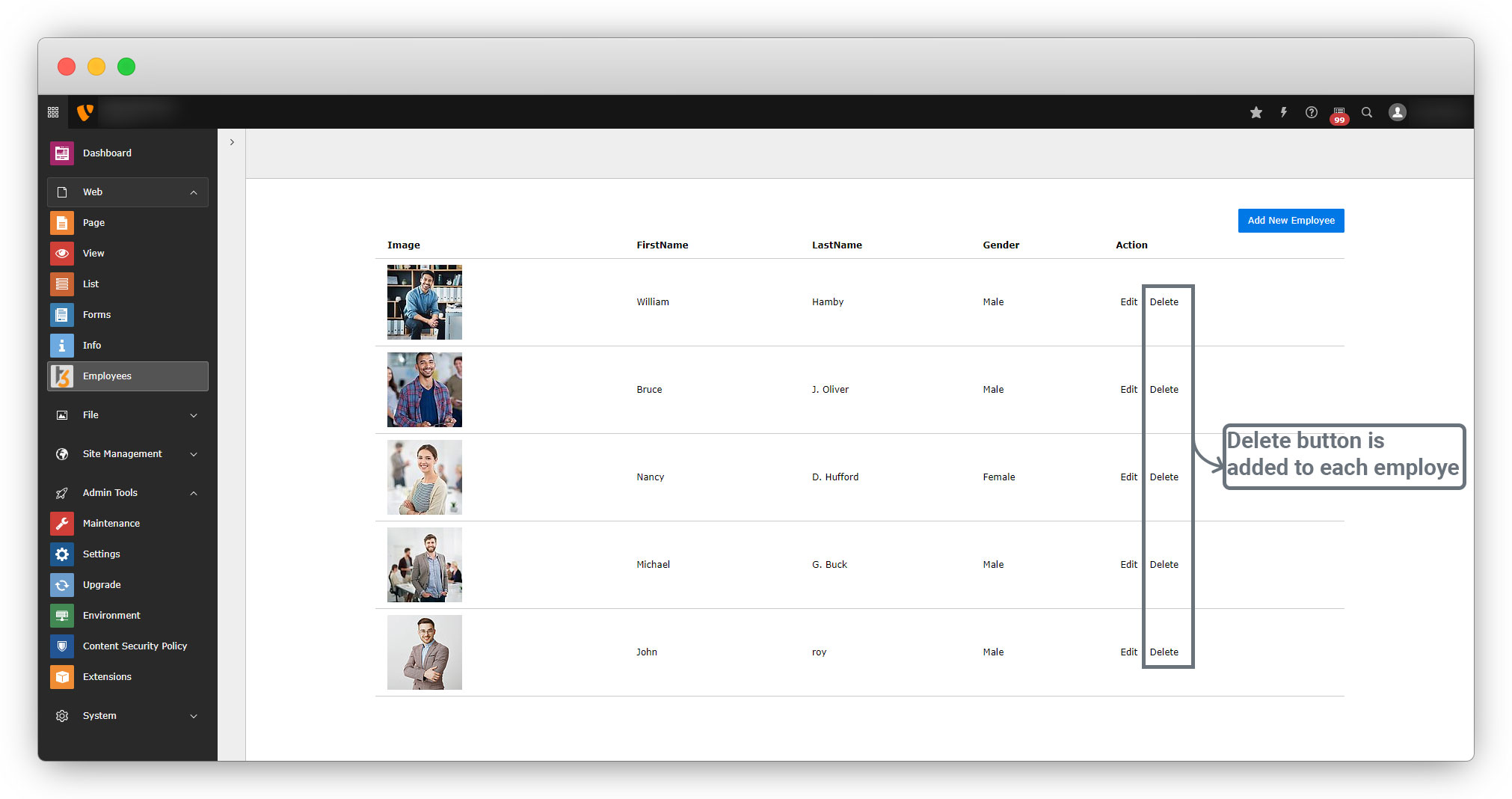
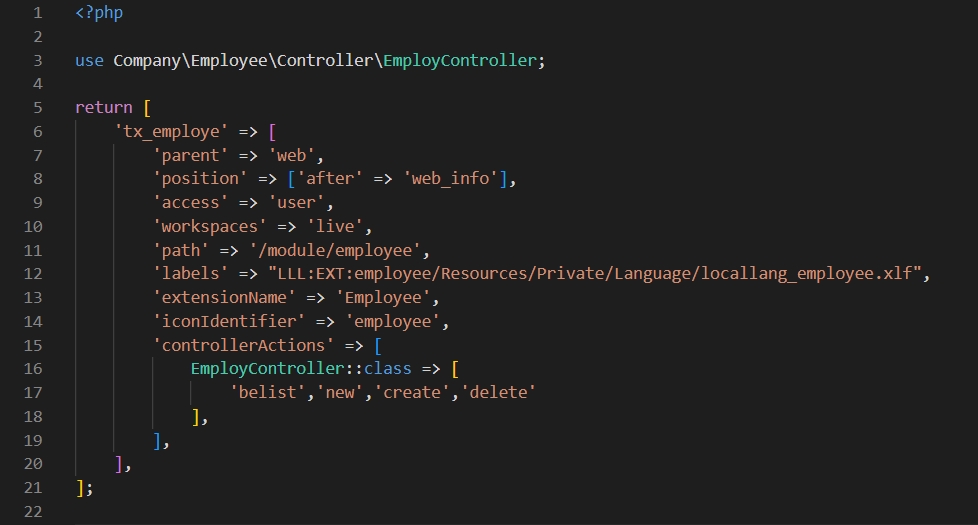
3. As you can see in the above code, the action that is assigned to the delete button is “delete”, but we need to create that action and add it to the employeeConfigurationBackendModules.php file to make it allow or available for the back-end module, add as a new value of the array EmployController array as you can see in the screenshot below
4. Now let’s create the deleteAction into the employeeClassesControllerEmployController.php file. Please add code for the deleteAction as given below:
    public function deleteAction(): ResponseInterface
    {
        // get all the arguments by using getArguments() method.
        $arguments = $this->request->getArguments();
        // get the uid from arguments
        $uid = $arguments['uid'];
        /**
         * Check the condition for uid and use the finByUid method and get all the data
         * for that user you have clicked the delete button for.
         * And store the data in a variable.
         * Then use the remove method to remove all the data for that employee
         * by pass the variable you have stored all the data in the remove method.
         * And use the addFlashMessage to display the message after delete and use ContextualFeedbackSeverity to display the status.
         */
        if ($uid) {
            $emplodata = $this->employRepository->findByUid($uid);
            if ($emplodata) {
                $this->employRepository->remove($emplodata);
                $this->addFlashMessage('Employee Deleted Sucessfully!!', 'Done!!', ContextualFeedbackSeverity::OK, true);
            } else {
                $this->addFlashMessage('Employee Not Found!!', 'Invalid', ContextualFeedbackSeverity::WARNING, true);
            }
        } else {
            $this->addFlashMessage('Employee Not Found!!', 'Invalid', ContextualFeedbackSeverity::WARNING, true);
        }
        // redirect to the employee list.
        return $this->redirect('belist');
    }
5. After creating the action and allowing the action in modules.php file, you will the Delete button has a link now, and you can click on the button to remove the particular record.
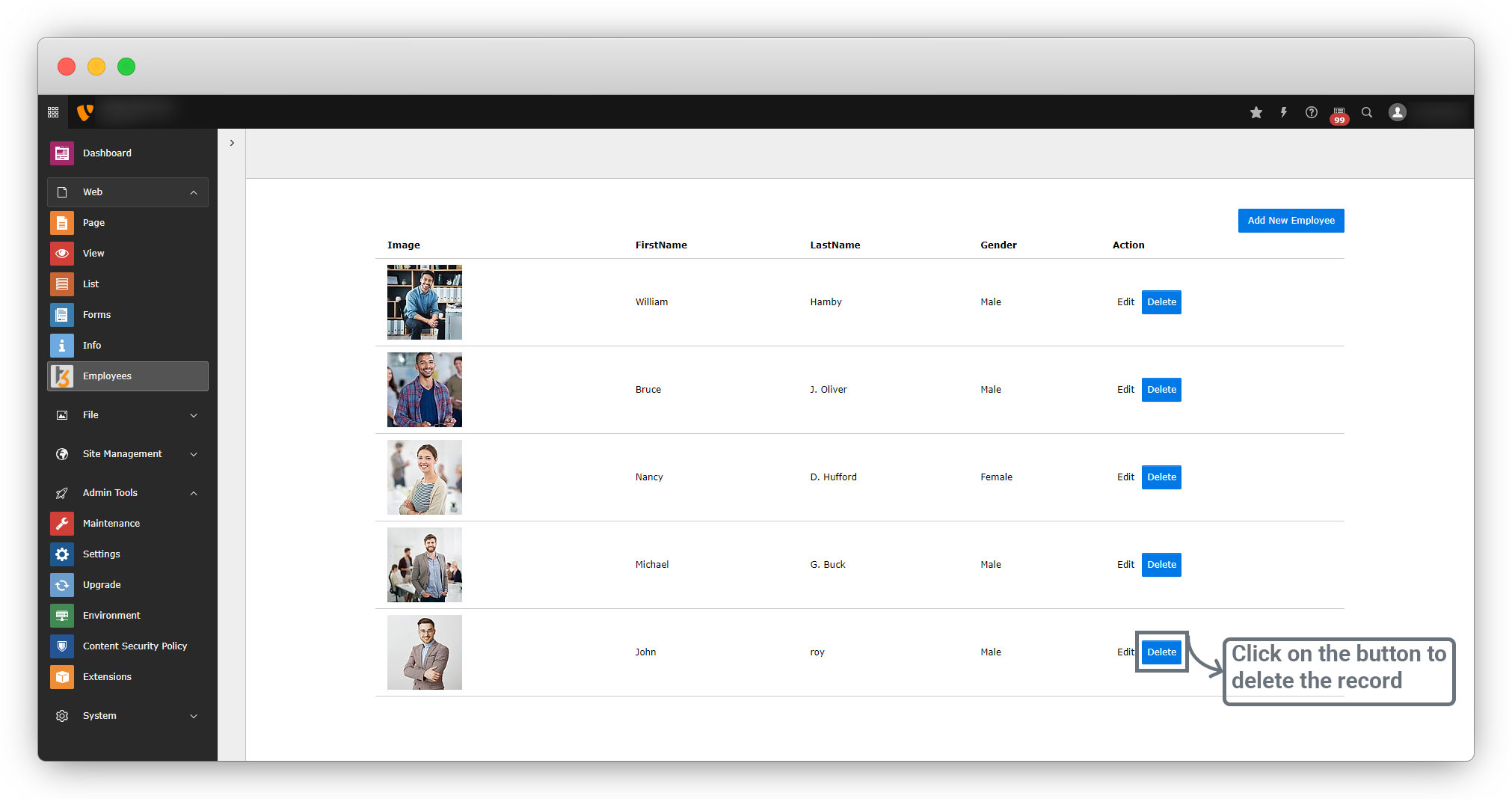
As you can see in the below screenshot, the last employee “John” is deleted and you will get the message when the delete action is successfully done.
Share



